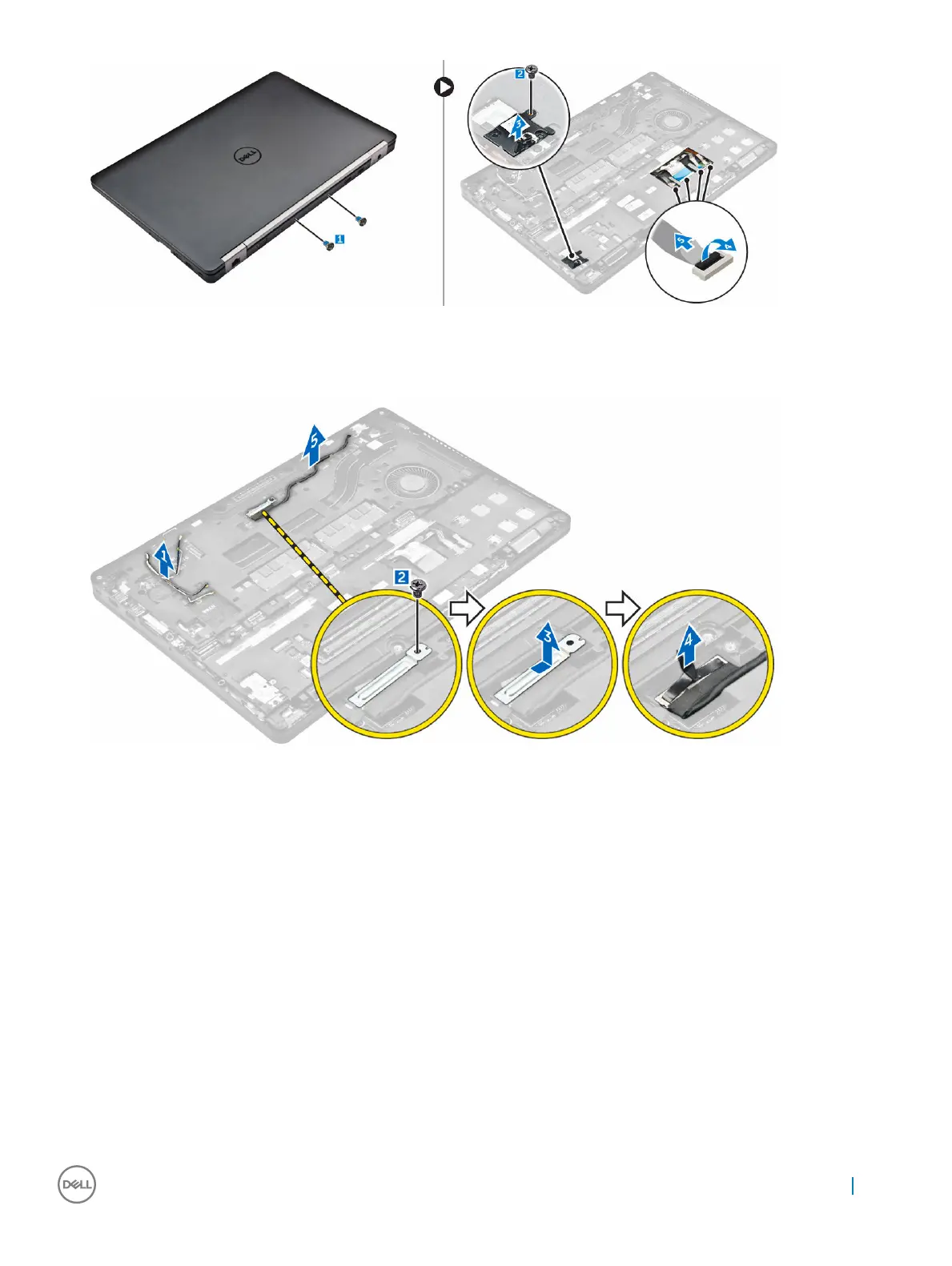
4 To remove the eDP cable:
a Unroute the WWAN and WLAN cables from the doc frame [1].
b Remove the screw and lift the metal bracket [2, 3].
c Disconnect the eDP cable [4].
5 To remove the dock frame:
a Remove the screws that secure the dock frame to the computer [1].
b Lift the dock frame from the computer [2].
Removing and installing components
25



 To Next Page