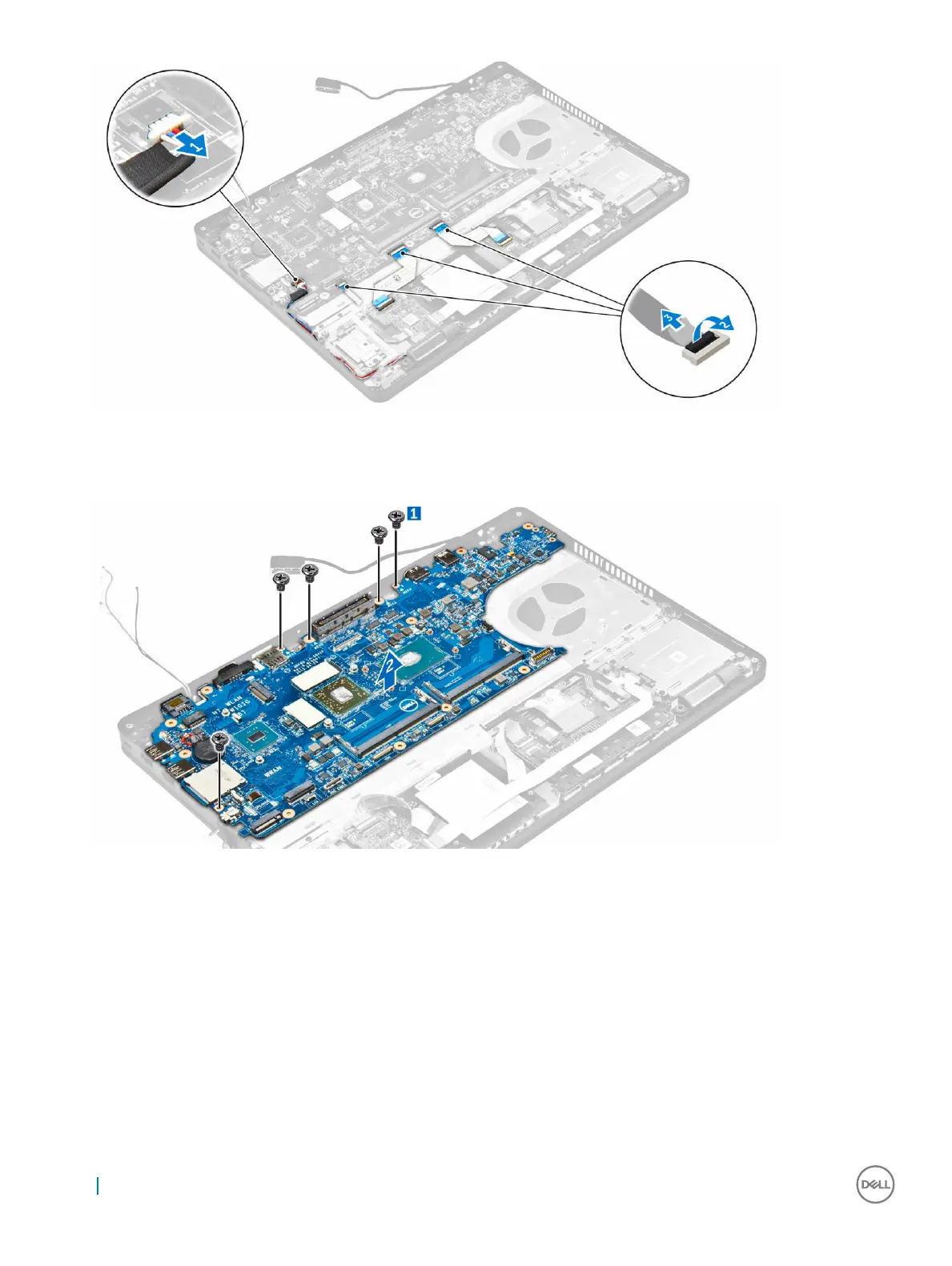
4 To remove the system board:
a Remove the screws that secure the system board to the chassis [1].
b Slide the system board to disengage the connectors from the slots on the back of the computer.
c Lift the system board from the computer [2].
Installing the system board
1 Align the system board with the screw holders on the computer.
2 Tighten the screws to secure the system board to the computer.
3 Connect the speaker cable to the connector on the system and route the cable through the routing channels.
4 Connect the power connector and coin cell battery cables to the connectors on the system board:
5 Install the:
a power connector port
b dock frame
c WLAN
d heat sink assembly
e WWAN
f hard drive assembly or M.2 SSD or PCIe SSD
34
Removing and installing components



 To Next Page