Installation Guide 1-7
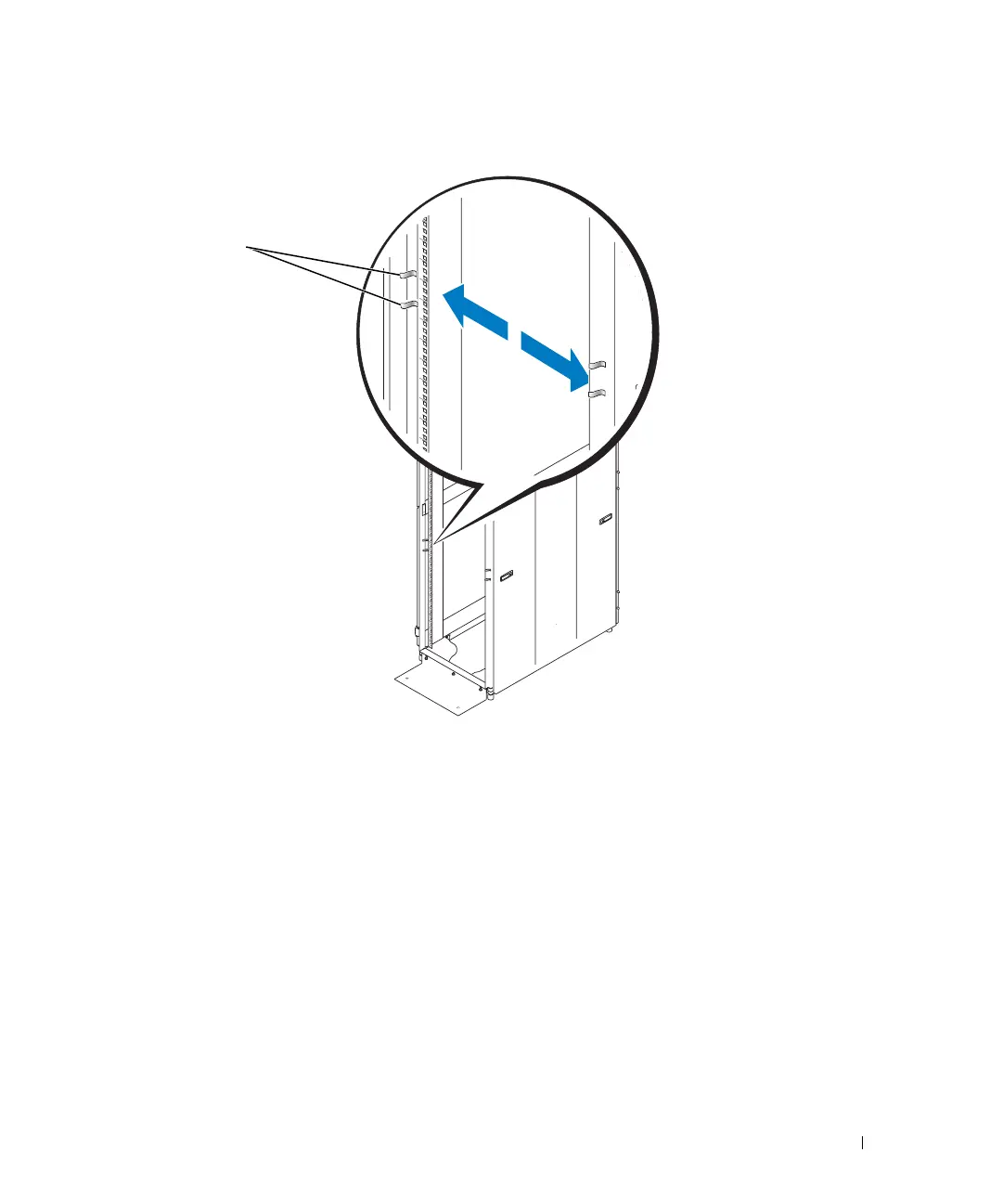
Figure 1-3. Marking the Vertical Rails
Installing the RapidRails Slide Assemblies
1 At the front of the rack cabinet, position one of the RapidRails slide assemblies so that
its mounting-bracket flange fits between the marks or tape you placed on the rack. See
Figure 1-4.
Ensure that the mounting hook on the slide assembly’s front mounting bracket flange
enters the top hole between the marks you made on the vertical rails.
2 Push the slide assembly forward until the mounting hook enters its respective square
hole on the vertical rail, and then push down on the mounting-bracket flange until the
mounting hooks seat in the square holes and the push button pops out and clicks. See
Figure 1-4.
tape on
vertical rail
8x738bk0.book Page 7 Monday, April 28, 2003 10:21 AM



 To Next Page