Installation Guide 1-13
Installing the Keyboard in the Tray (Optional)
NOTE: If the keyboard is not already installed in the tray, perform the following
procedure to install the keyboard; otherwise, continue to "Completing the Cable
Connections."
1
Pull the tray out until it locks.
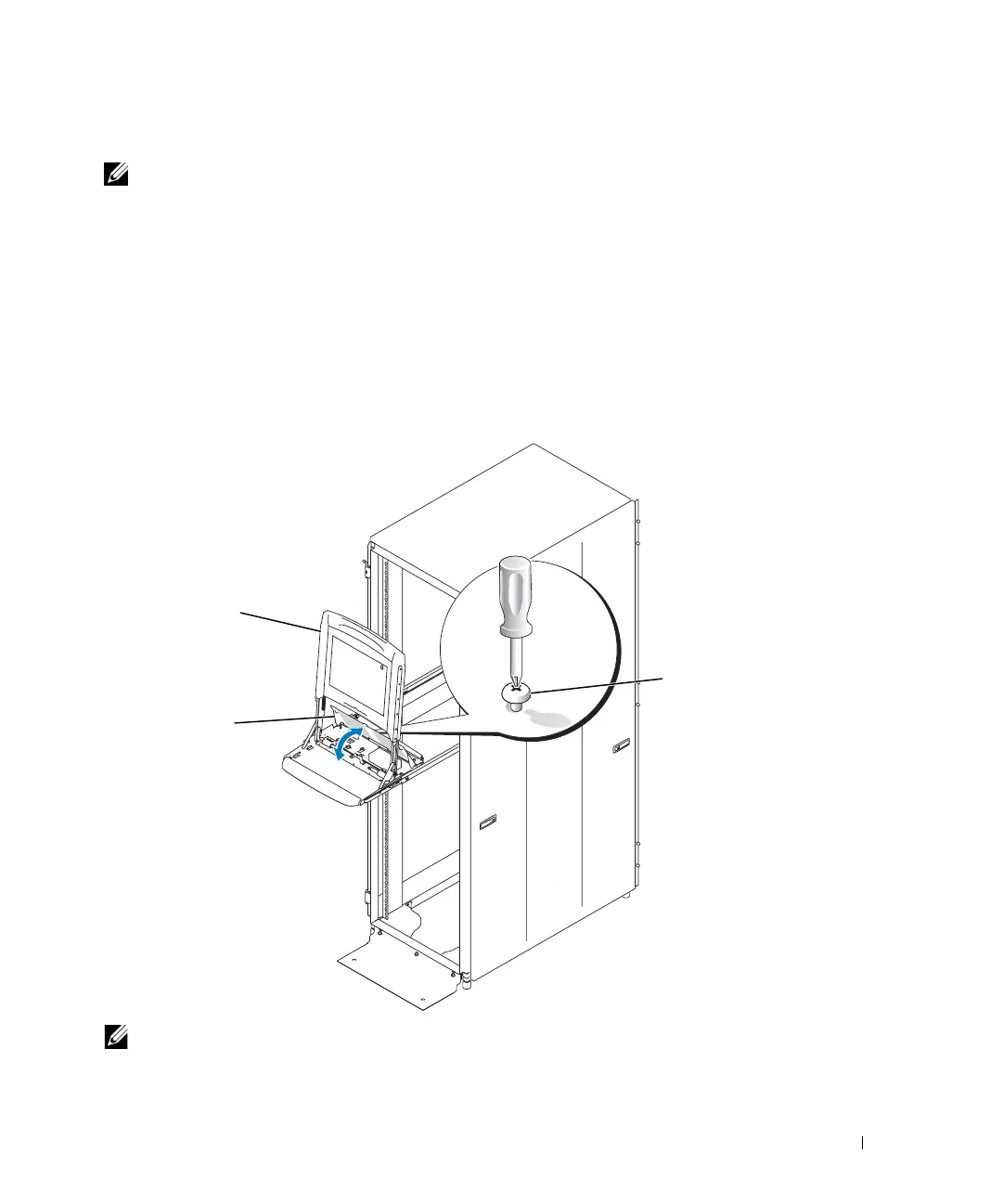
2 Grasp the monitor by its handle, rotate it to a vertical position, and raise it up
completely. See Figure 1-8.
3 Loosen the captive Phillips screw that secures the tray’s cable cover and pivot the
cover backward. See Figure 1-8.
Figure 1-8. Opening the Cable Cover
NOTE: When performing the following step, ensure that the keyboard/trackball cable
remains clear of the keyboard.
cable-cover screw
cable cover
monitor (upright)
8x738bk0.book Page 13 Monday, April 28, 2003 10:21 AM



 To Next Page