1-2 Installation Guide
www.dell.com | support.dell.com
Rack Console 15FP Installation
NOTE: One unit, or U, equals 1.75 vertical inches.
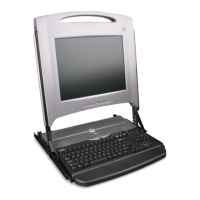
This guide provides instructions for installing and using the Dell™ PowerEdge™ Rack
Console 15FP (hereafter referred to as 1-U KMM [keyboard/monitor/mouse] tray) in a four-
post rack cabinet. The pullout tray assembly features a keyboard with a trackball and a flat-
panel monitor that rotates up from the tray for use. An attached cable-management arm
routes the monitor, power, and keyboard/trackball cables to the back of the rack; extension
cables are included to provide extra connection options. The monitor power supply comes
already installed inside the cable enclosure.
You can install the tray using either RapidRails™ or VersaRails™. RapidRails can be
installed in all of the system manufacturer’s rack cabinets without tools; VersaRails can be
installed in most industry-standard rack cabinets. This guide includes instructions for using
both types of rails.
Rack Requirements for VersaRails
NOTICE: The VersaRails rack kit is intended to be installed by trained service technicians in a
rack that meets the specifications of American National Standards Institute (ANSI)/Electronic
Industries Association (EIA) standard ANSI/EIA-310-D-92, International Electrotechnical
Commission (IEC) 297, and Deutsche Industrie Norm (DIN) 41494. One rack kit is required for
each system that is installed in a rack.
Before beginning this installation, read through this entire procedure carefully.
• Use caution when pressing the component rail release latches and sliding a
component into or out of a rack; the slide rails can pinch your fingers.
• After a component is inserted into the rack, carefully extend the rail into a locking
position, and then slide the component into the rack.
• Do not overload the AC supply branch circuit that provides power to the rack. The
total rack load should not exceed 80 percent of the branch circuit rating.
• Ensure that proper airflow is provided to components in the rack.
• Do not step on or stand on any component when servicing other components in a
rack.
CAUTION: Safety Instructions (continued)
8x738bk0.book Page 2 Monday, April 28, 2003 10:21 AM



 To Next Page