1-12 Installation Guide
www.dell.com | support.dell.com
Attaching the Cable-Management Arm to the Rack
1 Pull the tray far enough out the front of the rack to give yourself sufficient working
room at the back.
2 Working from the back of the rack, remove the orange shipping screw that secures the
cable-management arm to the back of the tray. See Figure 1-6 for the screw location.
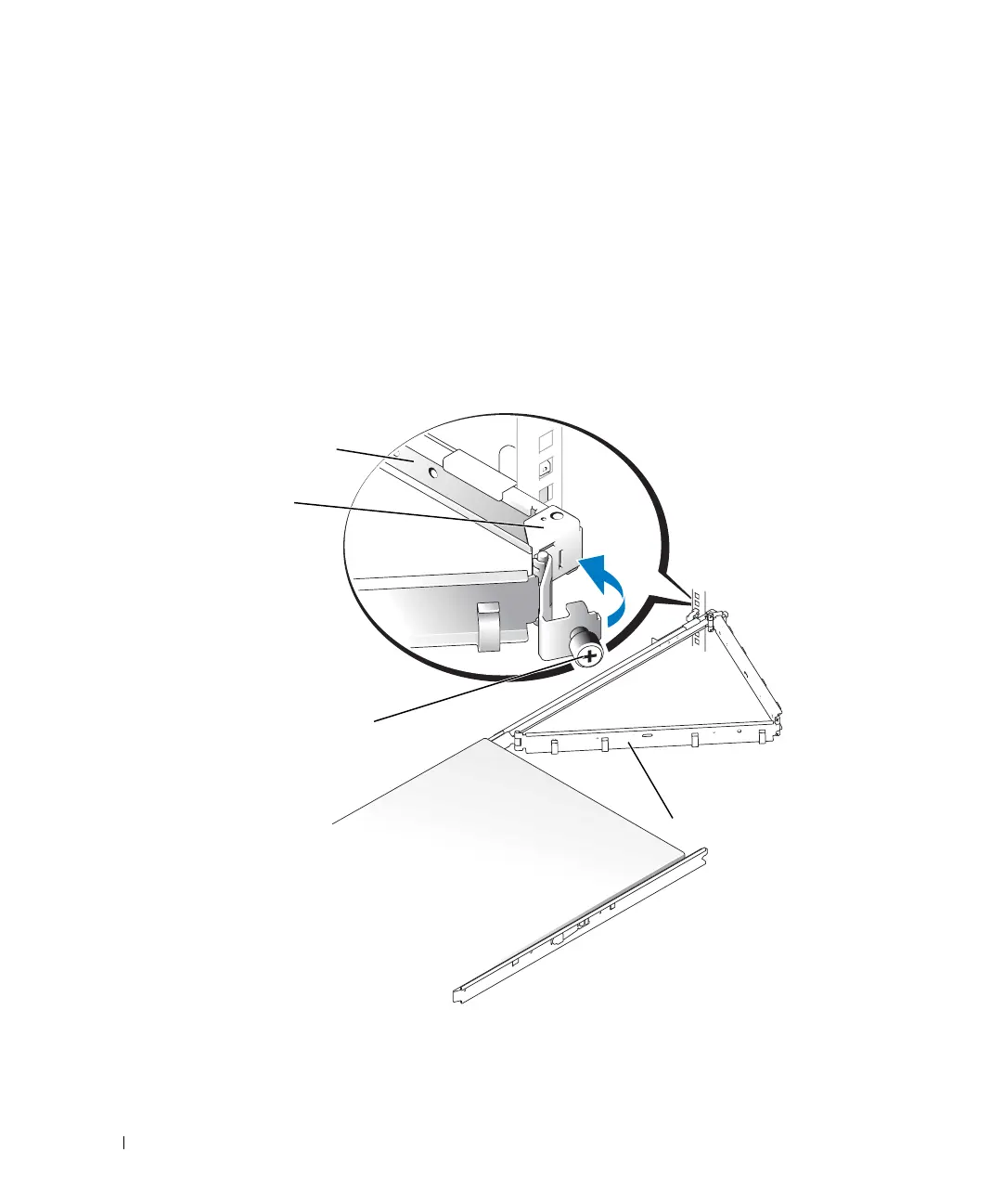
3 Swing the free end of the cable-management arm out to the bracket on the end of the
left stationary rail, and attach the arm to the bracket with the thumbscrew on the end
of the arm. See Figure 1-7.
Figure 1-7. Attaching the Cable-Management Arm
thumbscrew
cable-management arm
left stationary rail
bracket
8x738bk0.book Page 12 Monday, April 28, 2003 10:21 AM



 To Next Page