Installation Guide 1-11
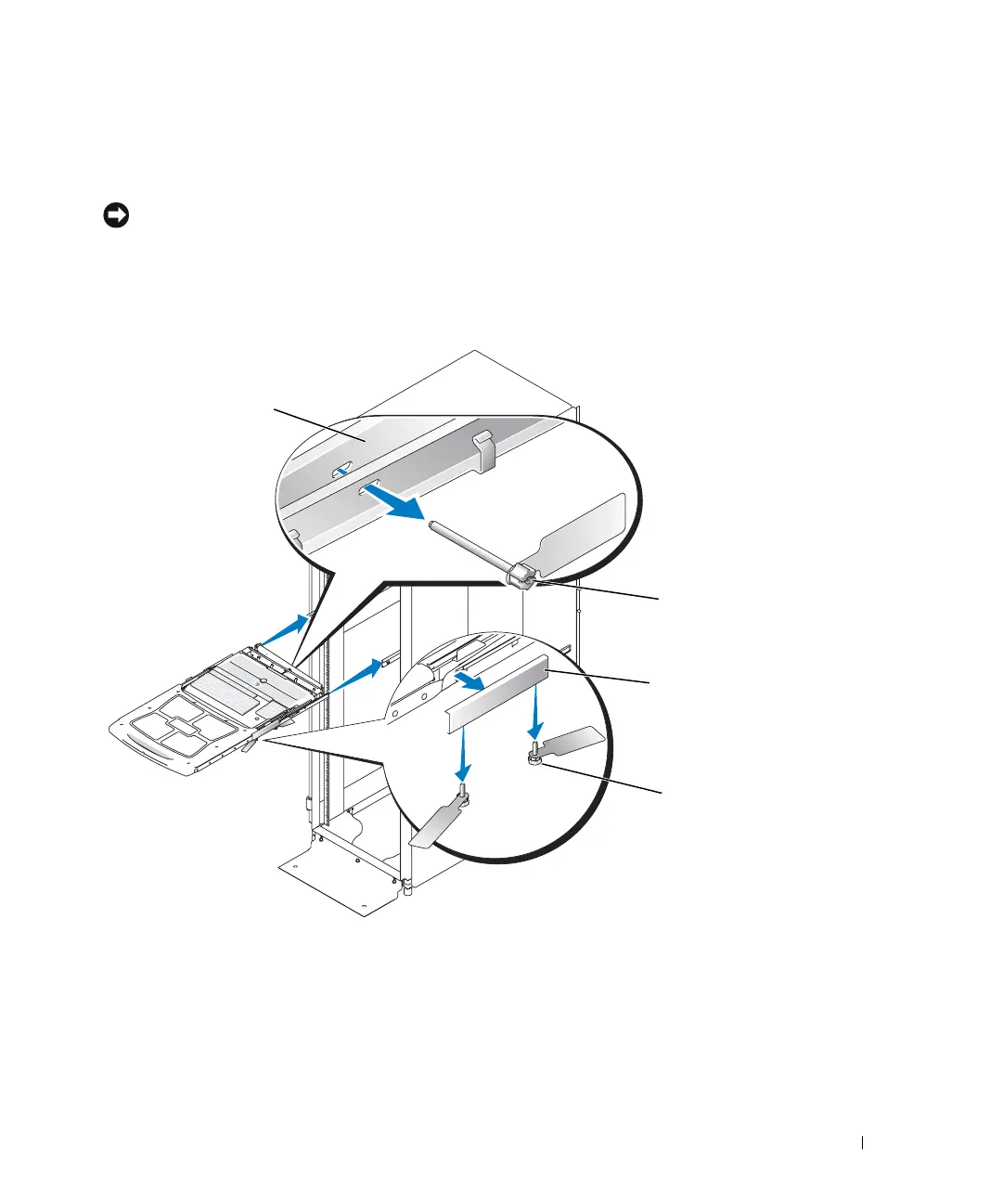
3 From the underside of the tray, remove the two pairs of orange shipping screws that
secure the shipping brackets. See Figure 1-6. Store the screws and brackets in a safe
place.
NOTICE: Save the shipping screws and brackets. They will be needed if you remove the tray
from the rack. See "Removing the 1-U KMM Tray From the Rack."
4
Push the tray most of the way into the rack.
Figure 1-6. Installing the KMM Tray in the Rack
shipping screws (2
per bracket)
shipping brackets (2)
shipping screw at
back of tray
cable-management arm
8x738bk0.book Page 11 Monday, April 28, 2003 10:21 AM



 To Next Page