Installation Guide 1-15
8 Unless you are replacing the power cord, close the cable cover and tighten the captive
Phillips screw.
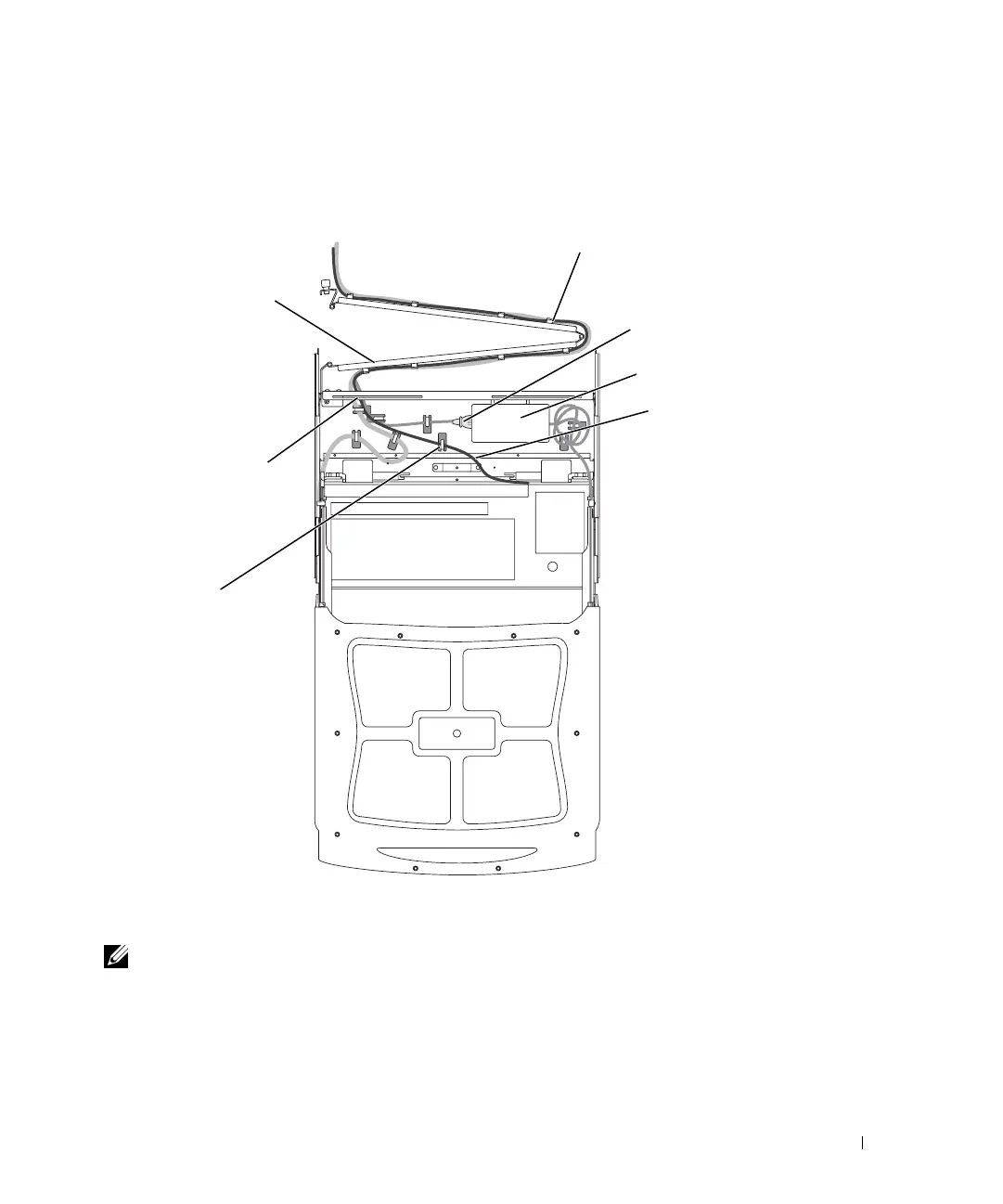
Figure 1-10. Routing the Keyboard Cable
Replacing the Power Cable
NOTE: If the correct power cable for your region is not already installed, perform the
following procedure to replace the existing power cable with the correct one from the
1-U KMM tray kit; otherwise, continue to "Completing the Cable Connections."
1
Detach the power cord from the AC adapter and pull it from beneath the securing
hooks on the bottom of the cable enclosure. See Figure 1-10.
keyboard/trackball
cable
cable-management arm
cutout
securing clip
securing hook
AC adapter
power cable
8x738bk0.book Page 15 Monday, April 28, 2003 10:21 AM



 To Next Page