242 Installing Blade Components
4
Lift up on the left side of the impedance wall to release it from the chassis
inner wall, then slide the impedance wall out of the slot on the expansion-
card riser. See Figure 3-36.
5
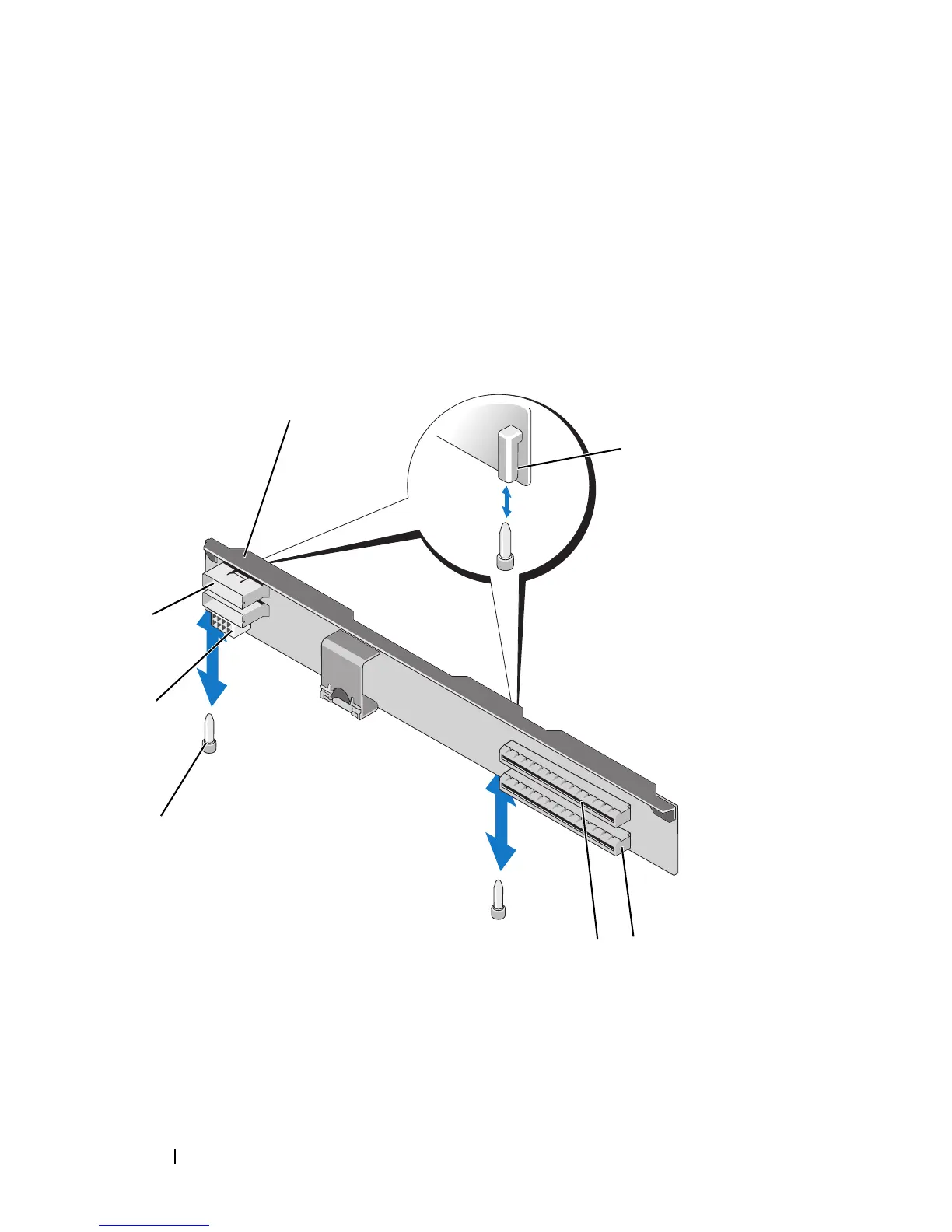
Lift the expansion-card riser off the riser guide posts and out of the system.
See Figure 3-39.
Figure 3-39. Installing or Removing the Expansion-Card Riser (PowerEdge M610x Only)
1 expansion-card riser 2 riser guide (2)
3 expansion-card slot 1 4 expansion-card slot 2
5 riser guide post (2) 6 power cable connector
7 data cable connector (2 front, 2 back)












 To Next Page