Steps
1.
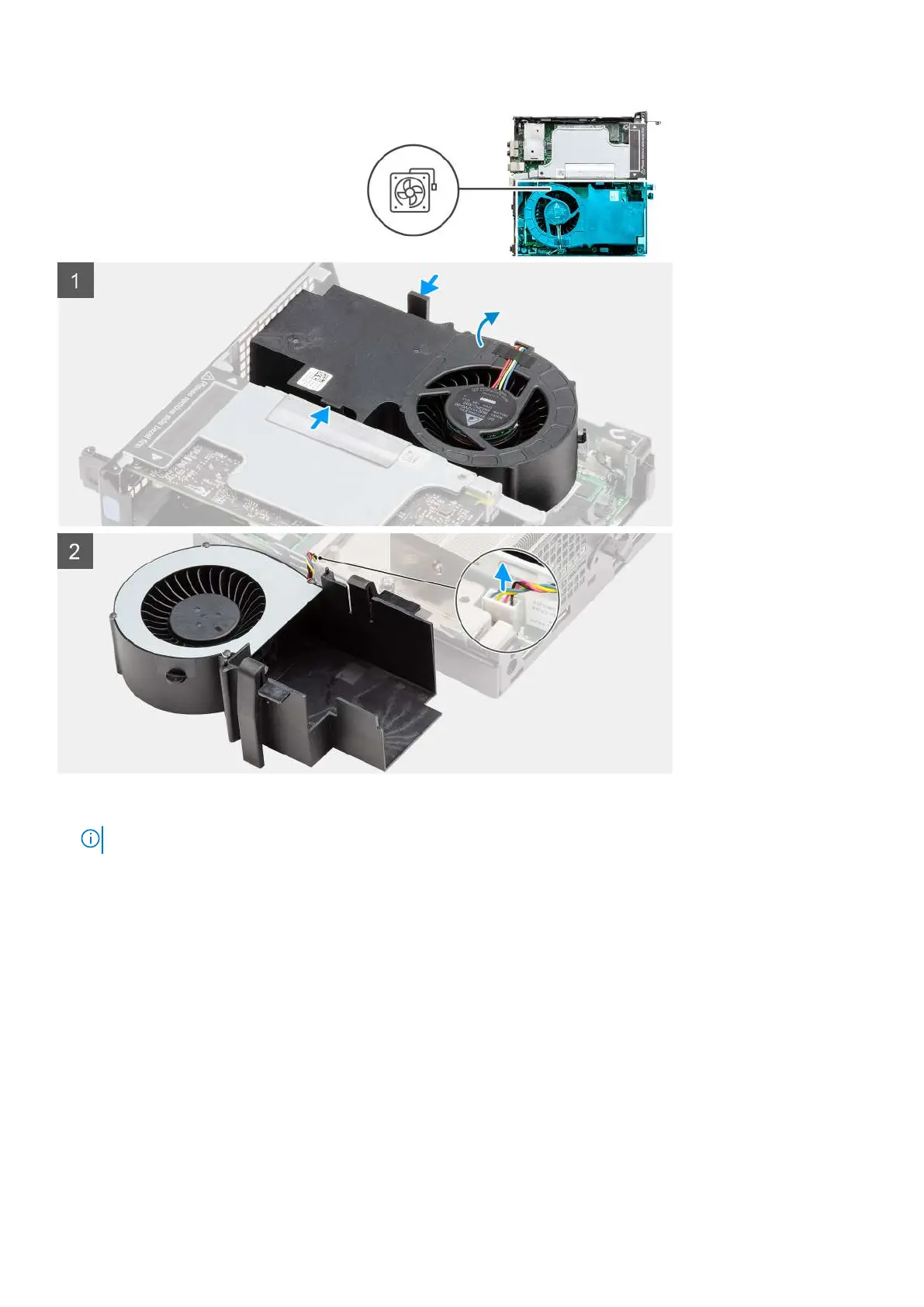
NOTE: Unroute the speaker cable from the routing guide on the fan assembly.
Press the blue tabs on both sides of the fan, and slide to lift the fan to release it from the system and turn it over.
2. Disconnect the fan cable from the connector on the system board. Lift the fan assembly out of the system.
Installing the fan assembly
Prerequisites
Jestliže nahrazujete určitou součástku, vyjměte před montáží stávající součástku.
About this task
The following images indicate the location of the fan assembly and provide a visual representation of the removal procedure.
42
Demontáž a opětovná montáž









 To Next Page