EasyManua.ls Logo

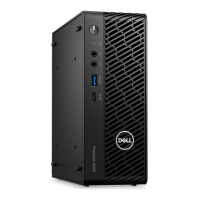
Dell Precision 3240 Compact - User Manual

Dell Precision 3240 Compact
79 pages
Print Icon
To Next Page IconTo Next Page
Loading...
Dell Precision 3240 Compact
Servisní manuál
Regulační model: D16S
Regulační typ: D16S001
August 2020
Rev. A00

Table of Contents

Other manuals for Dell Precision 3240 Compact

Questions and Answers

  • B
    Benjamin TorresSep 12, 2025
    How to fix System board failure on Dell Musical Instrument?
    • K
      Katherine ComptonSep 12, 2025
      If your Dell Musical Instrument displays 'System board failure (included BIOS corruption or ROM error)', flash latest BIOS version. If problem persists, replace the system board.
  • K
    kristihooverAug 25, 2025
    What to do if Dell Musical Instrument has Memory/RAM failure?
    • M
      Mark WolfAug 25, 2025
      If your Dell Musical Instrument shows a 'Memory/RAM failure', try resetting the memory module. If the issue continues, you may need to replace the memory module.
  • M
    Mark ScottAug 25, 2025
    How to resolve 'Invalid memory installed' error on Dell Musical Instrument?
    • A
      Albert JonesAug 26, 2025
      If your Dell Musical Instrument indicates 'Invalid memory installed', attempt to reset the memory module. If the problem persists, consider replacing the memory module.
  • G
    Gary ReyesSep 23, 2025
    How to fix Sector not found on Dell Musical Instrument?
    • J
      Jacob RussellSep 23, 2025
      If your Dell Musical Instrument displays 'Sector not found', run the Windows error-checking utility to check the file structure on the hard drive.
  • B
    brandyharrisSep 12, 2025
    How to fix BIOS Recovery image not found on Dell Musical Instrument?
    • E
      Eric LoveSep 12, 2025
      If your Dell Musical Instrument displays 'BIOS Recovery image not found', flash latest BIOS version. If problem persists, replace the system board.
  • V
    vazquezdannySep 16, 2025
    What should I do if my Dell Musical Instrument has a PCI or Video card/chip failure?
    • A
      Anthony GonzalezSep 16, 2025
      If your Dell Musical Instrument experiences a PCI or Video card/chip failure, replace the system board.
  • C
    Crystal MaciasSep 5, 2025
    How to fix 'No boot device available' on Dell Musical Instrument?
    • R
      Richard JimenezSep 5, 2025
      If your Dell Musical Instrument displays 'No boot device available', if the hard drive is your boot device, ensure that the drive is installed, properly seated, and partitioned as a boot device.
  • A
    Aaron ColemanSep 5, 2025
    How do I fix 'X:\ is not accessible. The device is not ready' on my Dell Musical Instrument?
    • M
      Mary RamirezSep 5, 2025
      If your Dell Musical Instrument displays the error message 'X:\ is not accessible. The device is not ready', insert a disk into the drive and try again.
  • N
    Natalie LuceroSep 17, 2025
    How do I resolve a 'Memory allocation error' on my Dell Musical Instrument?
    • T
      Tyler BishopSep 18, 2025
      If your Dell Musical Instrument displays 'Memory allocation error', shut down the computer, wait for 30 seconds, and then restart it. Run the program again. If the error message still appears, see the software documentation.
  • P
    Paul CookAug 30, 2025
    What to do if Dell Musical Instrument has Memory odd/even logic failure?
    • J
      Jerry WernerAug 30, 2025
      If your Dell Musical Instrument displays 'Memory odd/even logic failure at address, read value expecting value', reinstall the memory module or, if necessary, replace it.

Summary

Introduction and Safety Notes

Notes, Warnings, and Cautions

Explains key symbols like NOTES, WARNINGS, and CAUTIONS for safe operation.

Working Inside Your Computer

Safety Instructions

Guidelines to prevent computer damage and ensure user safety during handling.

Before Working Inside Your Computer

Procedures and precautions to take before starting any disassembly or repair.

Safety Precautions

Essential safety measures to follow before performing any disassembly or reassembly.

Antistatic Service Kit and ESD Protection

Information on using antistatic tools and protecting components from static discharge.

After Working Inside Your Computer

Steps to follow after completing internal work on the computer system.

Technology and Components

DDR4 Memory Technology

Details on DDR4 memory, its features, and differences from older generations.

Graphics Card Variants

Overview of available graphics card options, including Intel UHD and NVIDIA Quadro.

System Management Features

Explains Dell Client Command Suite for system management and In-Band/Out-of-Band capabilities.

USB Interface Features

Details on USB interface evolution, speeds, and compatibility, including USB 3.2.

System Components

Overview of System Components

Identifies and lists the main components of the computer system with their locations.

Removal and Replacement

Recommended Tools and Screw List

Lists necessary tools and the types of screws used for component removal and installation.

Top Cover and Side Bezel Removal

Step-by-step guide for removing and installing the top cover (side bezel) of the system.

Side Cover Removal and Installation

Procedures for removing and installing the side cover of the computer.

Front Bezel Removal and Installation

Instructions for removing and installing the front bezel of the system.

Hard Drive Assembly and Bracket

Guides for removing and installing the hard drive assembly and its bracket.

M.2 SSD Removal and Installation

Steps for removing and installing the M.2 PCIe solid-state drive.

WLAN Card Removal and Installation

Procedures for removing and installing the wireless network card.

Speaker Removal and Installation

Instructions for removing and installing the system's internal speaker.

Fan Assembly Removal and Installation

Steps for removing and installing the system's fan assembly.

Coin Cell Battery Removal and Installation

Guides for removing and installing the coin cell battery.

Memory Module Removal and Installation

Procedures for removing and installing the system's memory modules.

Riser Card Removal and Installation

Steps for removing and installing the riser card.

Dell Ultra-Speed Drive Removal and Installation

Guides for removing and installing the Dell Ultra-Speed Drive.

Graphics Card Removal and Installation

Procedures for removing and installing the system's graphics card.

Heatsink Removal and Installation

Steps for removing and installing the system's heatsink.

Interposer Module Removal and Installation

Guides for removing and installing the interposer module.

Processor Removal and Installation

Procedures for removing and installing the system's processor.

System Board Removal and Installation

Steps for removing and installing the system board.

Internal Antenna Removal and Installation

Procedures for removing and installing the internal antenna.

Troubleshooting

Operating System Recovery

How to recover the operating system using Dell SupportAssist OS Recovery.

Diagnostic LED Behavior

Explains the meaning of diagnostic LED blink sequences and error indications.

Diagnostic Error Messages

Lists common diagnostic error messages and their recommended solutions.

Restarting the Wi-Fi Power

Steps to restart the Wi-Fi power to resolve connectivity issues.

Help and Contacting Dell

Resources for Finding Help

Information on accessing Dell's online support resources and knowledge base.

Contacting Dell

How to contact Dell support via online channels or phone for assistance.

Dell Precision 3240 Compact Specifications

General IconGeneral
ChipsetIntel W480
WirelessIntel Wi-Fi 6 AX201, Bluetooth 5.1
Processor Options10th Gen Intel Core i5, i7, i9; Xeon W-1200 series
Processor ModelsIntel Core i3, i5, i7, i9; Intel Xeon W-1250, W-1270, W-1290
MemoryUp to 64GB DDR4
Storage Options2.5" HDD/SSD, M.2 PCIe NVMe SSD
Graphics OptionsIntel UHD Graphics 630; NVIDIA Quadro P1000
Operating SystemWindows 10 Pro; Ubuntu Linux
Power Supply180W or 240W external adapter
PortsHDMI 2.0, DisplayPort 1.4, RJ-45, audio jack

Related product manuals