EasyManua.ls Logo

Dell Precision 3470 - User Manual

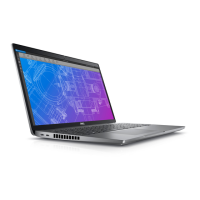
Dell Precision 3470
121 pages
Print Icon
To Next Page IconTo Next Page
Loading...
Precision 3470
Service Manual
Regulatory Model: P137G
Regulatory Type: P137G007/P137G008
April 2022
Rev. A00
Questo manuale d’istruzione è fornito da trovaprezzi.it. Scopri tutte le offerte per Dell Precision 3470
CWTK2 o cerca il tuo prodotto tra le migliori offerte di Notebook

Table of Contents

Other manuals for Dell Precision 3470

Questions and Answers

  • M
    Melinda HolmesSep 12, 2025
    What does it mean if my Dell Precision 3470 has a failure with the system board?
    • S
      Scott SotoSep 12, 2025
      A failure with the system board in your Dell Laptop is indicated by the battery status LED flashing one of the following error codes for 30 seconds: 2,1 (CPU Failure), 2,8 (LCD Power Rail Failure), 1,1 (TPM Detection Failure), or 2,4 (Unrecoverable SPI Failure).
  • B
    Barbara FoxSep 12, 2025
    What to do if my Dell Precision 3470 has memory / RAM failure?
    • S
      Scott OwensSep 12, 2025
      If your Dell Laptop experiences a memory failure, try resetting and swapping the memory modules between the slots. If the problem continues, replace the memory module.
  • M
    Michael MilesSep 10, 2025
    What to do if my Dell Laptop is not detecting memory / RAM?
    • J
      Jeremy SmithSep 10, 2025
      If your Dell Laptop is not detecting memory, first confirm that the memory module is installed properly. If the problem persists, replace the memory module.
  • O
    owallSep 9, 2025
    How to fix Timeout waiting on ME to reply to HECI message on Dell Laptop?
    • K
      Keith SantosSep 9, 2025
      To resolve Timeout waiting on ME to reply to HECI message on your Dell Laptop, replace the system board.
  • D
    Donna PetersonSep 8, 2025
    How to fix Power rail failure on Dell Precision 3470?
    • R
      Richard BrownSep 8, 2025
      To resolve Power rail failure on your Dell Laptop, replace the system board.
  • N
    Nicholas CamposAug 23, 2025
    What to do if my Dell Precision 3470 Laptop battery is swollen?
    • A
      Ashley NashAug 23, 2025
      If you notice that your Dell Laptop battery is swollen, immediately discontinue using the laptop. Discharge the battery by disconnecting the AC adapter and allowing it to drain completely. Replace the swollen battery and ensure it is disposed of properly.
  • C
    Christopher MoralesSep 6, 2025
    How to fix BIOS Recovery image found but invalid on Dell Precision 3470?
    • J
      Jennifer JohnsonSep 6, 2025
      To resolve BIOS Recovery image found but invalid on your Dell Laptop, flash the latest BIOS version or replace the system board.
  • K
    Kathryn PadillaSep 5, 2025
    How to fix BIOS Recovery image not found on Dell Precision 3470?
    • S
      Suzanne YoungSep 5, 2025
      To resolve BIOS Recovery image not found on your Dell Laptop, flash the latest BIOS version or replace the system board.
  • V
    Victoria LopezSep 4, 2025
    How to fix TPM detection failure on Dell Precision 3470 Laptop?
    • R
      rodney99Sep 4, 2025
      To resolve TPM detection failure on your Dell Laptop, replace the system board.
  • J
    Jeffery LopezSep 3, 2025
    How to fix LCD failure (EC detection of power rail failure) in Dell Laptop?
    • M
      mariamasseySep 3, 2025
      To resolve LCD failure (EC detection of power rail failure) on your Dell Laptop, replace the system board.

Dell Precision 3470 Specifications

General IconGeneral
StorageUp to 2TB PCIe NVMe SSD
Processor12th Gen Intel Core i5/i7
GraphicsIntel Iris Xe Graphics
Display14.0-inch FHD (1920 x 1080)
Operating SystemWindows 11 Pro
Ports2 x Thunderbolt 4
WirelessIntel Wi-Fi 6E AX211, Bluetooth 5.2
MemoryUp to 32GB DDR5
Battery3-cell or 4-cell Li-ion

Related product manuals