Disassembly and reassembly 11
Stand
Removing the stand
Prerequisites
Follow the procedure in Before working inside your monitor.
Steps
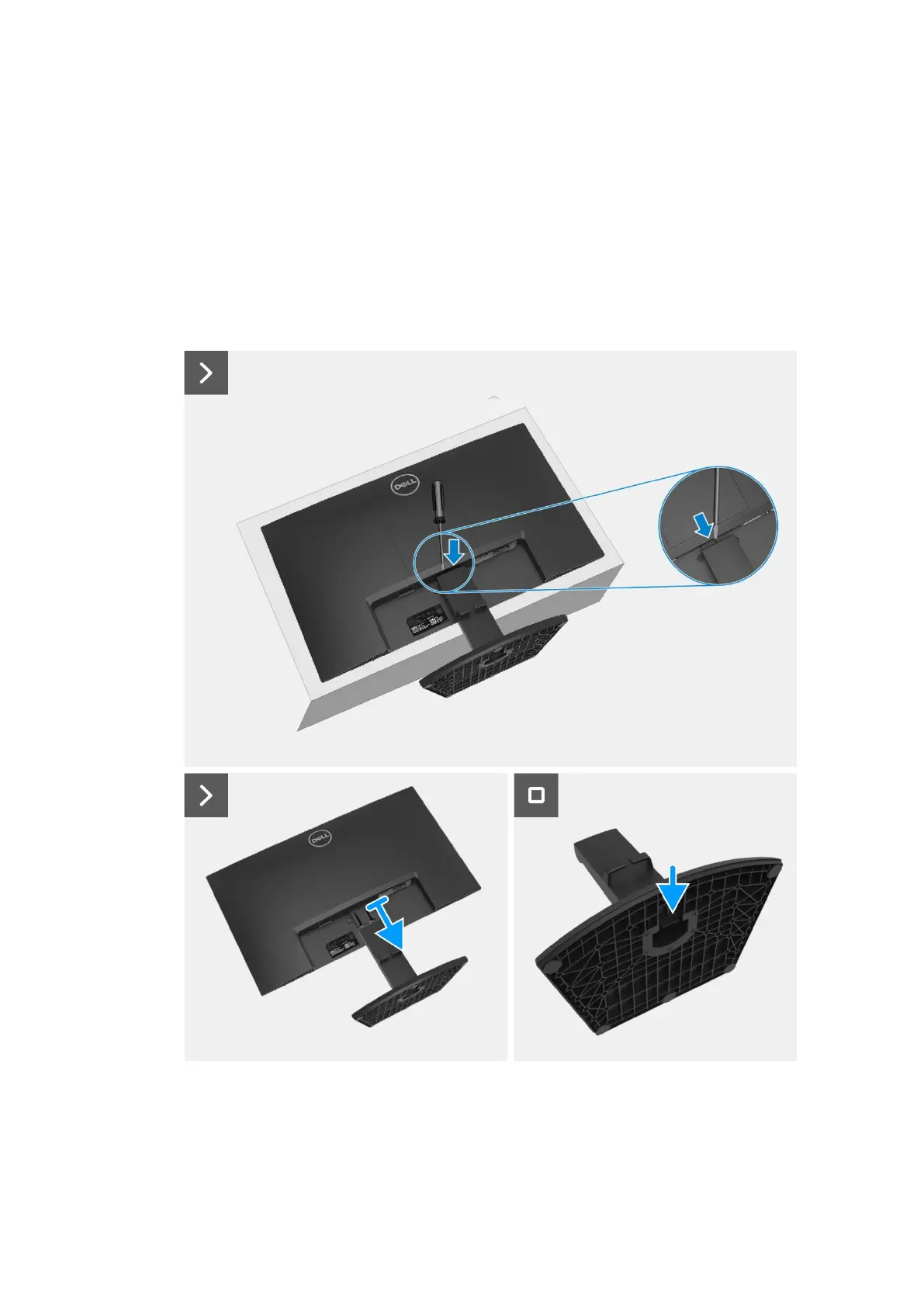
1. Tilt the stand downwards to access the release button.
2. Using a screwdriver, press the release button to pull the stand from the monitor.
3. Press the release tab on the bottom of the base to separate the stand base from the stand riser.
Figure 8. Removing the stand


 To Next Page