6 Views of SE2425H monitor
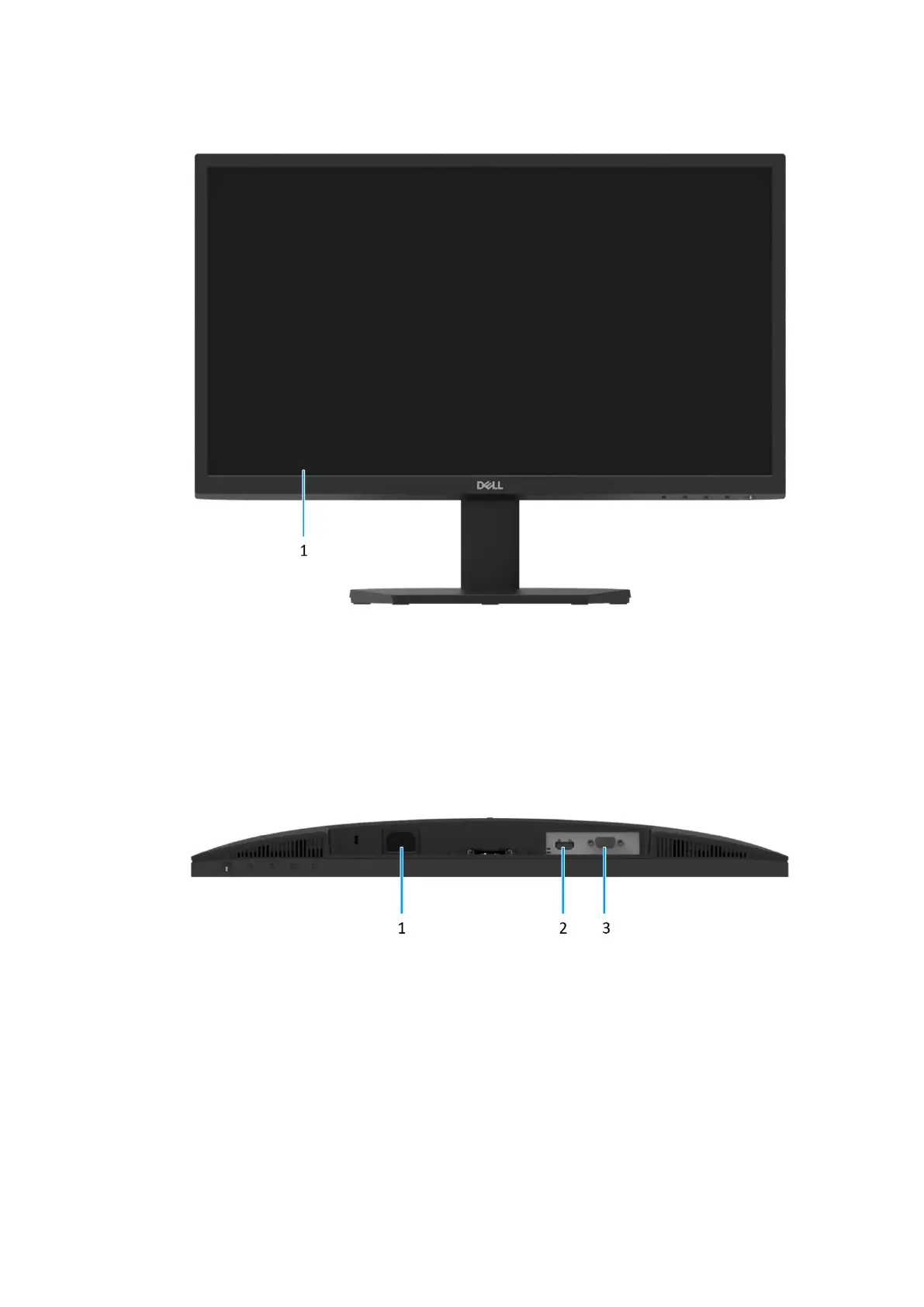
Front view
Figure 2. Front view of the monitor
1. Display panel
Provides visual output to the user.
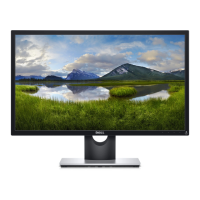
Bottom view
Figure 3. Bottom view of the monitor
1. Power port
To connect the monitor power cable.
2. HDMI port
Connect to your computer with the HDMI cable.
3. VGA port
Connect to your computer with the VGA cable.


 To Next Page