Disassembly and reassembly 19
Chassis assembly
Removing the chassis assembly
Prerequisites
1. Follow the procedure in Before working inside your monitor.
2. Remove the stand.
3. Remove the VESA cover.
4. Remove the back cover.
5. Remove the keypad board.
Steps
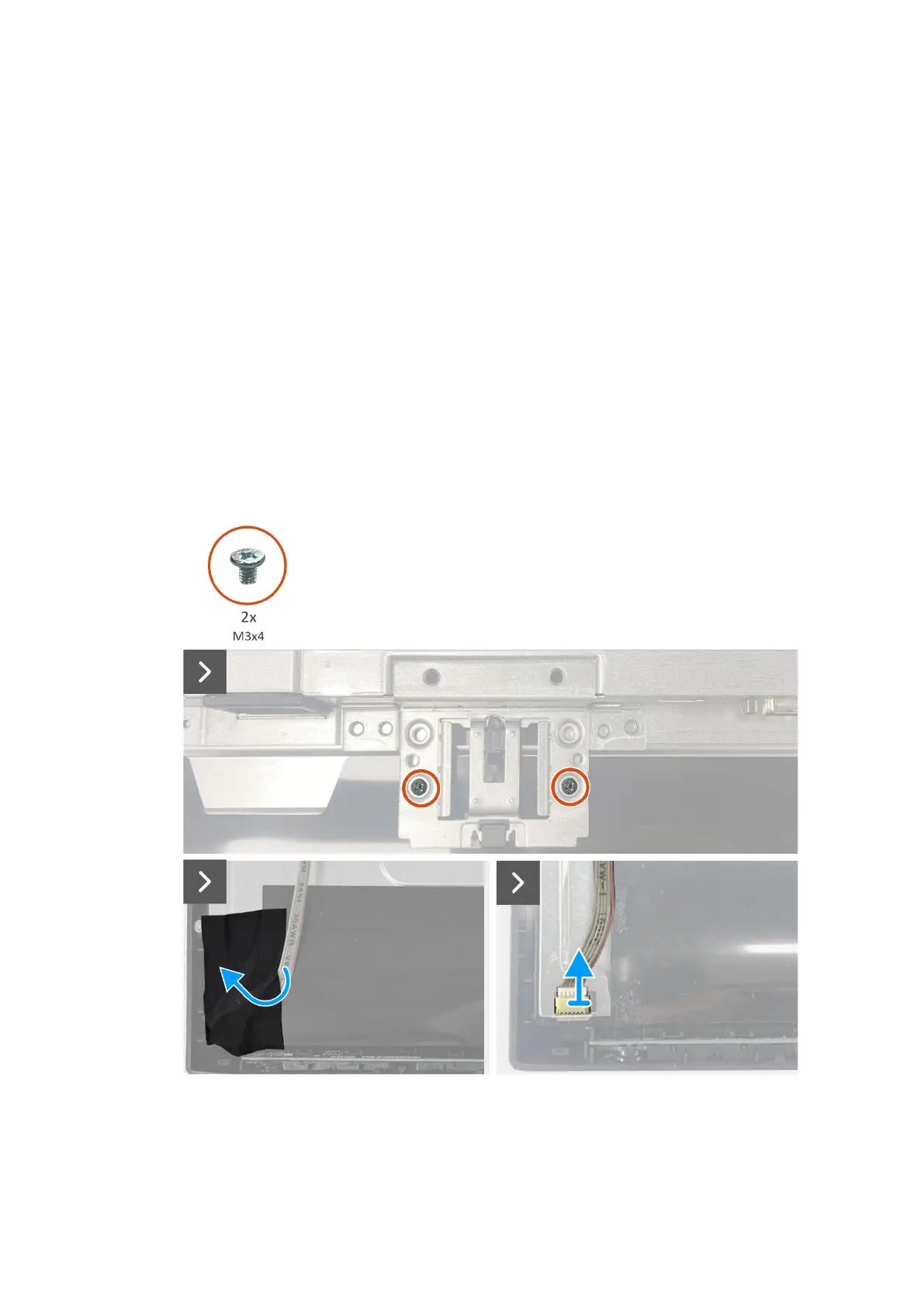
1. Remove the two screws (M3x4) that secure the chassis to the display panel.
2. Peel the tape at the bottom left corner of the monitor.
3. Disconnect the lightbar cable from the connector on the display panel.
4. Peel the two aluminum foils on the LVDS connector and chassis assembly.
5. Disconnect the LVDS cable from the connector on the display panel.
6. Remove the chassis assembly from the display panel.
Figure 17. Removing the chassis assembly


 To Next Page