16 Disassembly and reassembly
Installing the back cover
Steps
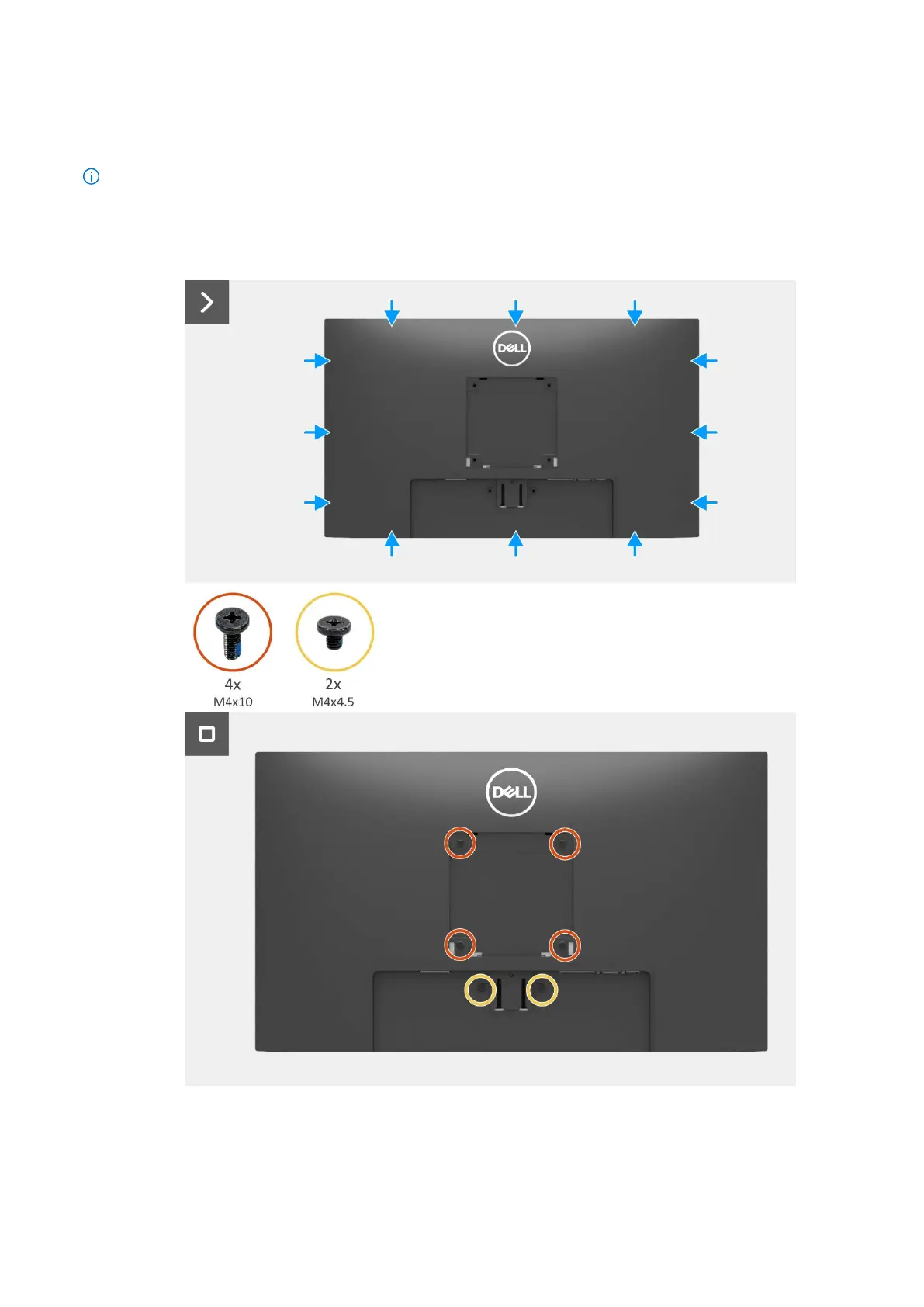
1. Place and snap the back cover into place on the chassis assembly.
NOTE: Align the screw holes on the back cover with the screw holes on the chassis assembly before applying slight pressure to
the back cover.
2. Replace the four screws (M4x10) to secure the back cover to the monitor.
3. Replace the two screws (M4x4.5) to secure the back cover to the monitor.
Figure 14. Installing the back cover


 To Next Page