Disassembly and reassembly 13
VESA cover
Removing the VESA cover
Prerequisites
1. Follow the procedure in Before working inside your monitor.
Steps
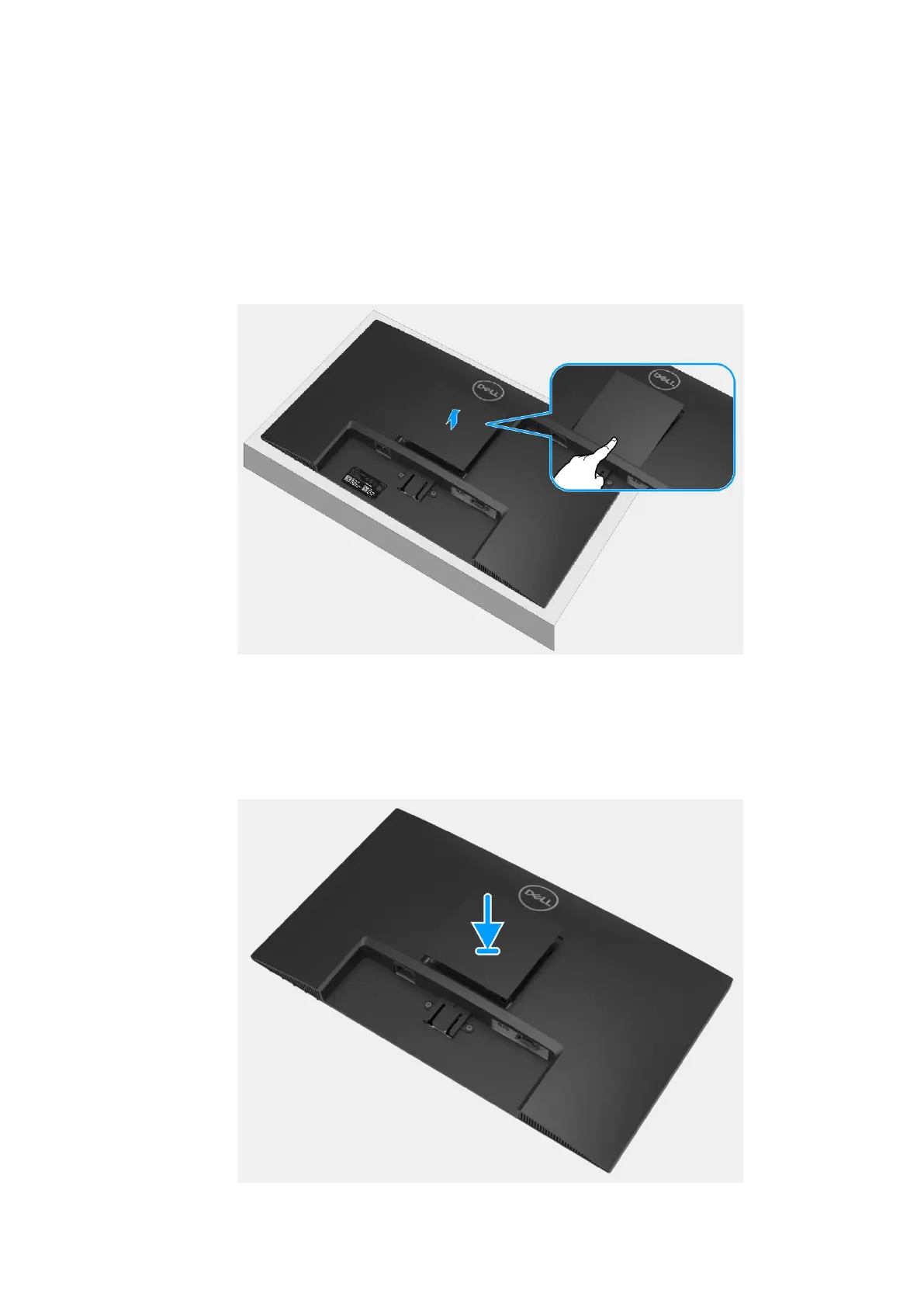
1. Press the rift on the VESA cover to release it from the back of the monitor.
2. Lift the VESA cover away from the monitor.
Figure 10. Removing the VESA cover
Installing the VESA cover
Steps
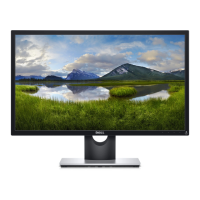
1. Attach the VESA cover onto the back cover.
Figure 11. Installing the VESA cover


 To Next Page