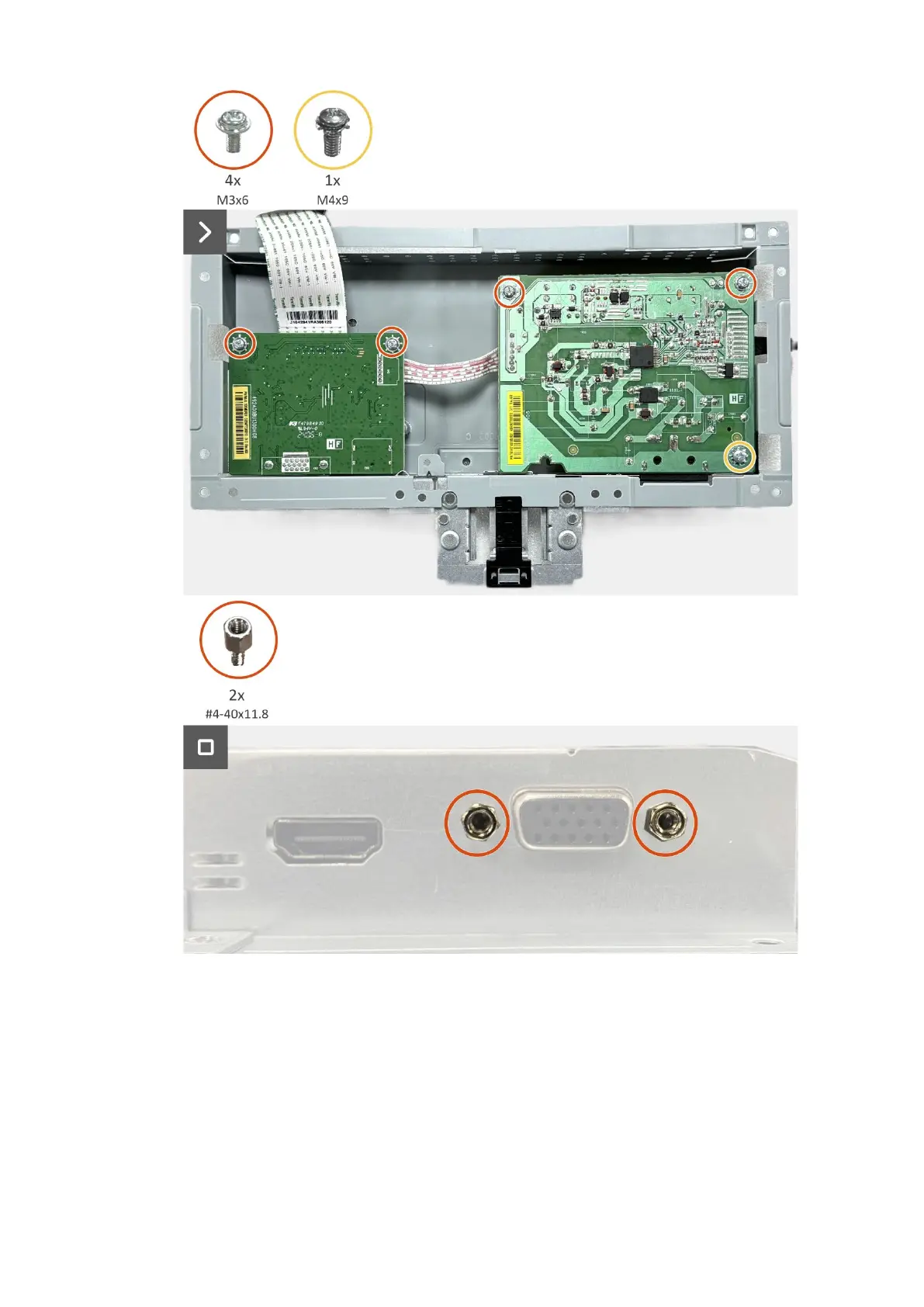
26 Disassembly and reassembly
Figure 24. Installing the interface board
Next steps
1. Install the chassis assembly.
2. Install the keypad board.
3. Install the back cover.
4. Install the VESA cover.
5. Install the stand.
6. Follow the procedure in After working inside your monitor.


 To Next Page