Setting up the monitor | 47
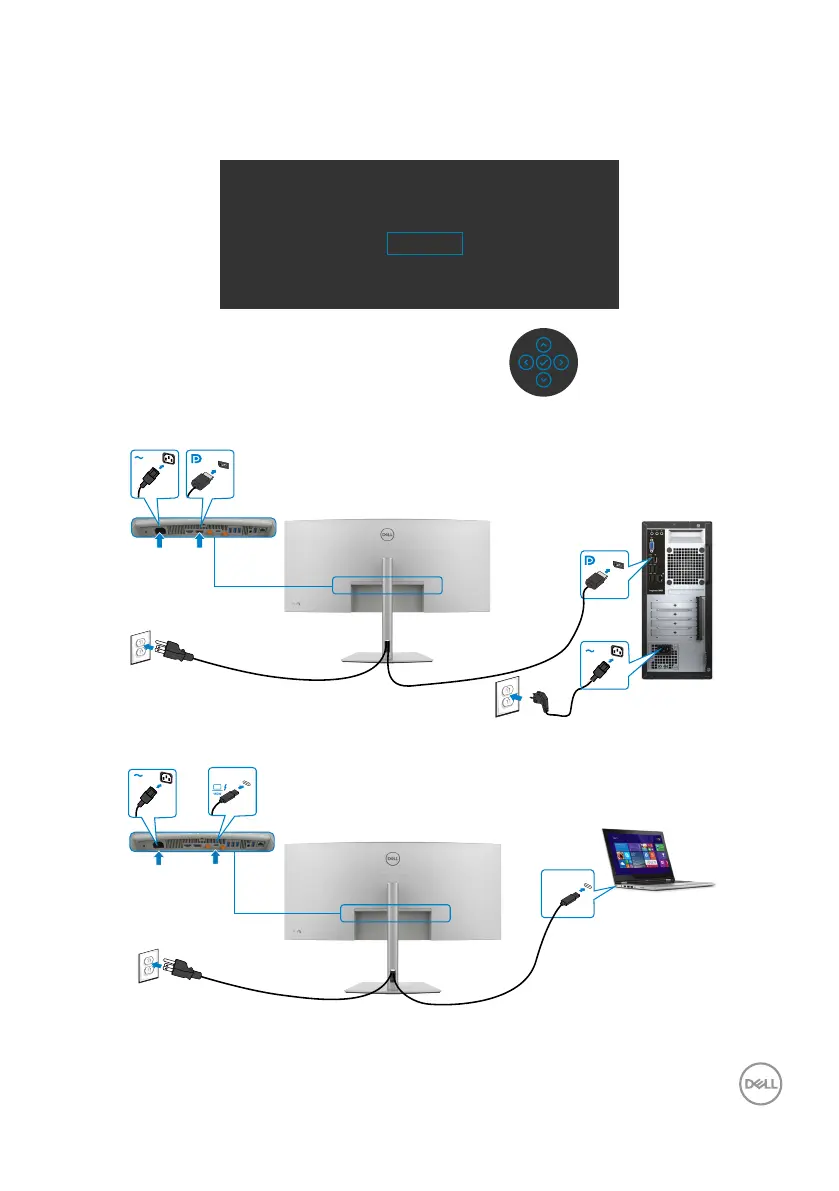
4. Select Yes to switch from HDMI 2.1 EDID and max resolution is 5K to HDMI 1.4
and max resolution is 4K (or select No to cancel this operation).
5. Repeat steps 3 and 4 again to switch from HDMI 1.4 and max resolution is 4K to
HDMI 2.1 EDID and max resolution is 5K.
Switch to higher primary resolution for HDMI?
Yes
No
Connecting the DP cable
Connecting the Thunderbolt
TM
4 cable
Thunderbolt
TM
4
Thunderbolt
TM
4
upstream










 To Next Page