Setting up your wireless mouse │ 12
Battery indicator colors
• Low power (≤5%): Amber pulsing for a period of 5 seconds regardless of the
connection status.
• Normal power (>5%): Battery indicator will remain off when mouse is turned on.
• Charging: Breathing in white.
• Fully charged: Static white for 10 seconds and then dims off.
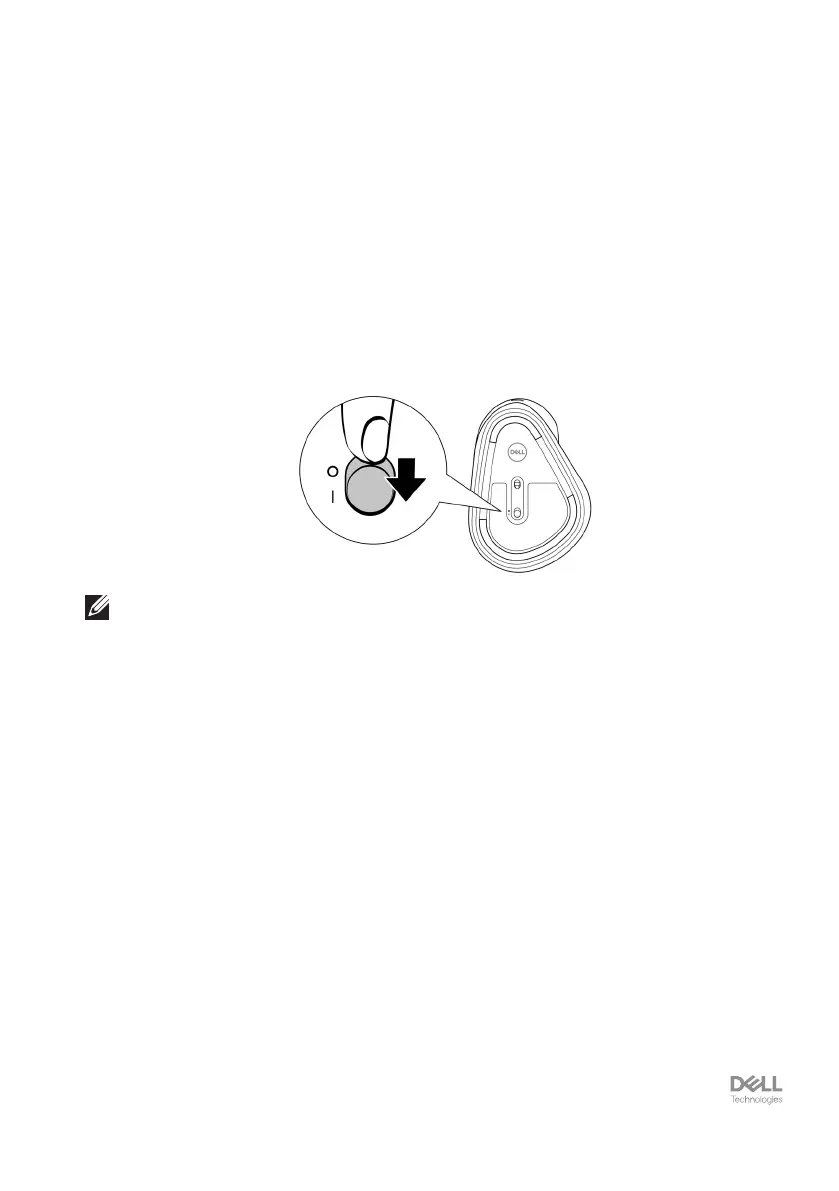
Turning on the wireless mouse
Push the power switch down to turn on the wireless mouse.
NOTE: Ensure that the distance between your computer and the wireless mouse is
within ten meters.


 To Next Page