Pairing your wireless keyboard and mouse │ 21
Pairing with a Dell Secure Link USB
receiver
NOTE: You can connect a device to your wireless keyboard or mouse using the
Dell Secure Link USB receiver.
NOTE: Use RF mode to enter the BIOS mode.
NOTE: Dell Secure Link USB Receiver is compatible with only KB900, MS900, and
KM900.
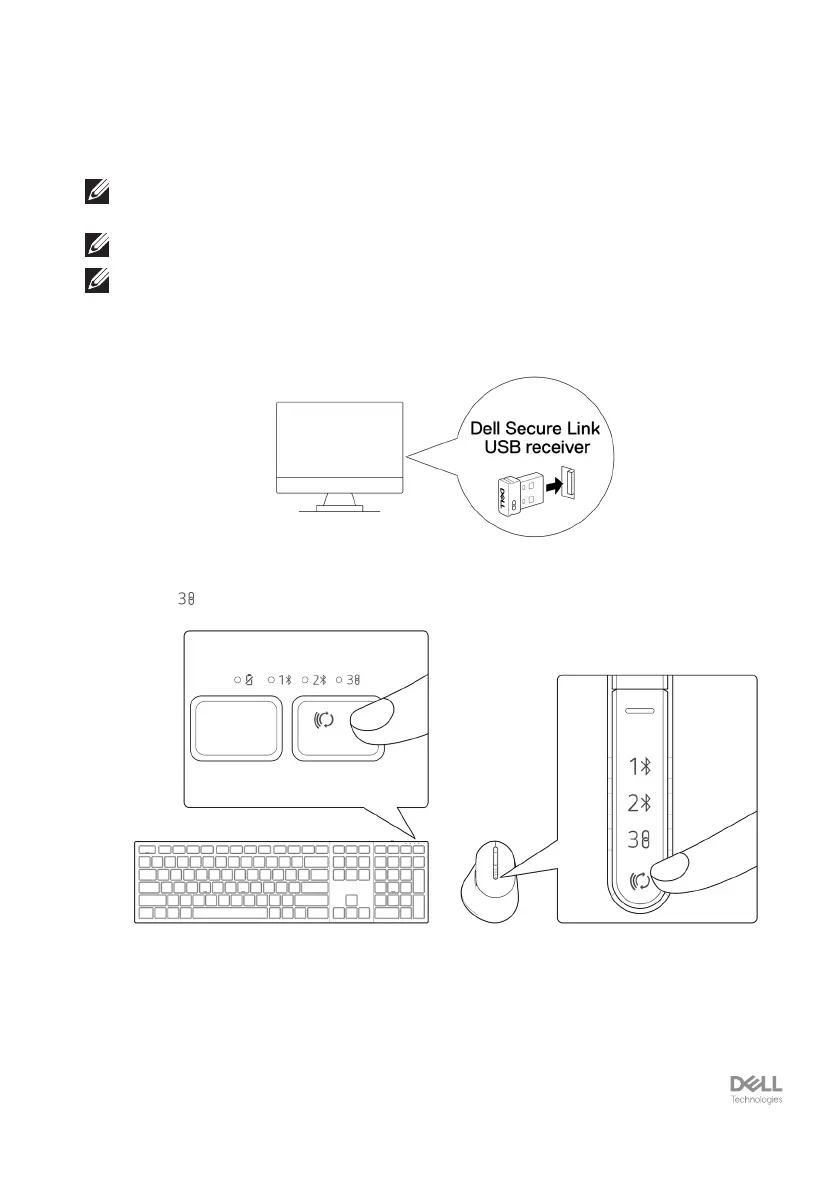
1. Connect the Dell Secure Link USB receiver to the USB port on your computer.
2. Toggle the connection-mode button on your keyboard or mouse until the RF mode
LED ( ) lights up while changing to the RF mode.


 To Next Page