Zoom touch controls for the keyboard │ 26
Zoom touch control settings
NOTE: Touch controls for Zoom only work on Windows OS with Dell Peripheral
Manager installed.
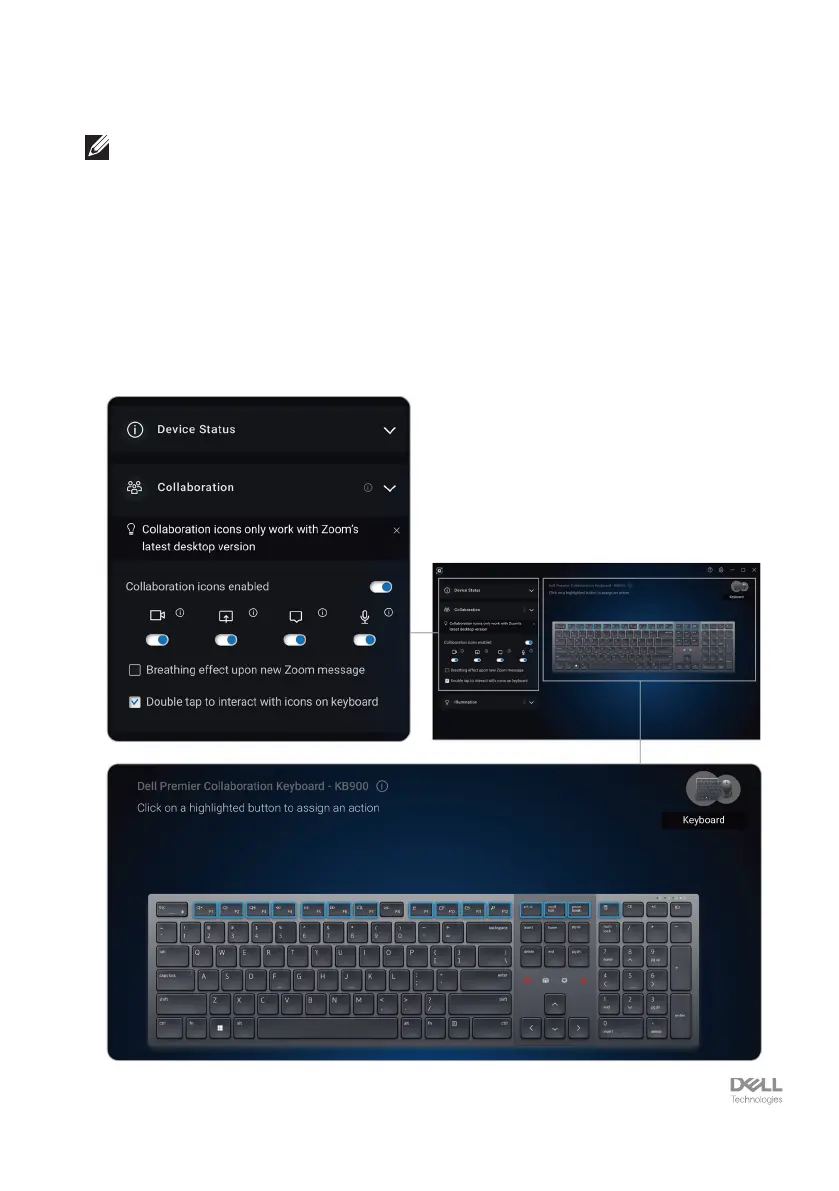
Dell KB900 keyboard comes with Zoom touch control icons for video, share screen, chat
notification and mic. Zoom touch control settings on Dell Peripheral Manager allow you to
toggle on and off the Zoom touch controls.
When activated, the Zoom touch control icons will light up on the keyboard. The
message icon would blink on receiving a zoom chat message. The video & mic icon will
turn red when video & mic are off.
Users can also choose to turn off double tap option. With this they can instantly act by
single tapping on the icon on the keyboard.


 To Next Page