Zoom touch controls for the keyboard │ 25
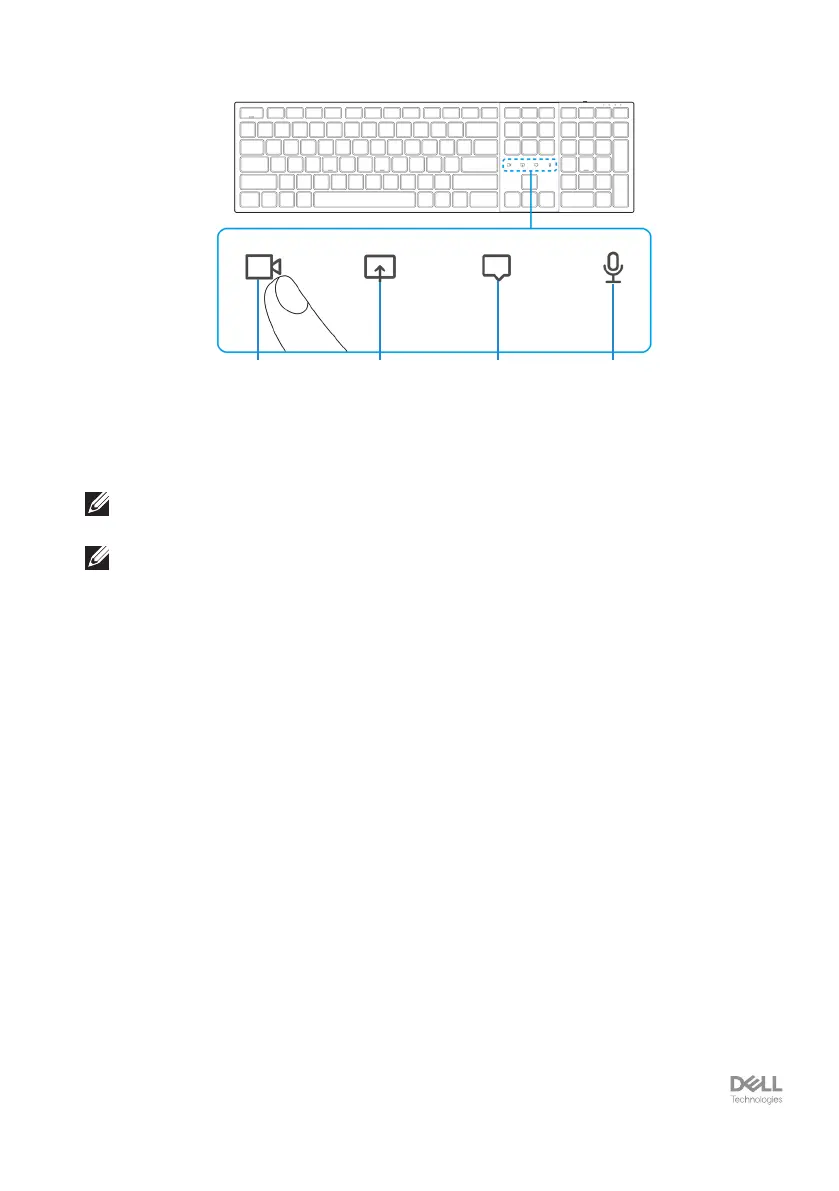
1 2 3 4
1. Video on/o icon 2. Share screen icon
3. Chat icon 4. Microphone on/o icon
NOTE: If the video and/or microphone icon lights red, this indicates the respective
function is disabled.
NOTE: When you receive a chat message in the video conferencing app, the chat
icon will light up and blink.


 To Next Page