Pairing your wireless keyboard and mouse │ 23
Switching between paired devices
Your wireless keyboard or mouse memorises the last connection mode. Every time
you turn on the keyboard or mouse, the last connection-mode LED along with the low
battery LED indicator turn on for 3 seconds.
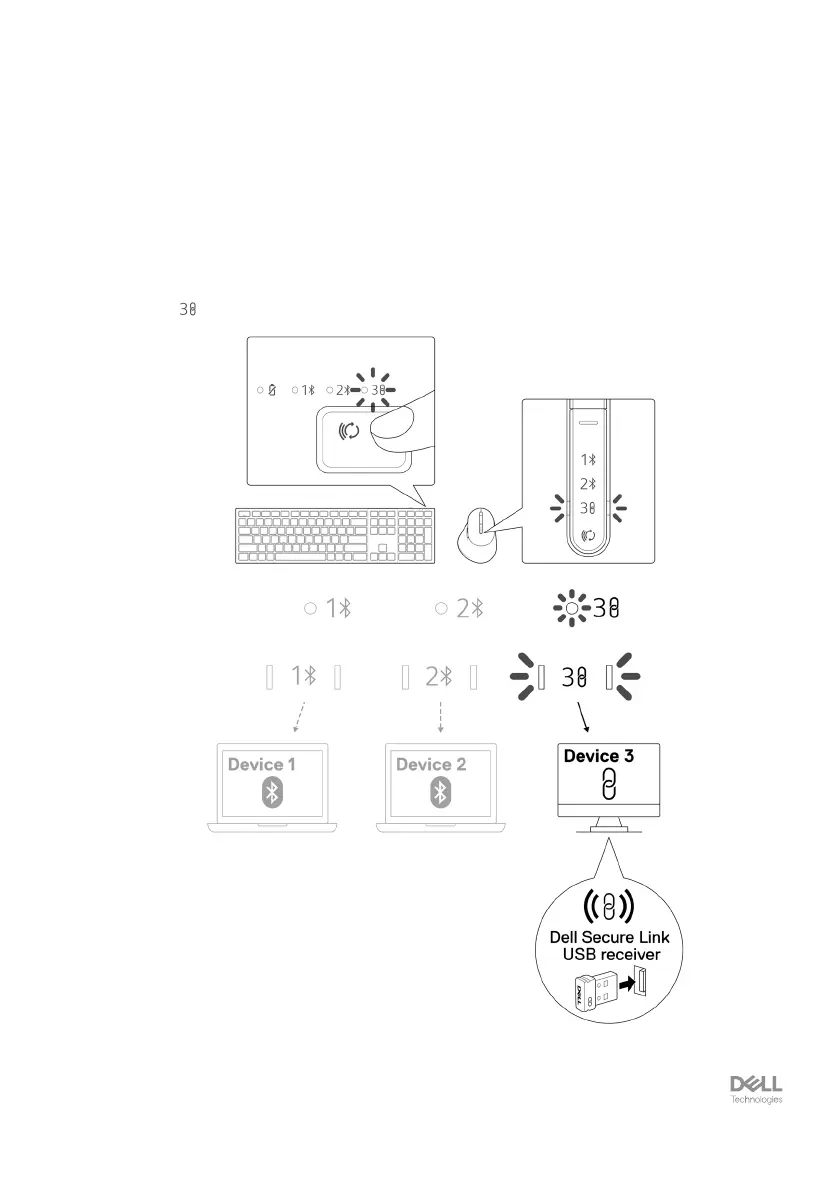
If you want to connect to another paired device, toggle the connection-mode button
until the respective connection-mode LED turns on.
For example, if you want to connect to the wireless keyboard or mouse using the Dell
Secure Link USB receiver then press the connection-mode button until the connection-
mode LED ( ) turns solid white for 3 seconds.


 To Next Page