Dell Peripheral Manager │ 8
Dell Peripheral Manager
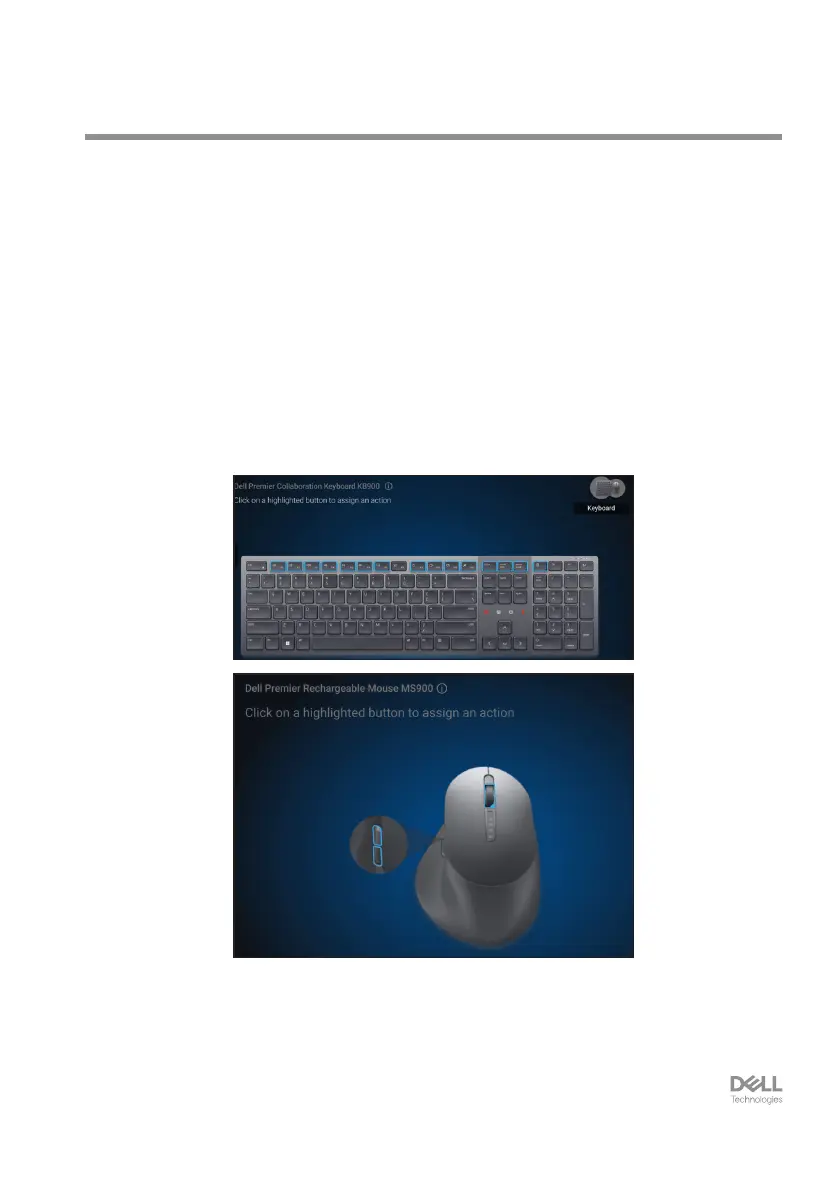
The Dell Peripheral Manager is a software that enables you to set up and manage Dell
Peripherals connected to your computer.
For Dell Premier Collaboration Keyboard and Mouse, this software enables you to
perform the following:
• Assign actions to programmable keys.
• Change settings of Zoom touch controls (for keyboard only).
• Customise illumination for intelligent backlighting (for keyboard only).
• Set primary mouse button (left or right) (for mouse only).
• Adjust mouse sensitivity through DPI setting (for mouse only).
• View device information such as firmware version and battery status.
• Upgrade to the latest firmware updates.
For more information on Dell Peripheral Manager, visit
www.dell.com/support/dpem
Download the Dell Peripheral Manager software from the above link. You can find detailed
user guide and article on usage and troubleshooting under the documentation tab.


 To Next Page