Changing the scroll-speed on wireless mouse │ 29
Changing the scroll-speed on
wireless mouse
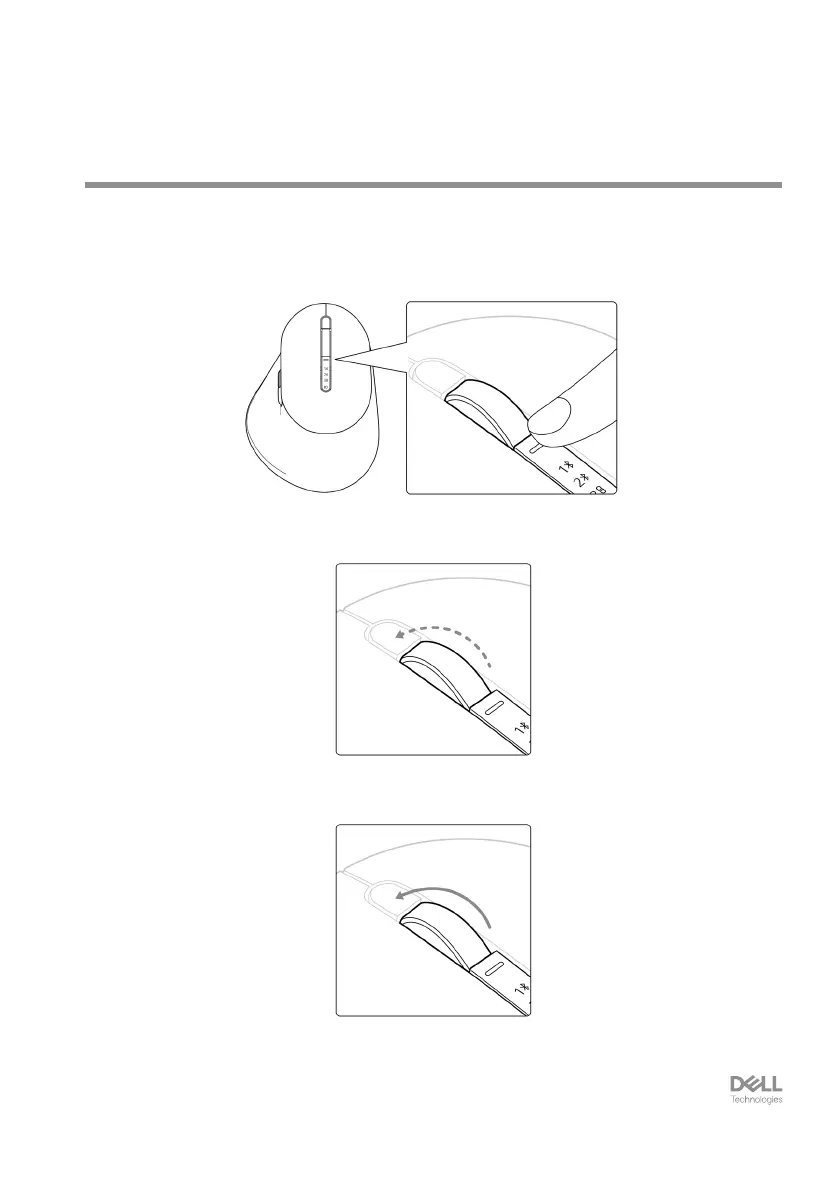
Your Dell wireless mouse’s vertical-scroll wheel can be shifted between two scrolling
modes, such as notched and fast. To toggle between these modes, press the
scroll-speed toggle button.
• Notched speed mode is suitable for scrolling precise items.
• Fast speed mode is best for scrolling through long web pages and files.


 To Next Page