Maintenance
Maintenance Manual 107
Before attempting any work around the PCS100, observe the following precautions:
Remove any watches, rings, or other metallic accessories.
Only use tools with insulated handles.
Wear rubber gloves and boots.
Do not lay tools or metal parts on top of the cabinet.
Removing an AC Softstart Contactor
1. Open the front door. See “Opening a Front Door” on page 20.
2. Remove the safety cover. See “Removing a Safety Cover” on page 34.
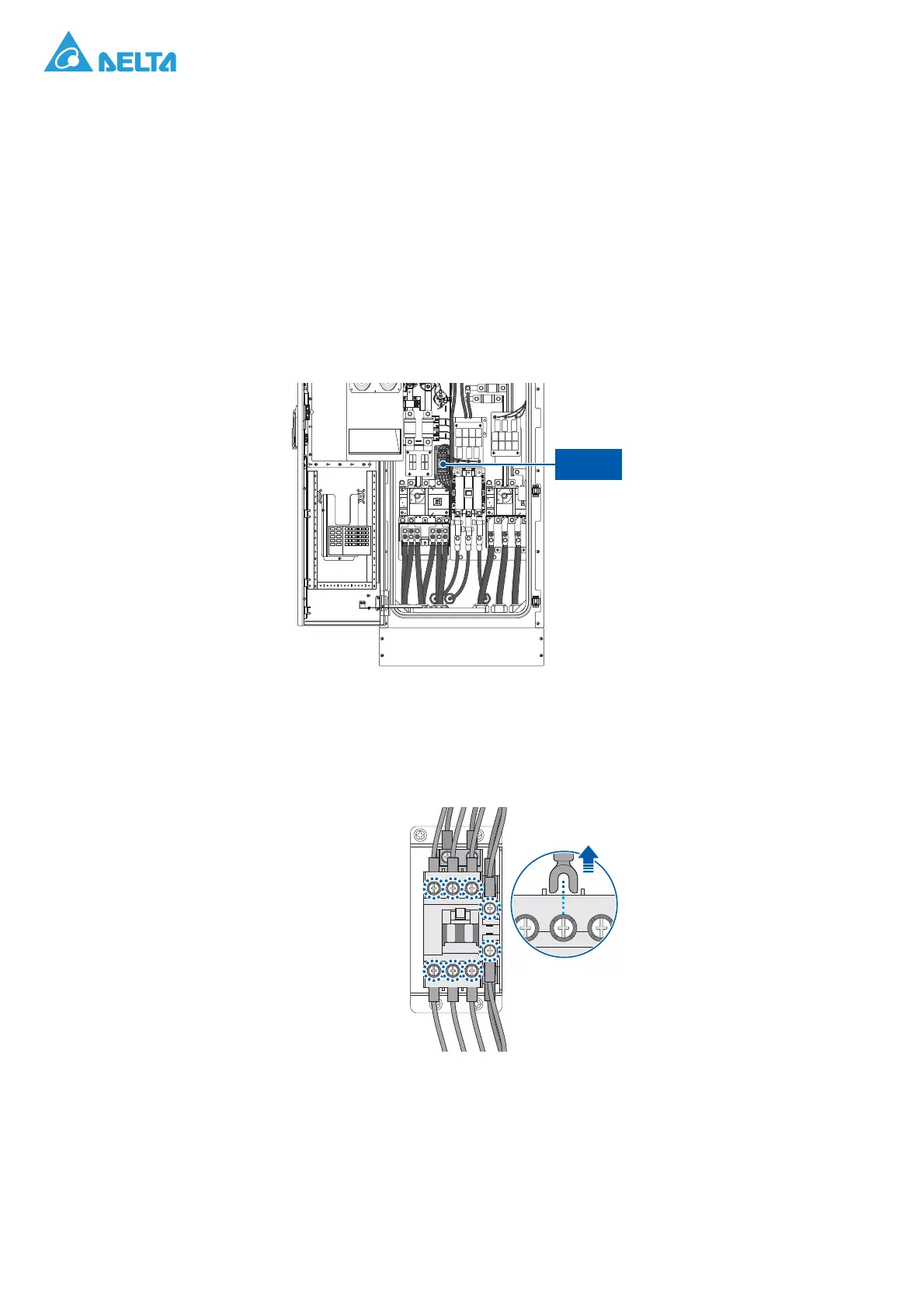
3. Locate the AC softstart contactor.
Figure 148. AC Softstart Contactor Location
4. Remove the screws securing the AC softstart contactor and the wires.
5. Remove the AC softstart contactor and the wires.
Figure 149. Disconnecting the Wires



 To Next Page