EasyManua.ls Logo

Delta R2-EC 004 Series - R2-Ecx004 IO Indicators

Delta R2-EC 004 Series
67 pages
To Next Page IconTo Next Page
To Previous Page IconTo Previous Page
Loading...
Specifications and Product Interface R2-ECx004 User Manual
2-12
2
2.4.5 R2-ECx004 IO indicators
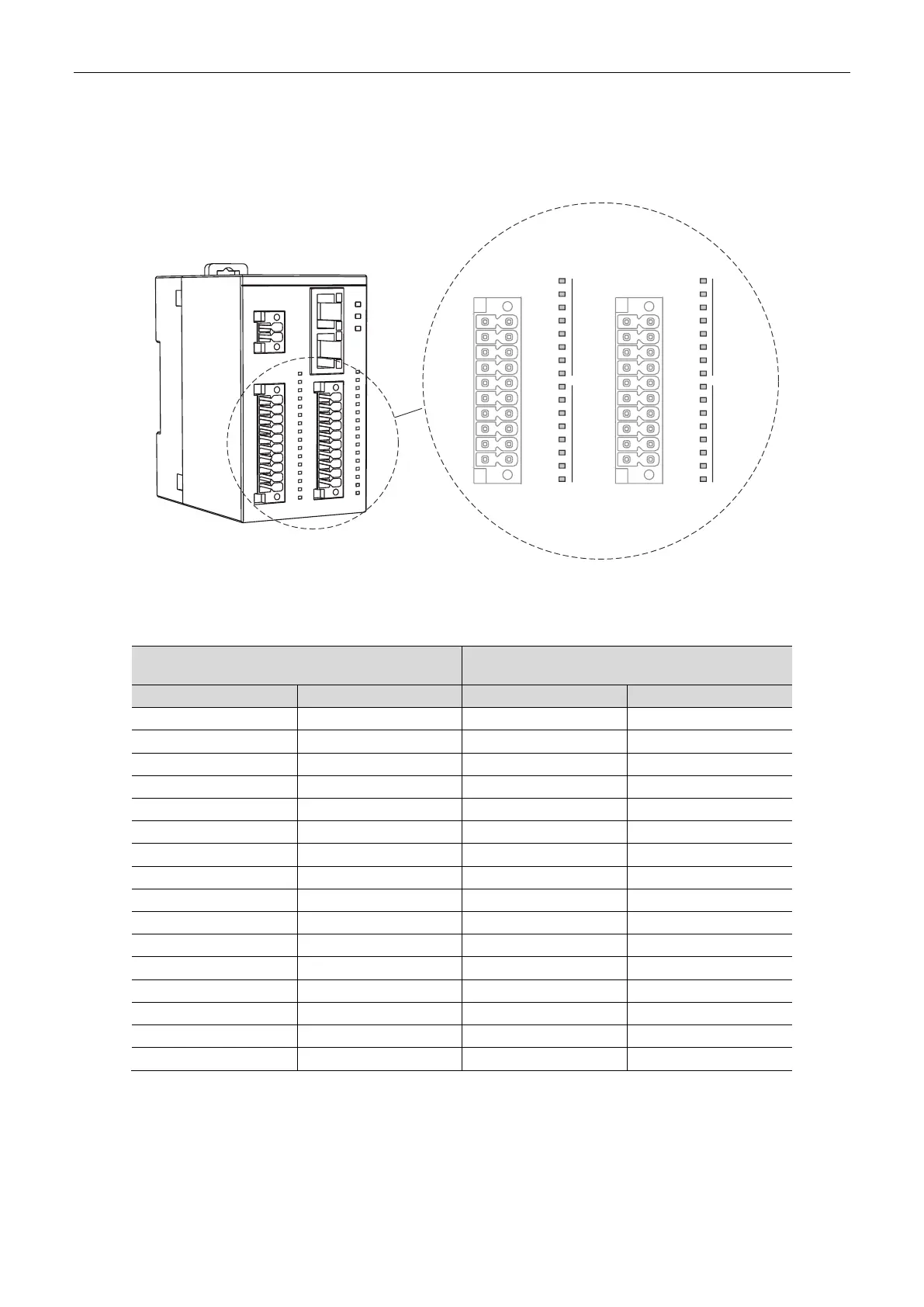
Definitions of the LED indicators for Port 0 and Port 1 of the R2-EC0004 series models are
as follows.
16DI-DC
PORT0
16DO-DT
PORT1
0
15
0
15
C0
0
2
4
6
C0
8
10
12
14
C0
1
3
5
7
C0
9
11
13
15
S/S
S/S
0
2
4
6
8
10
12
14
S/S
1
3
5
7
9
11
13
15
IN OUT
The LED indicators show the status of the GPIO signals. When the input / output signal is on,
the corresponding indicator shows green (solid on).
IN
Port 0
OUT
Port 1
Indicator No.
Corresponding IO port
Indicator No.
Corresponding IO port
0
0
0
0
1
1
1
1
2
2
2
2
3
3
3
3
4
4
4
4
5
5
5
5
6
6
6
6
7
7
7
7
8
8
8
8
9
9
9
9
10
10
10
10
11
11
11
11
12
12
12
12
13
13
13
13
14
14
14
14
15
15
15
15
Note: the LED indicator turns on when the controller activates the inputs / outputs. If the actual signal is not
on, check for the wiring.

Table of Contents

Related product manuals