67
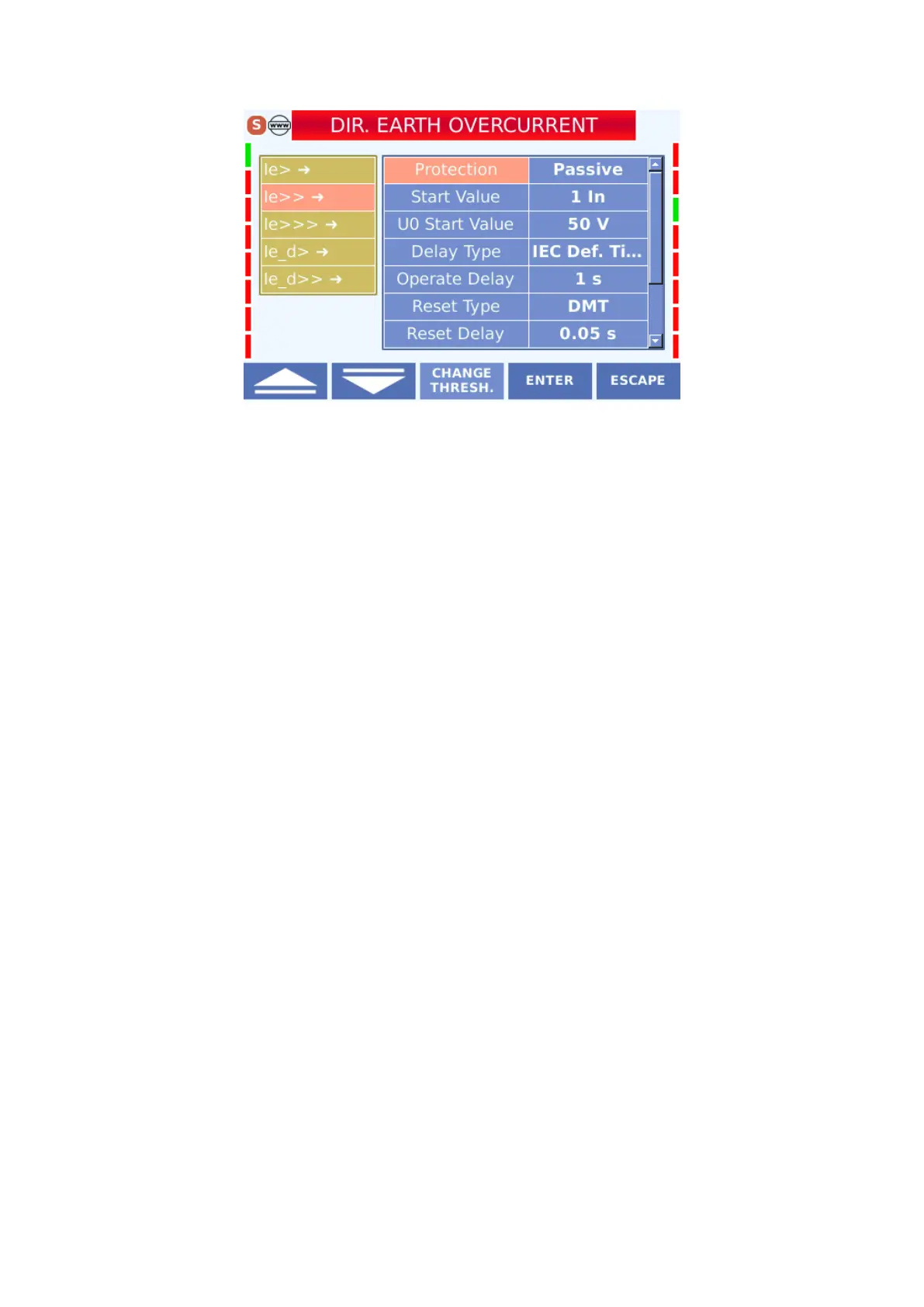
Directional Earth Overcurrent Protection Display
The settings that can be made in the menu are described below.
4.3.2.5.1 Protection
activated in the active state and disabled in the passive state.
4.3.2.5.2 Start Value
The display shows how many times the nominal current value starts when the protection is
active. Selection is made in (0.05-35) In range
4.3.2.5.3 U
0
Start Value
The zero sequence voltage is the starting value.It is the screen where U0 value is entered
The selection is made in the range (0 - 260) V.
4.3.2.5.4 Delay Type
The type of delay curve for protection is assigned from this option. This curves can be
selected from Main Menu> Protection Settings> Protection and Reset Curves> Protection and
Reset Curves.



 To Next Page