The D1000
Installation and
Service
Version 2.1
21
4. Low Temperature Switches
a. HOW TO TEST FUNCTION
b. Use heat gun on either left or right low temp switch
c. Fan turns on
d. Fan remains on for three minutes after temperature falls below 150’F
5. High Temperature and Low Pressure Switch
a. HOW TO TEST FUNCTION
a)Unplug red wire terminal located on terminal strip #4. NOTE: Do not remove wire, just unplug
it’s round connector. Unplug one of the wire terminal connection attached to pressure switch
(seegureabove)
b. Fan turns on.
c. LED turns from green to orange.
d. Power for gas valve or disconnect turns off
e. Audible buzzer inside of hood on continuously.
f. Local Alarm Activation “Y0 to C0”
g. Remote Alarm Activation “Y1 to C1”
h. Hood remains powered.
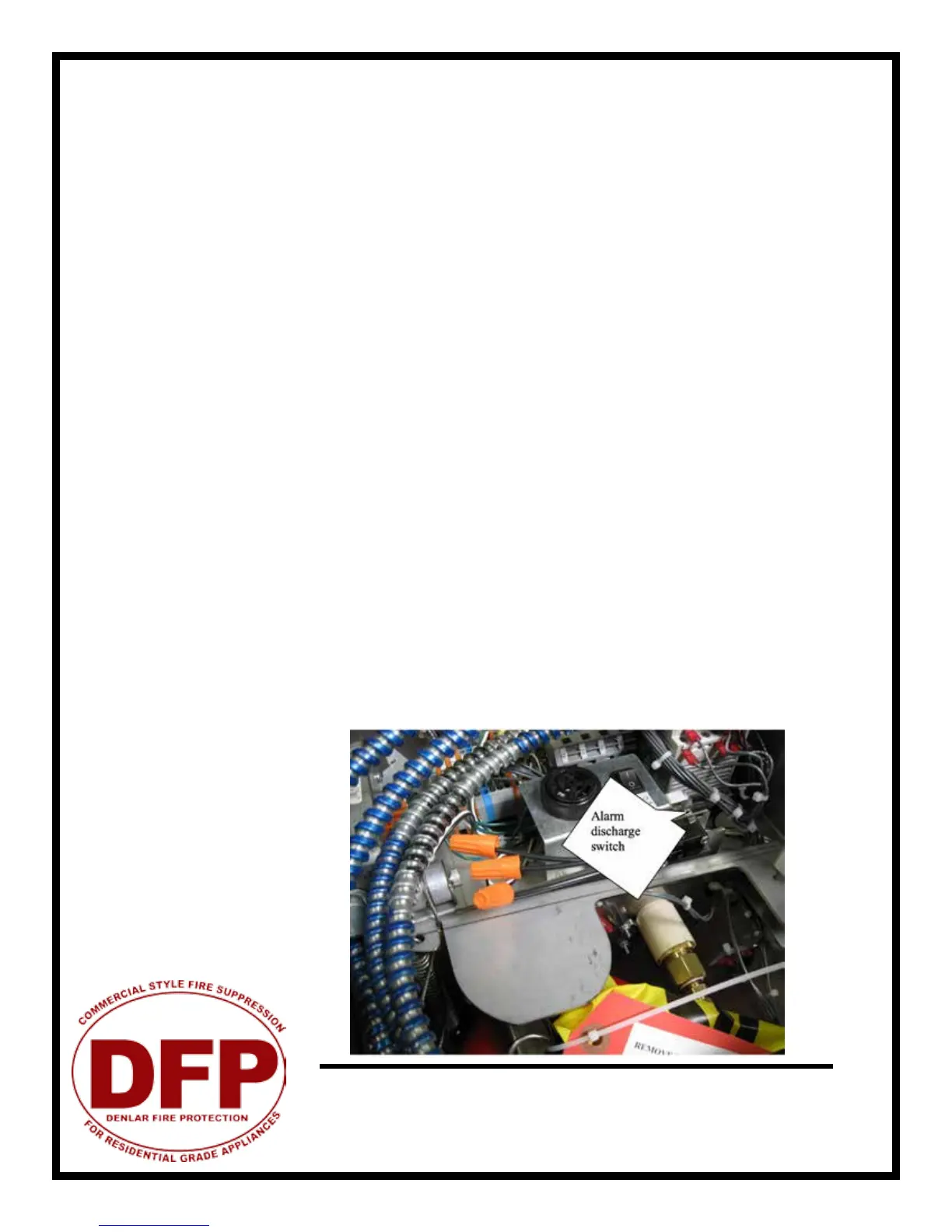
6. Alarm Discharge Switch
a. HOW TO TEST FUNCTION
b.Depressactuatorleverlocatedatthemicro-switchnexttotank(seegure)
c. Check continuity of both normally open & closed contacts.
7. Service switch in on (1) position.
a. HOW TO TEST FUNCTION
b.LED turns from green to blinking orange/green
c. Power for gas valve or disconnect turns off
d. No alarm closure at Y1-C1 or Y0 and C0
3. Pressing the reset button will not reset the hood until the service switch is put back in the off 0
(normal) position,


 To Next Page