ENGLISH
s
c:
~
N
o
:J
'"
:;t
o
c:
0-
ro
'"
:J'
o
~
5'
i
'"
L _
I
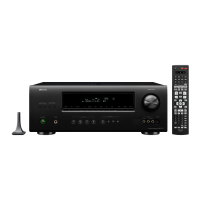
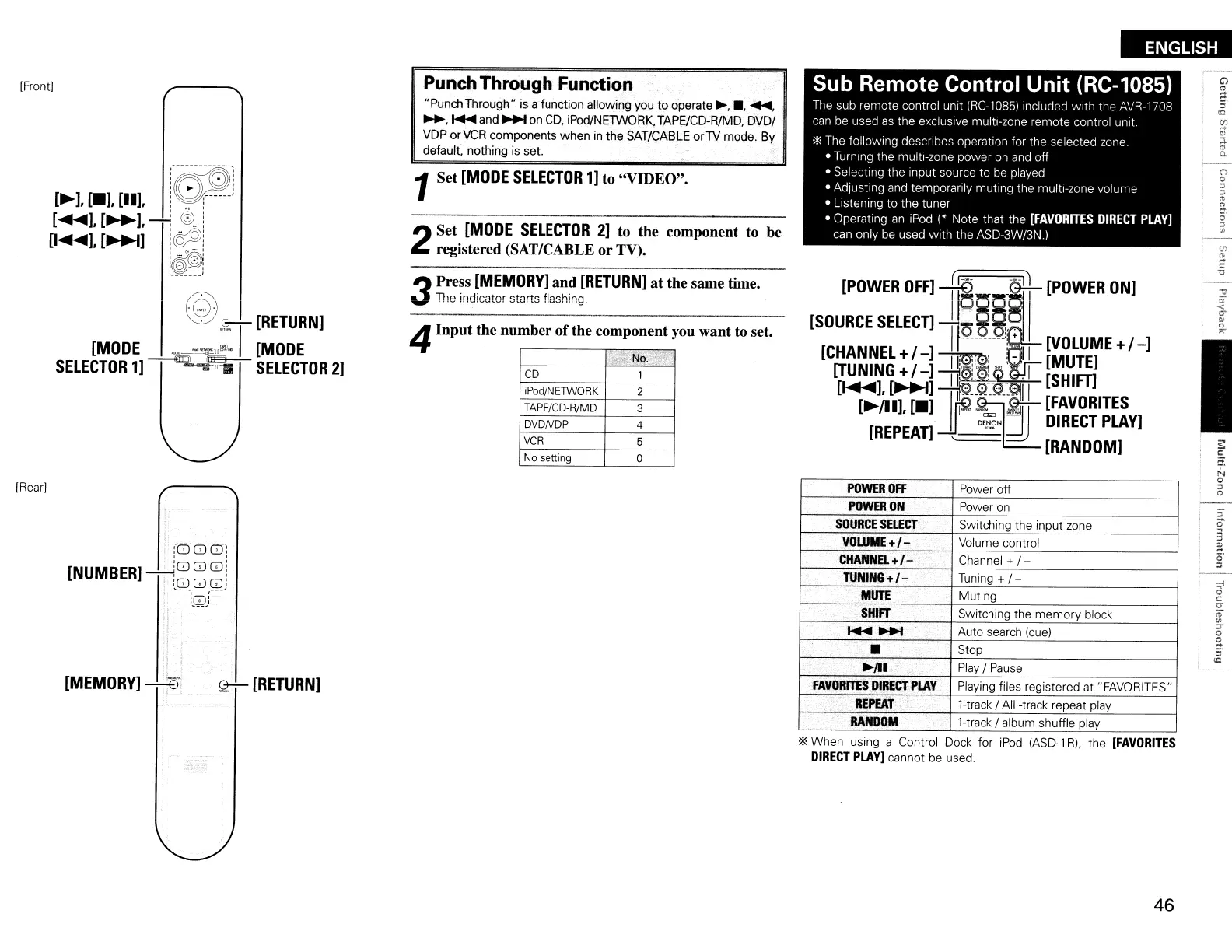
Sub Remote Control Unit (RC-1085)
The
sub remote control unit tRC-l0851lncluded with the AVR-1708
can
be
used
as
the exclusive multi-zone remote control unit.
*The follOWing describes operation for the selected zone
• Turrlng the multi-zone power on
and
off
• Selecting the Input source to
be
played
• Adjusting
and
temporarily muting the multi-zone volume
• Listening to the tuner
• Operating
an
IPod
(*
Note that the
[FAVORITES
DIRECT
PLAY]
can only be used With the ASD-3W/3N.I
[POWER
OFF]
~(IO
1---
11
[POWER
ON]
[SOURCE
SElECn
I
~§§:
+
I J
[VOLUME
+/
-]
[CHANNEl
+/
-]
~J
.
r:JL
[MUTE]
[TUNING
+/
-]
1f0!;0L<:>~~
[SHim
[~~[~~
--TIl
~I~~:
:
[FAVORITES
[REPEAn
-lJ_
O'!,.£'N:dJ
DIRECT
PLAY]
'---
[RANDOM]
POWER
OFF
Power off
POWER
ON
Power on
SOURCE
SELECT
Switching the input zone
VOLUME
+1-
Volume control
CHANNEL+I-
Channel +
1-
TUNING
+1- Tuning +
1-
MUTE
Muting
SHIFT
Switching the
memory
block
~~
Auto search (cue)
•
Stop
~JlI
.
Play
I
Pause
FAVORITES
DIRECT
PLAY
Playing files registered at "FAVORITES"
REPEAT
l-track IAll -track repeat play
RANDOM
Hrack
I album shuffle play
. No.
.,-
CD
1
iPod/N
ETWORK
2
TAPE/CD-R/MD
3
DVDNDP 4
VCR
5
No setting
0
Punch
Through Function
"PunchThrough" is a function allowing you
to
operate~,.,
~,
~,
~
and
~
on
CD,
iPod/NETWORK,TAPE/CD-R/MD,
DVDI
VDP orVCR components when
in
the SAT/CABLE
orTV
mode. By
default, nothing
is
set.
1Set
[MODE
SELECTOR
1]
to "VIDEO".
4Input the number
of
the component you want to set.
2
Set
[MODE
SElECTOR
2]
to the component
to
be
registered (SAT/CABLE or TV).
3
Press
[MEMORY]
and
[RETURN]
at the same time.
The indicator starts flashing.
~[RETURN]
:{0T:n:u:
[NUMBER]
"""--';888
i
,
LQ:8:
Q
!
,BJ
[MEMORY]
---:-:ES
®
.<z-:-
[RETURN]
[MODE
_--=":::,~
I
[MODE
SELECTOR
1]
~~
SELECTOR
2]
[Front)
(Rear]
*When using a Control Dock for
iPod
(ASD-l
Rl.
the
[FAVORITES
DIRECT
PLAY]
cannot be used.
46


 To Next Page
 Loading...