9
Checking audio output
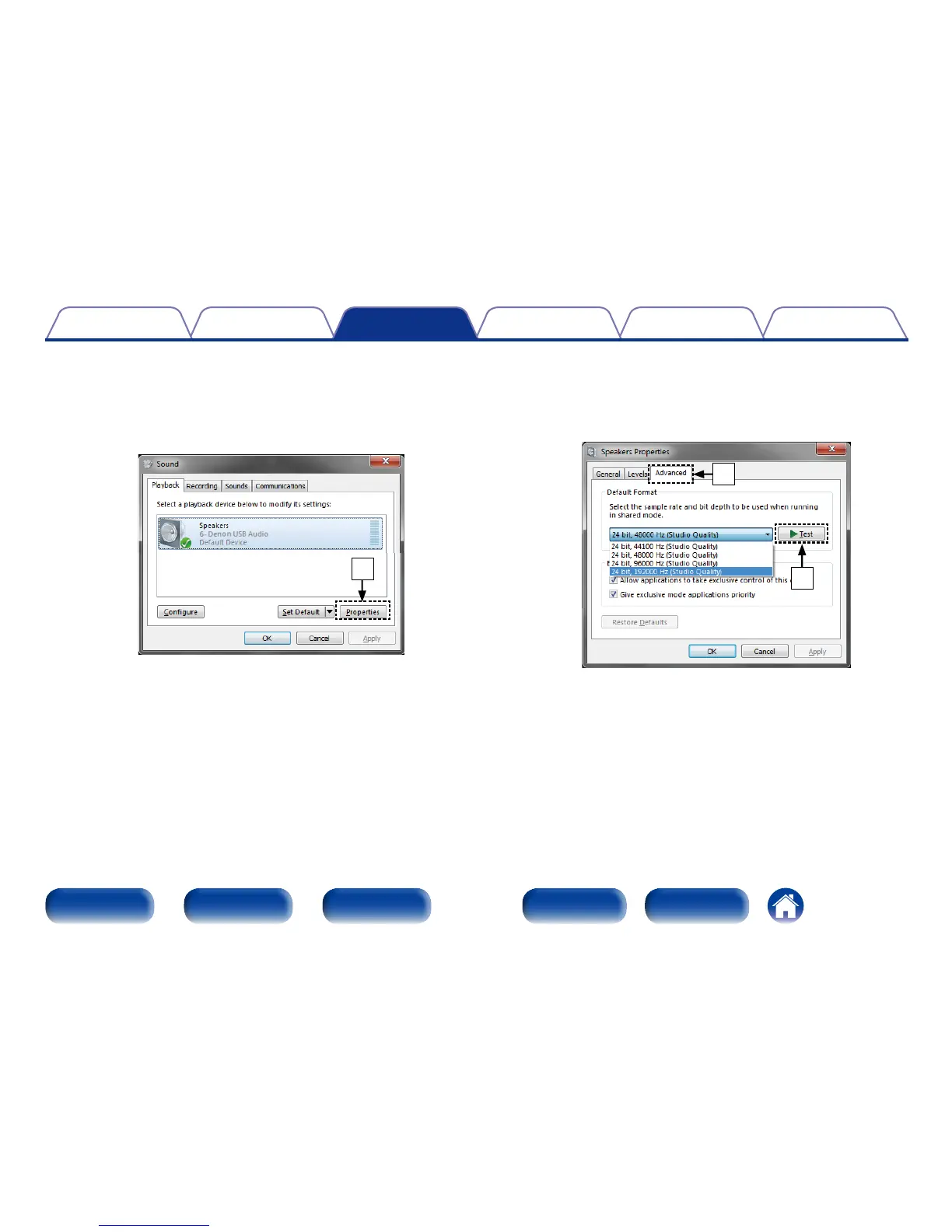
Outputs a TEST signal from the computer and checks the audio
output from the USB-DAC function.
q Select “Speakers” and click “Properties”.
•The Speakers Properties window is displayed.
q
w Click the “Advanced” tab.
•Select the sampling rate and bit rate to be applied to the D/A
converter, and click “Apply”.
e Click “Test”.
•If the audio is output from the this unit, the setup is completed.
w
e



 To Next Page