39
PowerScout HD
Meter Installation
INSTALLATION SEQUENCE FOR WALL MOUNT ENCLOSURE MODELS
The following section illustrates the PS12HD-C-D-N model. The PS24HD-C-X-N, PS3HD-C-D-N, and
PS48HD-C-X-N components are slightly different but follow the same procedure.
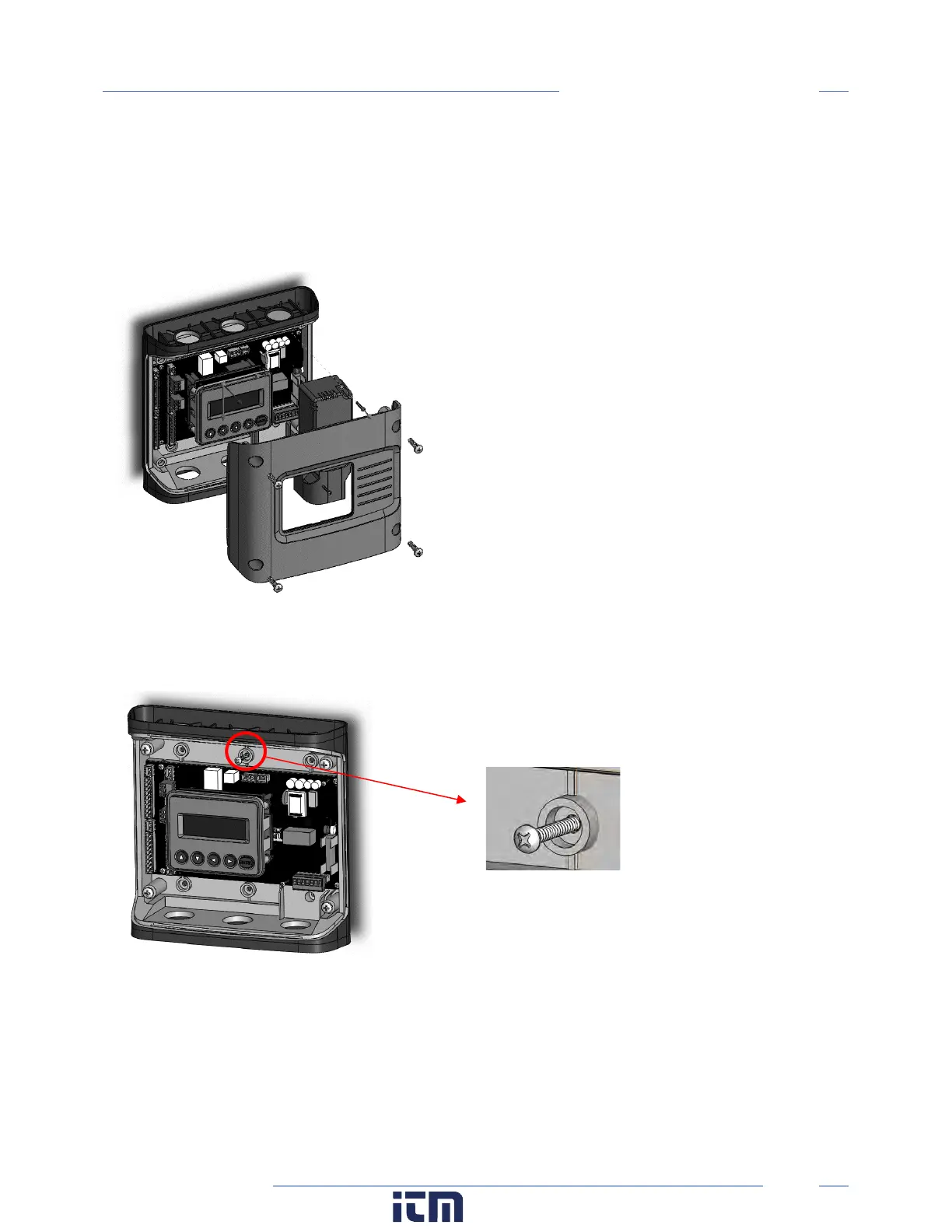
STEP 1) Remove top cover screws (4x) and high voltage cover screws (2x) – provided
STEP 2) Locate, mark, and drill wall mounting points (2x–6x—user supplied)
The plastic enclosure itself can be used as a template for marking the drill locations on the wall.
If the meter is not available for use as a drill template, a drawing indicating the spacing between
mounting holes can be found in the appendix. The centerline holes are intended for fastening to wall
studs. If hollow wall fasteners are used, the outer 4 mounting points are recommended.
w ww. . com
information@itm.com1.800.561.8187



 To Next Page