53
Communication & Verification
PowerScout HD
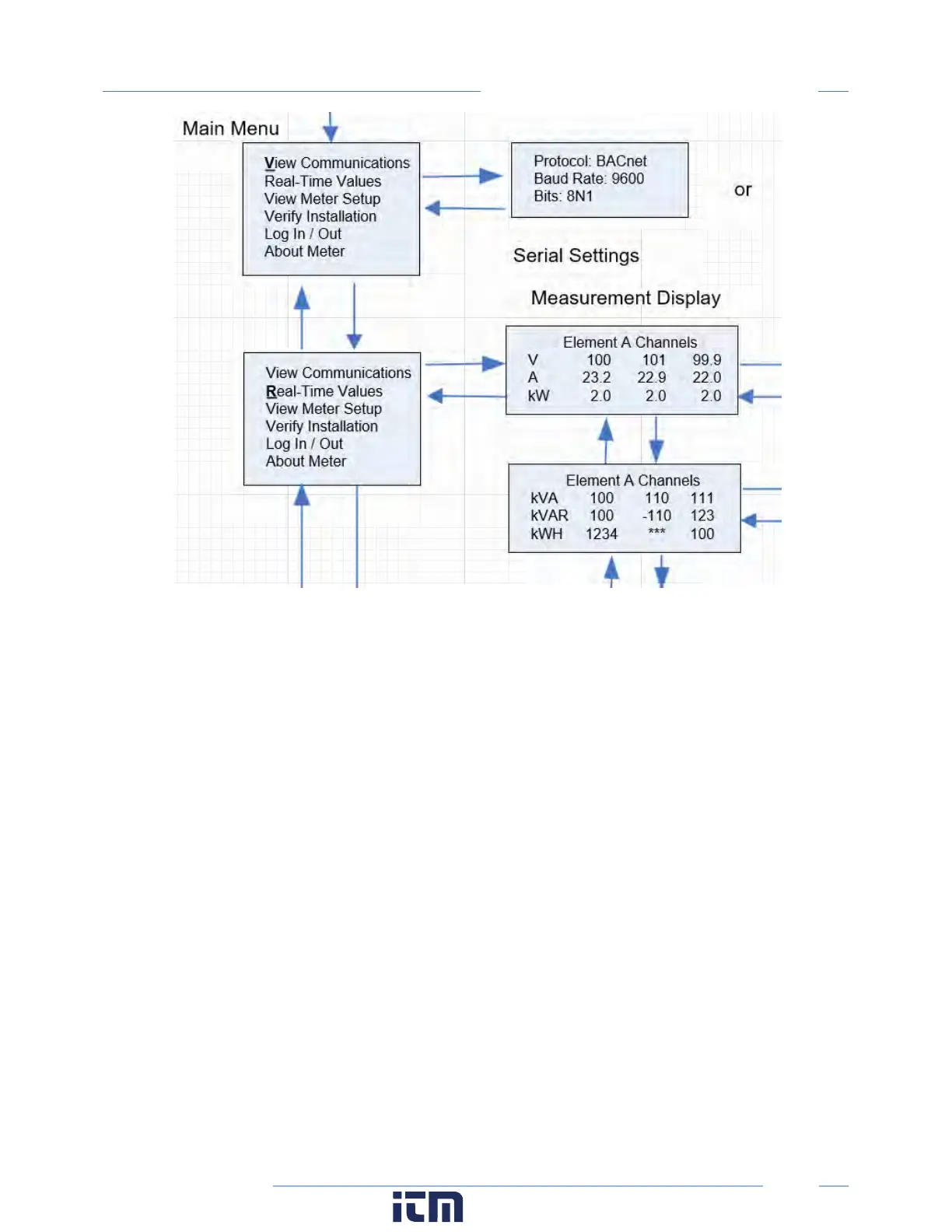
Example LCD Navigation
VIEWPOINT HD / PSHD WEB APP
If your PSHD model does not include the LCD User Interface, or if you prefer to verify the installation
using software, then verification is facilitated through the ViewPoint HD PC application or the PSHD Web
App, which share a common design. Refer to the section on Configuration Details for an overview and
list of instructional videos for ViewPoint HD or the PSHD Web App.
Physical Interface Verification
SERIAL SETUP VERIFICATION
In a multidrop serial network, the host data format settings are typically known, or specified, and the
slave is adjusted to match. In some cases (long wiring runs, etc.), it may be necessary to experiment in
determining the fastest allowable baud rate for a given wiring configuration by changing BOTH the host
and slave devices. Configurations other than 8N1 are rare and it is advised to use this configuration for
Data Bits, Parity, and Number of Stop bits, if possible.
LAN ETHERNET NETWORK VERIFICATION
w ww. . com
information@itm.com1.800.561.8187



 To Next Page