58
ID
OU
NOW
DENT Instruments recommends
using 115,200 bps as the baud rate when
downloading firmware updates via a RS-485.
NOTE: There are no baud rate settings when
connected via USB or Ethernet.
FIRMWARE
Th
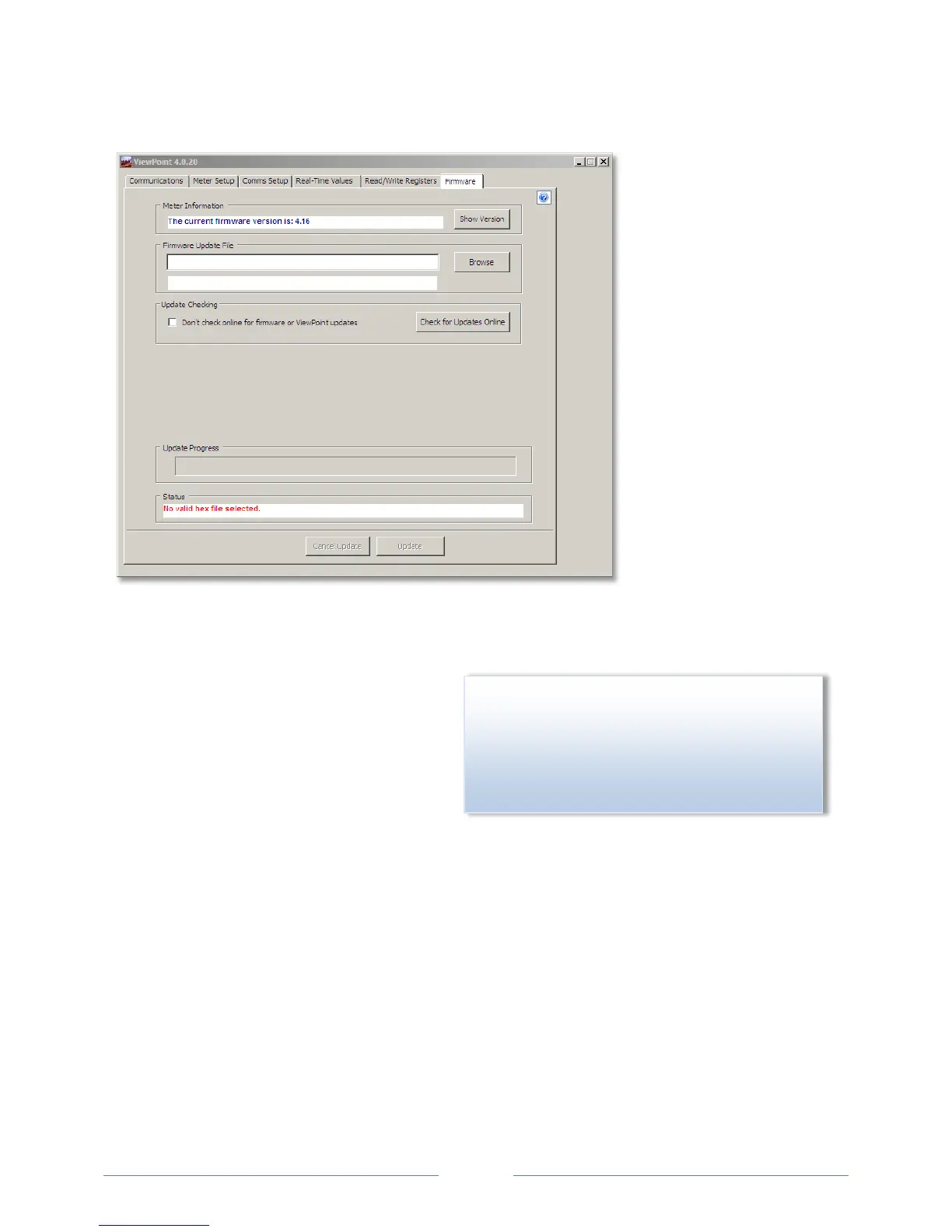
e Firmware screen verifies the current firmware version and updates the PowerScout internal
firmware. Updating firmware is only supported in Modbus mode and is used to bring the software up to
date. See the appendix Firmware.
1) C
lick Show Version to see which version o
f
firm
ware is currently loaded in meter. If a
later version of firmware is available,
download it from the DENT Instruments
website.
2) Click Browse to access the Select a
Firmware Update File dialog box and select the .hex file downloaded from the website.
www.GlobalTestSupply.com
Find Quality Products Online at: sales@GlobalTestSupply.com



 To Next Page