6.4.2 Adjust furnace parameters
The high temperature furnace is shipped from the factory
with the time already set and
with standard parameters chosen.
Before first use, customize the time and other furnace parameters
if and as needed.
Note:
The controller does not automatically alternate
between standard and daylight saving time.
Entering and exiting parameter
mode
1. Activate the standby screen (section 7, Operation, page 23).
2. Press the F button.
The display will show the parameter dialogue.
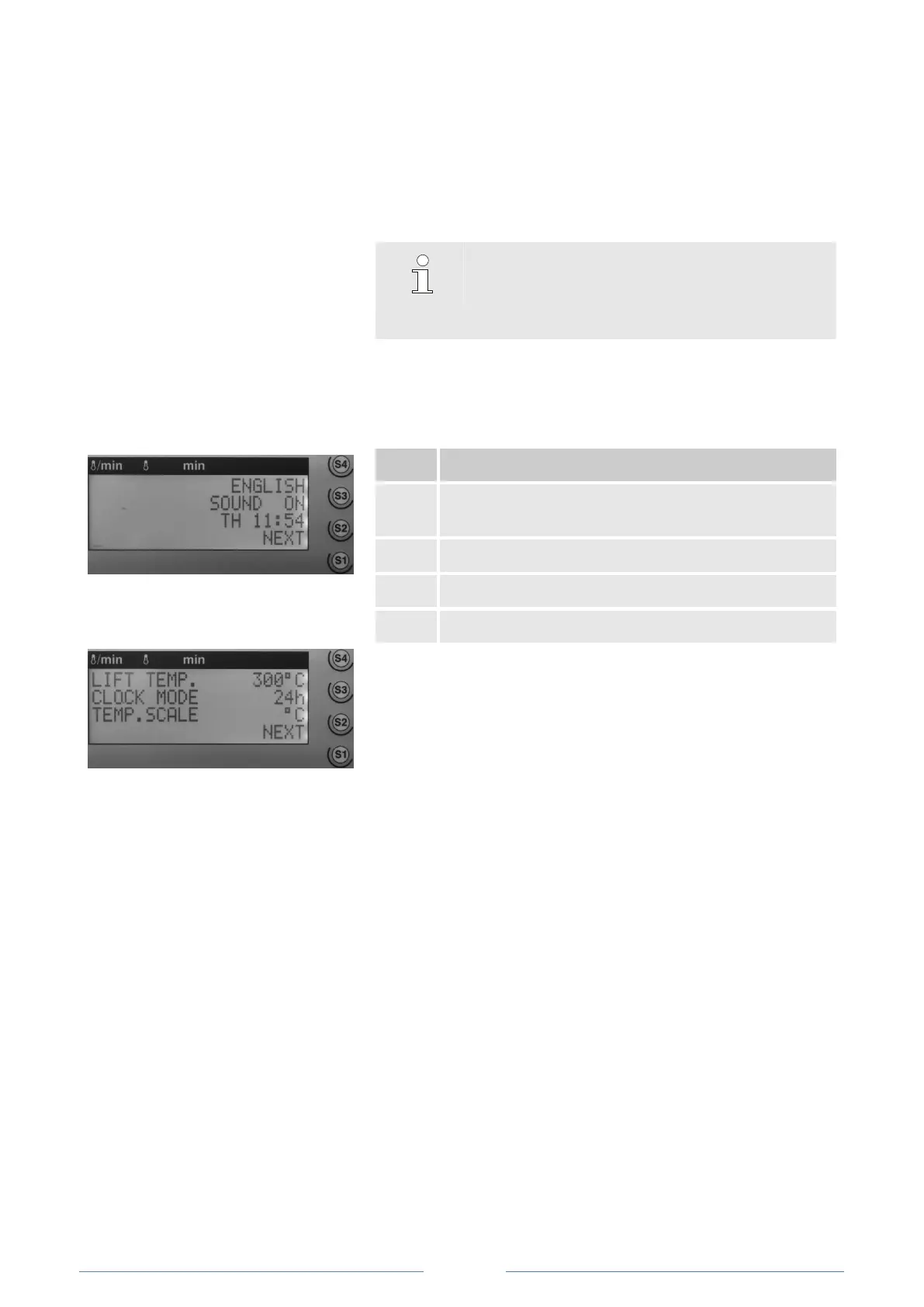
Fig. 11: Parameter dialogue, first page
Change display language (DE, F, UK, IT, ES, DK, CZ,
NL)
Activate/deactivate alarm signal
Activate weekday and time (day, hh:mm)
Go to the second dialogue page
Fig. 12: Parameter dialogue, second page
3. Select and modify parameters using S1–S4 buttons.
4. Enter numerical values via keypad where appropriate.
5. After setting the desired values, exit the parameter dialogue
by pressing S1.













 To Next Page