7.10 Starting a heating program automatically
The built-in timer can be used to let the furnace turn on
automatically in time for the currently loaded heating program to be
terminated at a preset completion time.
The timer accepts weekday and time settings for program
termination.
1. Select a program
( subsection Loading a heating program).
2. Activate the timer by pressing the Timer button. The display
changes from the standby screen to the autostart dialogue.
NOTE!
When the time is activated (autostart dialogue
visible), the furnace will be in a waiting state until
The time is activated by pressing the Timer button
or
the timer starts the heating program.
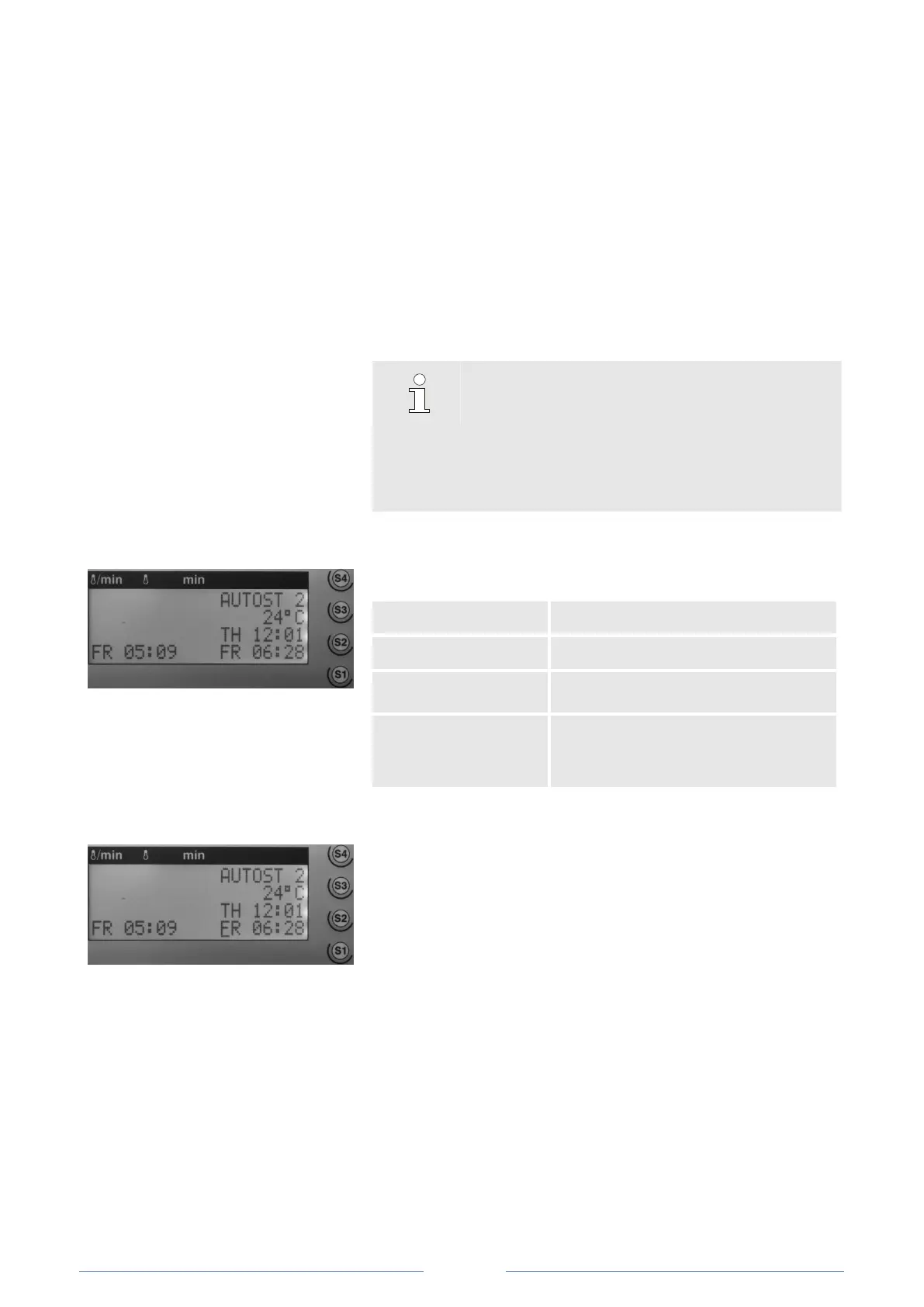
Fig. 35: Autostart dialogue.
Status (AUTOST), program no. (P01)
Furnace temperature (current)
Turn-on time
(automatically
calculated)
Weekday, time
(selected time of completion)
Fig. 36: Selecting weekday and time
3. Press the S1 button. The cursor jumps to the field where the
completion time is defined.
4. Enter the weekday (Mon = 1, Tue = 2, ...) on the numeric
keypad (for example: Friday, 06:28). Note: Use the 24-hour
time format.
5. Enter the time (hh:mm) via the numeric keypad.
This activates and programs the timer of the high-temperature
furnace. The timer will start the heating program automatically at
the calculated time ( Fig. for example: Friday, 05:09 a.m.).













 To Next Page