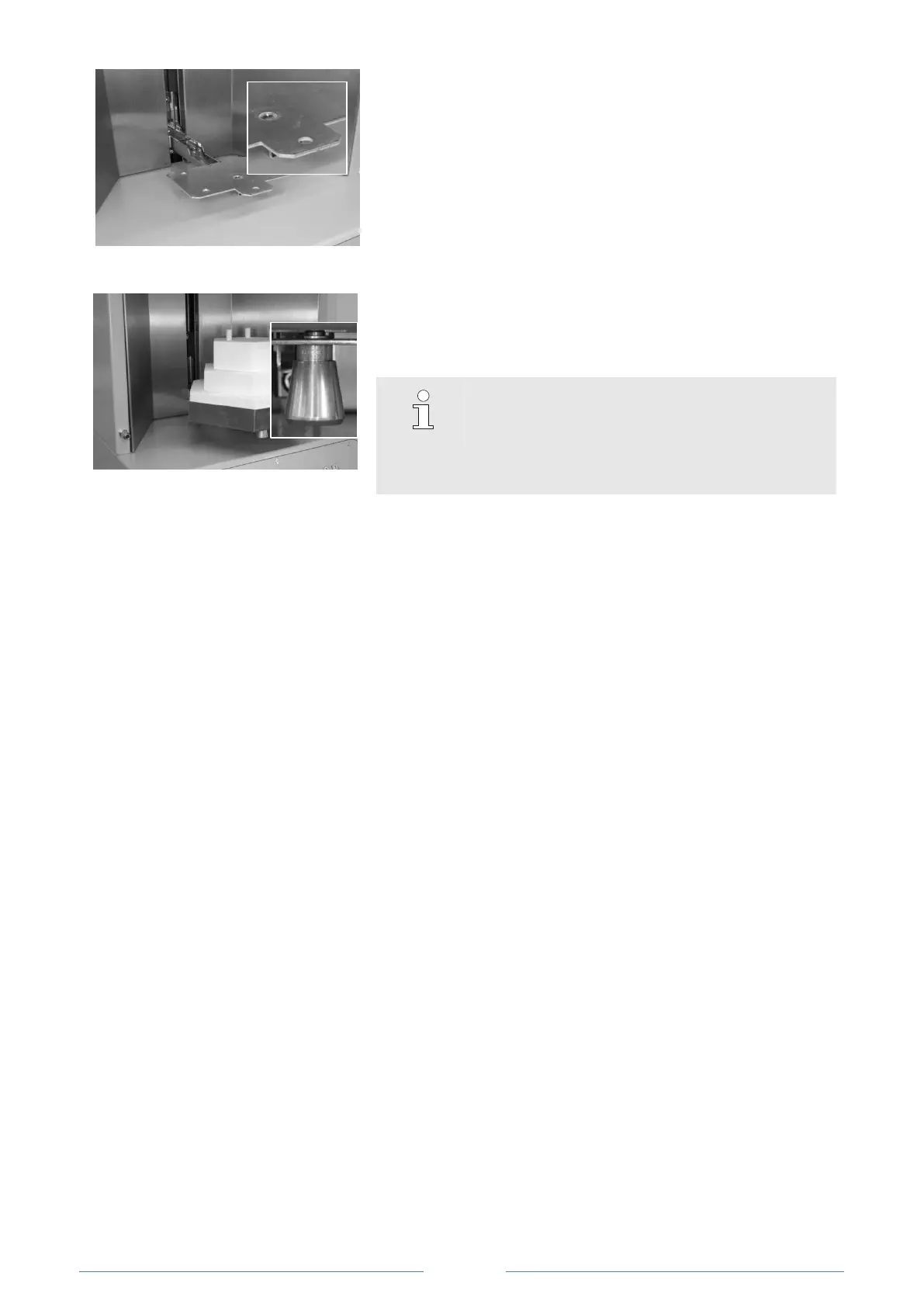
Fig. 21: Unlocking the door.
5. When inserting the Cercon door,
make sure that the guide
pin of the door engages the bore hole provided.
Fig. 22: Installing the door.
6. Slide the Cercon door onto the furnace mount as far as it
will go. Unlock the guide pin again by turning it to the left.
Gently pull the door forward until the guide pin engages
the corresponding bore hole in the door mount.
NOTE!
If the guide pin does not properly engage the door
mount, the door will not close securely. Sintering
will not be initiated after the sintering program has
been started.
7.5 Detecting program type changes (door-changing requirement)
To protect the sintering guard in the case of an inappropriate program selection, the furnace will issue a
door-changing warning.
When switching from a Crypton program to a Zirconia program, the display will read:
!Attention!
Ceramic equipment installed?
If the correct door is installed, confirm by pressing S2.
Pressing S1 will return you to the previous screen and allow you to install the correct door.
When the program is activated again, the above prompt will return and can then be confirmed with S2 if
appropriate.













 To Next Page