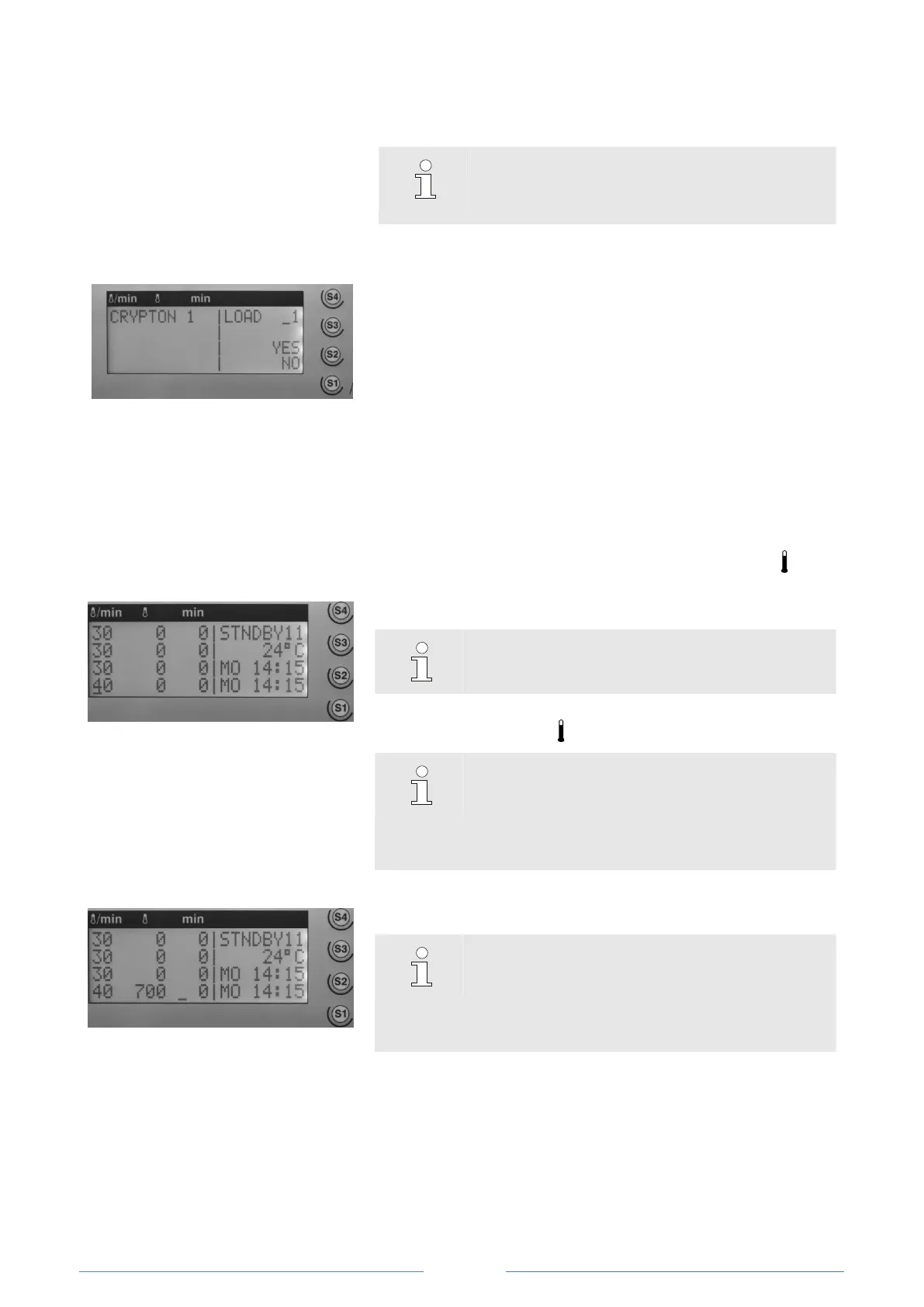
Loading a heating program
The standby screen displays the levels and heating parameters of
the currently loaded heating program.
To display and configure the steps and parameters of an existing
heating program, the program must first be loaded from memory.
NOTE!
To create a new heating program and save later
on, first download a free program number.
1. Press the Load button. The display shows the load dialogue.
2. Enter the program number via the numeric keypad.
3. Press the S2 button to load or
4. Press the S1 button to cancel.
After confirming or cancelling the loading procedure, the load
dialog disappears, and the display returns to the standby screen.
The controller enables from program 11 and higher to save heating
programs with up to 4 heating steps.
To individualize a free program, proceed as follows:
First heating level:
Set heating parameters
Fig. 28: Entering the heating rate.
1. Press the S1 button. A blinking cursor appears in the “ / min”
column.
2. Enter the heating rate via the numeric keypad.
NOTE!
Acceptable values are 1°C to 30°C/min.
Once the heating rate has been entered, the cursor will
automatically jump to the “ ” column and flash.
NOTE!
If no value is entered within approximately one
minute, the standby display will automatically
return. You will have to restart and repeat the
entire procedure.
Fig. 29: Entering the temperature.
3. Enter the temperature via the numeric keypad.
NOTE!
The maximum temperature is 1,650°C.
Entering a high temperature terminates the
procedure. You will have to restart and repeat the
entire procedure.
Once the heating rate has been entered as a four-digit figure, the
cursor will automatically jump to the “min” column and flash. If less
than four digits were entered, press the S1 button briefly.













 To Next Page