38
MENU
TX POWER
MENU
EXPERT
DISC.
FREQ.
IRON VOL.
SENS
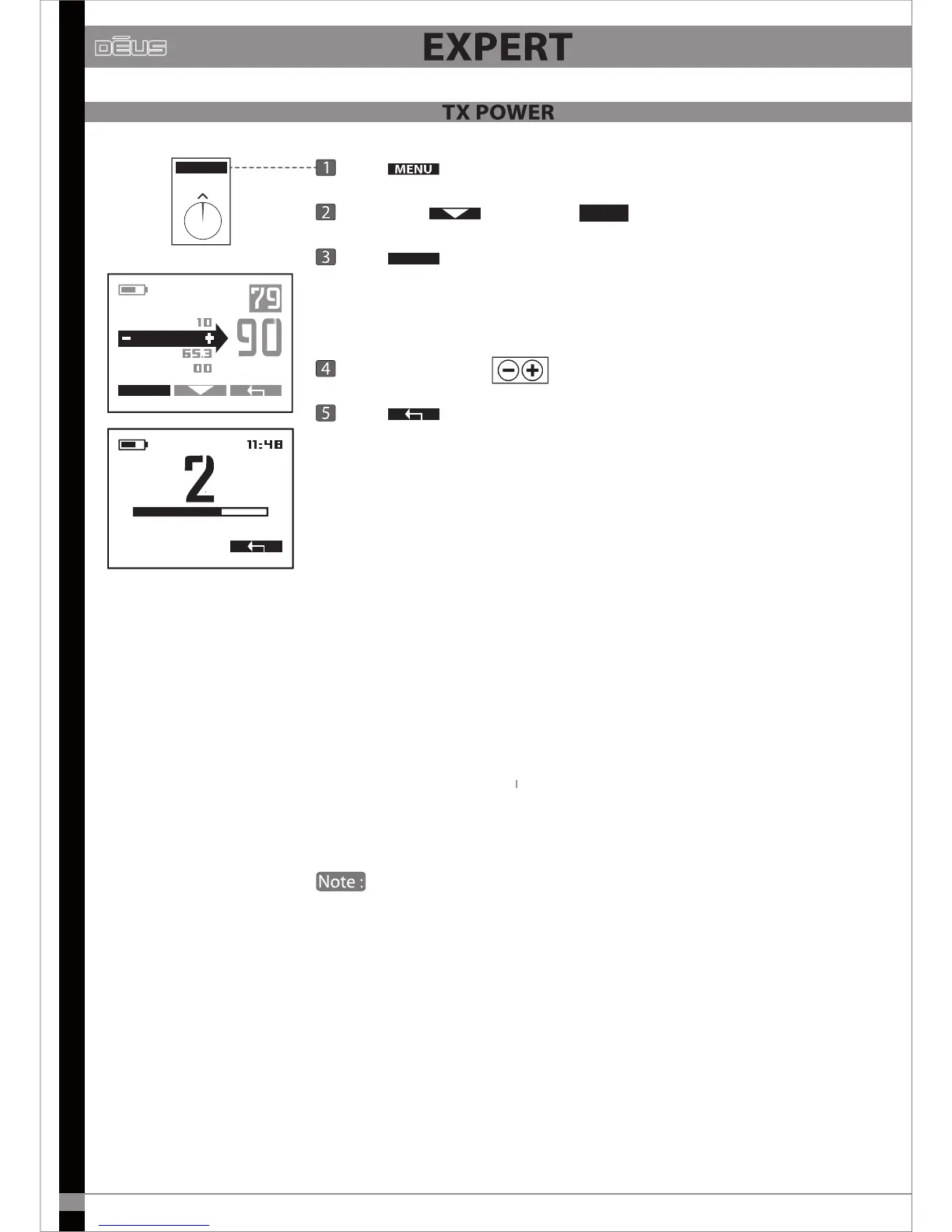
Press
Scroll with and select
SENS
Press
EXPERT
Dēus enables you to adjust the strength of the emitted electromagnetic
eld according to three levels (from 1 to 3).
It is adjusted using
Press
x2 to return to the main menu.
By default the power is set to level 2, which oers a very dependable
performance level that is largely sucient in most cases.
The power only has a subtle eect on the device’s pure performance with
regard to sensitivity. However, it aects your detector’s power consumption
in a non-negligible way, as well as its stability on dicult ground.
On iron-infested, mineralised ground, there is no need to use a high power
setting, level 1 will be sucient as in any case it is impossible to detect
deeply in this kind of ground.
It is therefore better to limit the saturation caused by iron and the ground
by lowering the setting. In this way you will improve analysis and will
ultimately nd as many, if not more, targets since you will be better able
to perceive them.
Power is set to maximum for the 4 kHz frequency.
You do not therefore have access to the Expert menu when you are on
this frequency.


 To Next Page