ineo 4050/4750 2-7
2.2 About power supply
2
2.2 About power supply
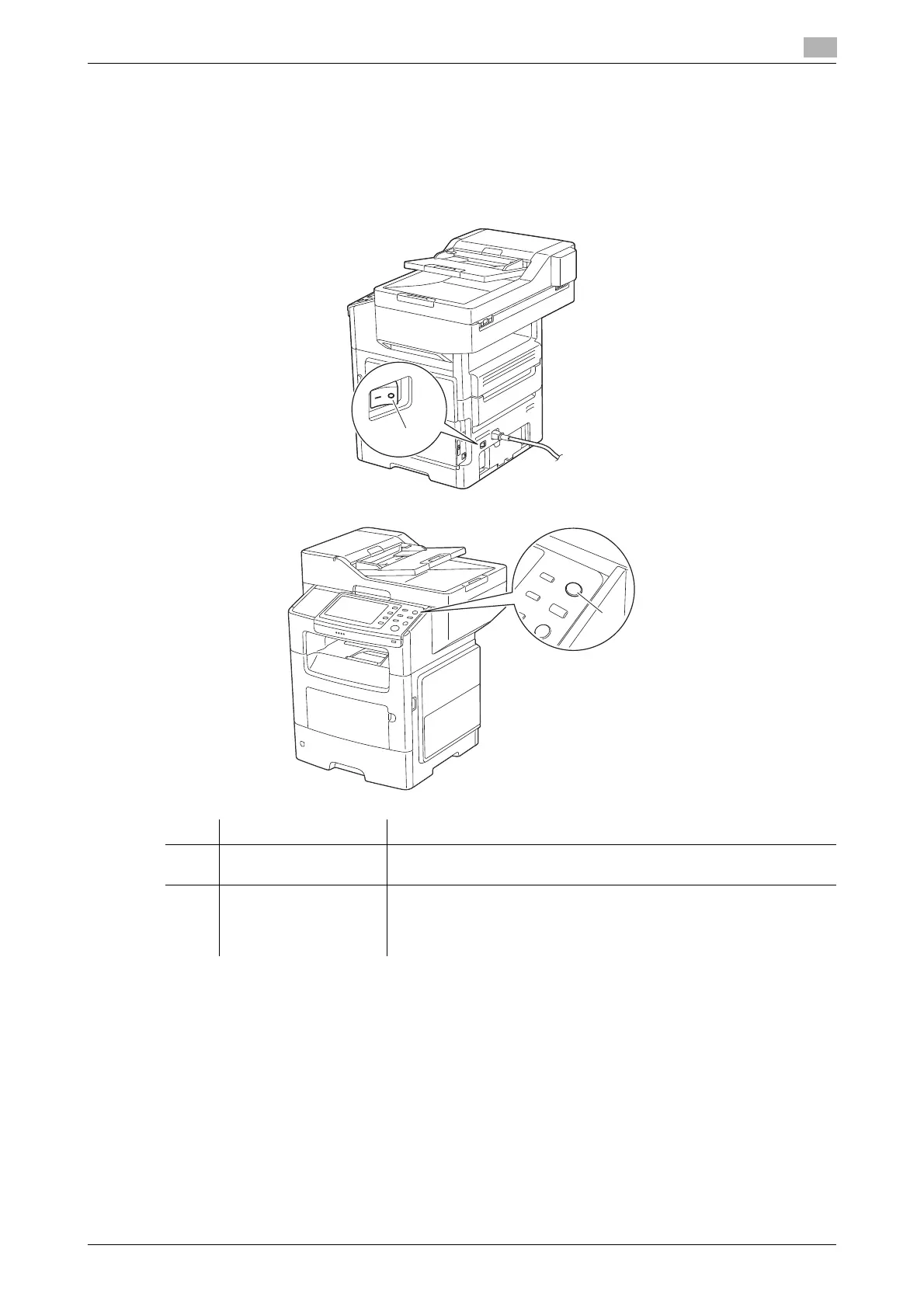
2.2.1 Power Switch and Power key locations
This machine has two power switches: Power Switch outside the machine and Power key on the Control
Panel.
NOTICE
While printing, do not turn the Power Switch off or press the Power key. Otherwise, it may lead to a paper
jam.
If the Power Switch is turned off or the Power key is pressed while this machine is running, the system de-
letes the currently loaded data or communicating data as well as queued jobs.
No. Name Description
1 Power Switch Press this switch when turning the main power of this machine on or
off, or when restarting this machine.
2 Power key Press this key to switch this machine to Power Save mode. This func-
tion reduces power consumption and has more significant power sav-
ing effect.
For details, refer to page 2-9.
1
2












 To Next Page