3-8 ineo 4050/4750
Loading paper into Tray 1
3
3.3
3.3 Loading paper into Tray 1
NOTICE
Individually feed paper into each tray to maintain balance of this machine. While loading paper into one tray,
close all other trays.
0 For details on the available paper types and sizes, refer to page 3-3.
0 Tray 2/3/4 is available when the optional Paper Feed Unit is installed. The method for loading paper
into Tray 2/3/4 is the same as for Tray 1.
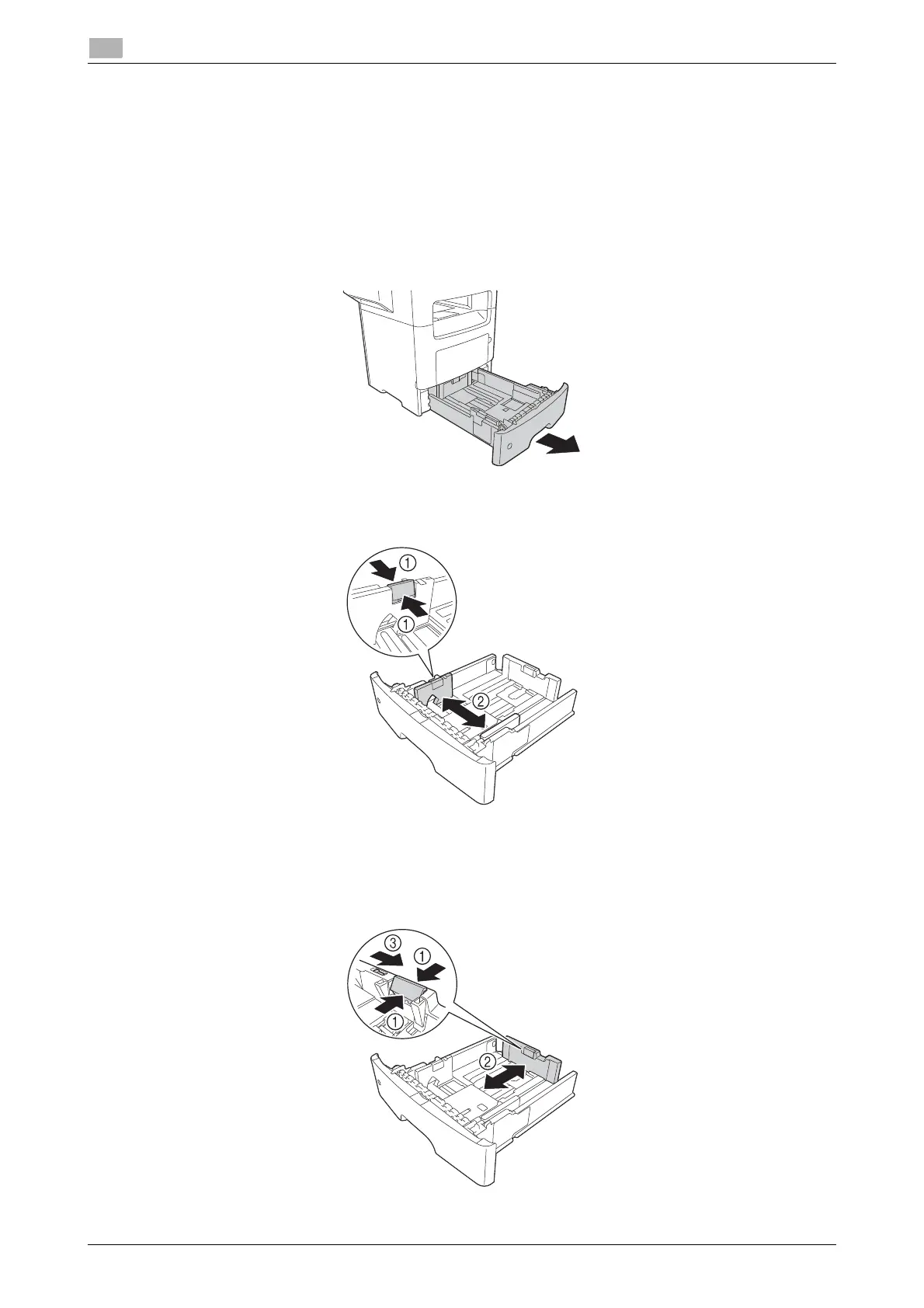
1 Fully pull out Tray 1.
2 Hold the crosswise paper guide tab, then move the paper guide to match the size of the paper to be
loaded.
3 Hold the lengthwise paper guide tab, then move the paper guide to match the size of the paper to be
loaded.
% After moving the paper guide, slide the lock tab (3) to lock the paper guide. You can use the lock/un-
lock mark to check whether or not the paper guide is locked.












 To Next Page