ineo 4050/4750 3-7
3.2 Loading paper into the Manual Feed Tray
3
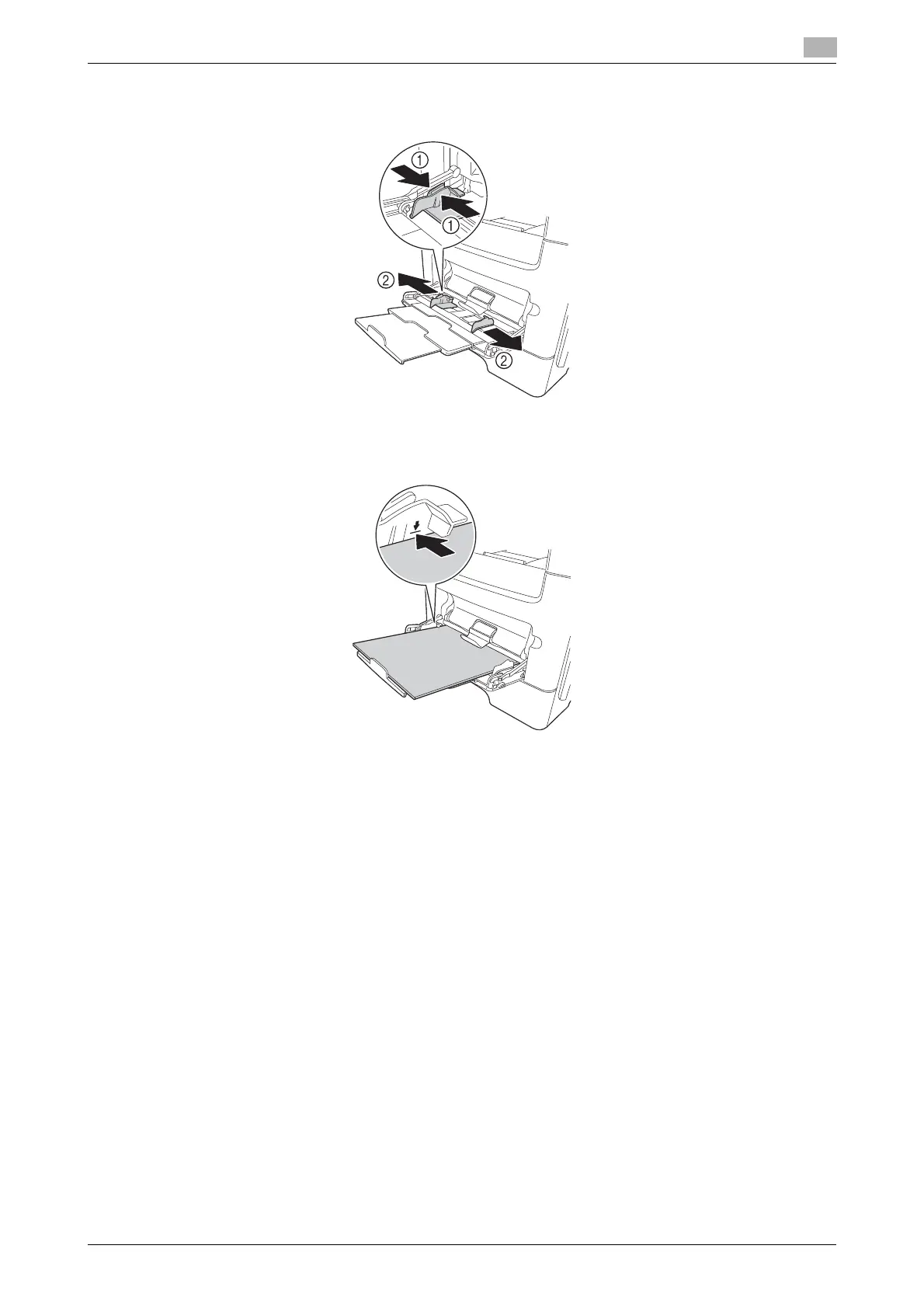
4 Hold the paper guide tab located at the left end, then move the paper guide to match the width of the
paper to be loaded.
5 With the side to be printed on facing up, insert the paper as far as possible into the feed slot.
% If paper is curled, flatten it before loading.
NOTICE
Load paper within the guide indicating the upper limit.
6 Align the paper guide to the paper size.
7 Change the paper type and paper size on the Control Panel. When loading custom sized paper, also
specify the paper size.
% To configure settings: [Utility] - [User Settings] - [Printer Settings] - [Paper Setting] - [Paper Tray] -
[Manual Feed]












 To Next Page