9-10 ineo+ 360i/300i/250i
When printing quality has deteriorated
9
9.3
3
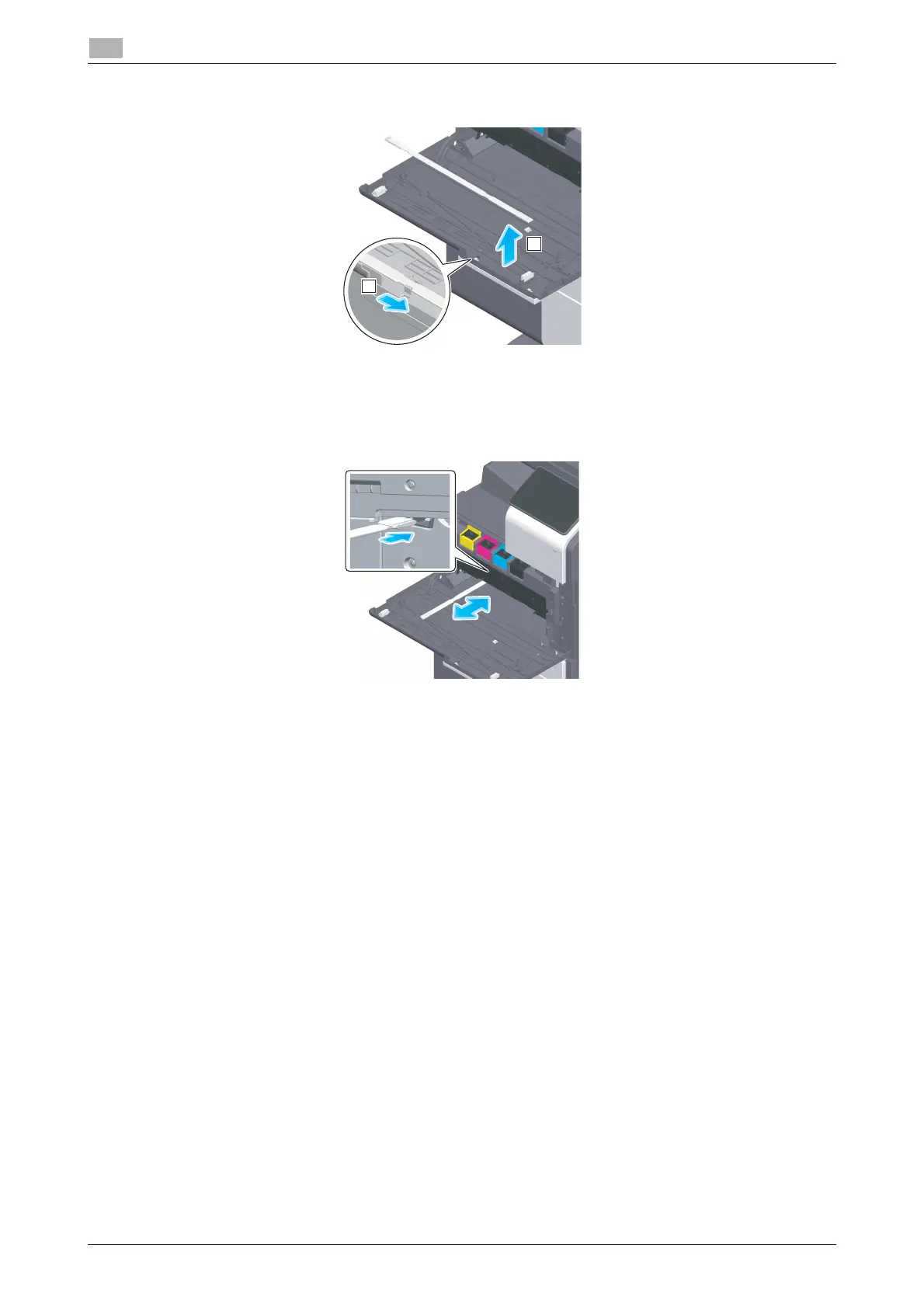
Remove the Printhead Cleaner from the Front Door of this machine.
4
Slowly insert the Printhead Cleaner all the way to the back end of the Print Head Glass, and then
slowly pull it out.
% Repeat this operation approximately three times for all the Print Head Glass sections.
5
Mount the Printhead Cleaner onto the Front Door of this machine.
6
Mount the Waste Toner Box.
7
Close the Front Door of the machine.











 To Next Page