EasyManua.ls Logo

DEXIS NOMAD Pro 2 - User Manual

DEXIS NOMAD Pro 2
58 pages
Print Icon
To Next Page IconTo Next Page
Loading...
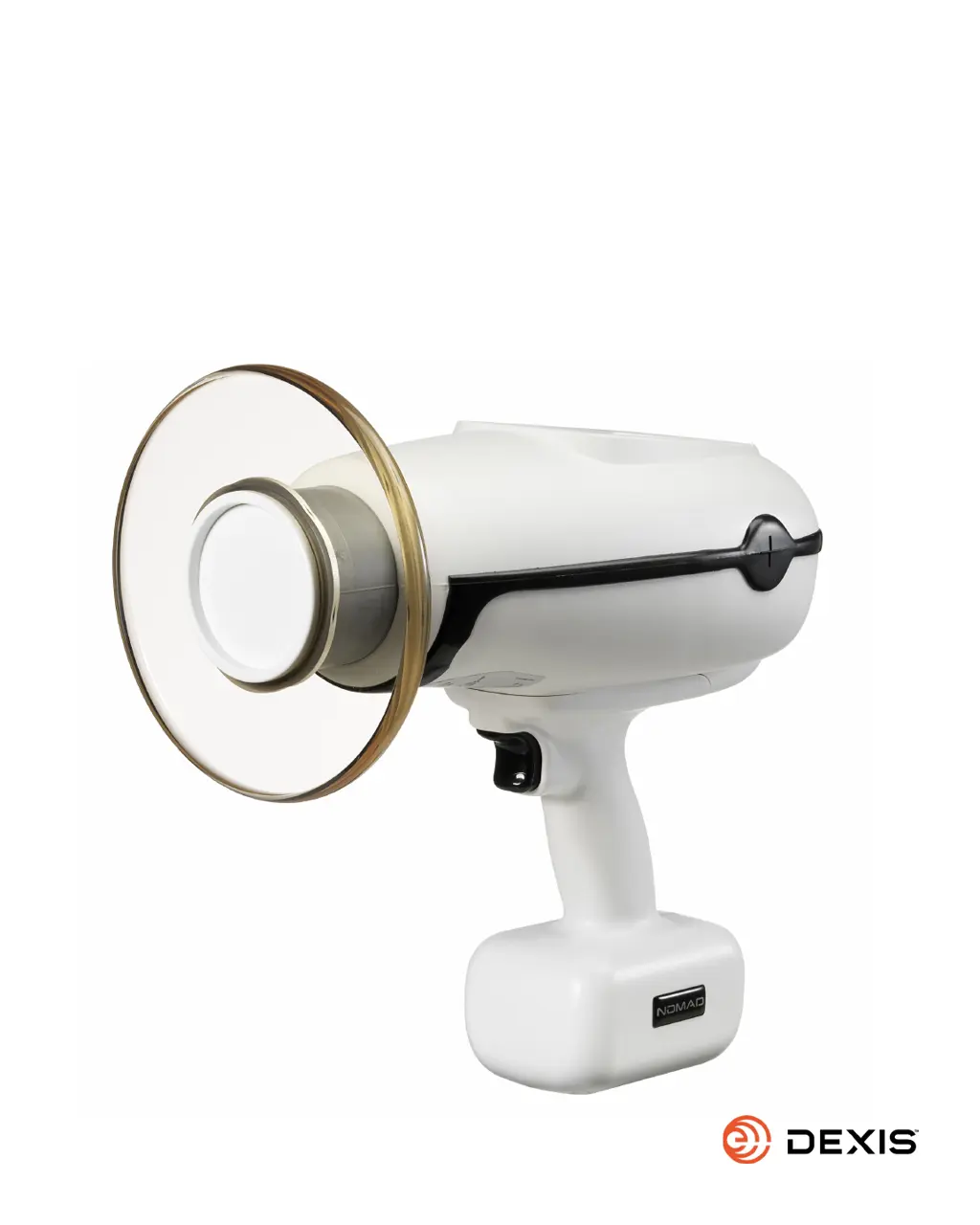
Handheld X-ray System
for Intraoral Radiographic Imaging
OperatOr Manual
NOMAD
TM

Questions and Answers

Summary

Getting Started

Indications for Use

Specifies the intended use of the NOMAD Pro 2 for intraoral radiographic imaging by trained professionals.

Warnings and Precautions

Outlines critical safety warnings and specific considerations for patient types and conditions.

Unpack, Check, Register, and Clean

Provides instructions for initial device setup, inspection, registration, and cleaning.

Charging the Handsets

Details the procedure for charging the device's rechargeable battery handsets and compatibility.

Safety Precautions

Radiation Safety

Covers essential safety measures and guidelines for radiation protection for operators and patients.

Studies and Data on Leakage and Scatter

Presents studies and data on X-ray leakage and scatter radiation for safety analysis.

Usage and Duty Cycle

Explains device usage patterns, duty cycle limitations, and service life considerations.

Cleaning Procedures

Instructs on the proper methods for cleaning the device and its accessories, avoiding damage.

Security, Storage, and Transportation

Provides guidelines for securing, storing, and transporting the device safely and appropriately.

Product Symbols

Explains the meaning of various symbols used on the device, packaging, and in the manual.

Location of Device Labels

Identifies the location of important labels and identification marks on the device and accessories.

Setup and Power Check

The Backscatter Shield

Describes the backscatter shield's function, adjustment, and importance for operator protection.

Attaching a Charged Handset

Guides the user on correctly orienting and attaching the handset to the main device securely.

Checking for Power

Explains how to turn on the device and verify its power status and battery level.

Checking for Handset in Sleep Mode

Details how to check if the handset is in sleep mode and the procedure to re-enable it.

Optional Checks

Lists optional diagnostic checks that can be performed periodically for device functionality.

Operation

Powering Up the Device

Instructions on how to turn on the NOMAD Pro 2 device and what indicators to expect.

Lock;Unlock the X-ray

Explains how to activate the security feature to prevent unauthorized use and for training purposes.

Ensuring the Right Exposure Time is Set

Guides on selecting and verifying the correct exposure time for optimal diagnostic imaging.

Ready the Device for Exposure

Describes the steps to prepare the device for taking an X-ray exposure, including alerts.

Initiating and Completing an X-ray Exposure

Details the process of starting, holding, and finishing an X-ray exposure, including alerts.

Powering Off the Device

Instructions on how to turn off the NOMAD Pro 2 manually or via auto-shut down.

Exposure Techniques

Provides guidance on patient positioning and device techniques for various intraoral imaging scenarios.

Ensuring Image Quality

Discusses factors contributing to high-quality X-ray images and how to achieve them, including motion and time settings.

Technique Factors Settings and Adjustments

Explains how to adjust technique factors for optimal imaging based on patient, receptor, and tooth type.

Settings Menu Options

Details the various customizable settings available in the device's menu, including exit and saving.

Care and Upkeep

Handset Replacement and Care

Provides essential notes on caring for the handset, battery, charging, and replacement.

Alarms and Alerts

Explains the visual and audible indicators for device status, warnings, and required actions.

Troubleshooting Common Issues

Offers solutions for common device symptoms, potential problems, and corrective actions.

Maintenance and Repair

Maintenance Schedule and Checks

Outlines the schedule for routine on-going and annual maintenance and quality checks.

Calibration Checks

Details the factory calibration, testing equipment, and acceptance parameters for performance verification.

Maintenance Log Sheets

Provides templates for logging maintenance tests performed, dates, and initials.

Repair Information

States that repairs must be performed by authorized personnel and lists user-replaceable components.

Technical Description

Basic Technical Specifications

Lists fundamental technical specifications, including environmental, electrical, and classification compliance.

X-ray Tube Specifications and Characteristics

Provides detailed specifications and characteristics of the X-ray tube used in the device, including charts.

Manufacturers Declaration

Declares compliance with EMC standards, RF emissions, immunity, and provides electromagnetic environment guidance.

Cables Used with Device

Lists the specific cables supplied with the device and notes about using only specified cables.

DEXIS NOMAD Pro 2 Specifications

General IconGeneral
X-Ray Tube Voltage60 kV
X-Ray Tube Current2.5 mA
Image Resolution16 lp/mm
Warranty2 years
TypeHandheld X-ray System
Sensor TechnologyDigital sensor
Battery TypeLithium-ion
Battery LifeUp to 300 exposures per charge
ConnectivityUSB
CompatibilityCompatible with digital sensors and film
Total Filtration2.5 mm Al equivalent

Related product manuals