2726
NOMAD
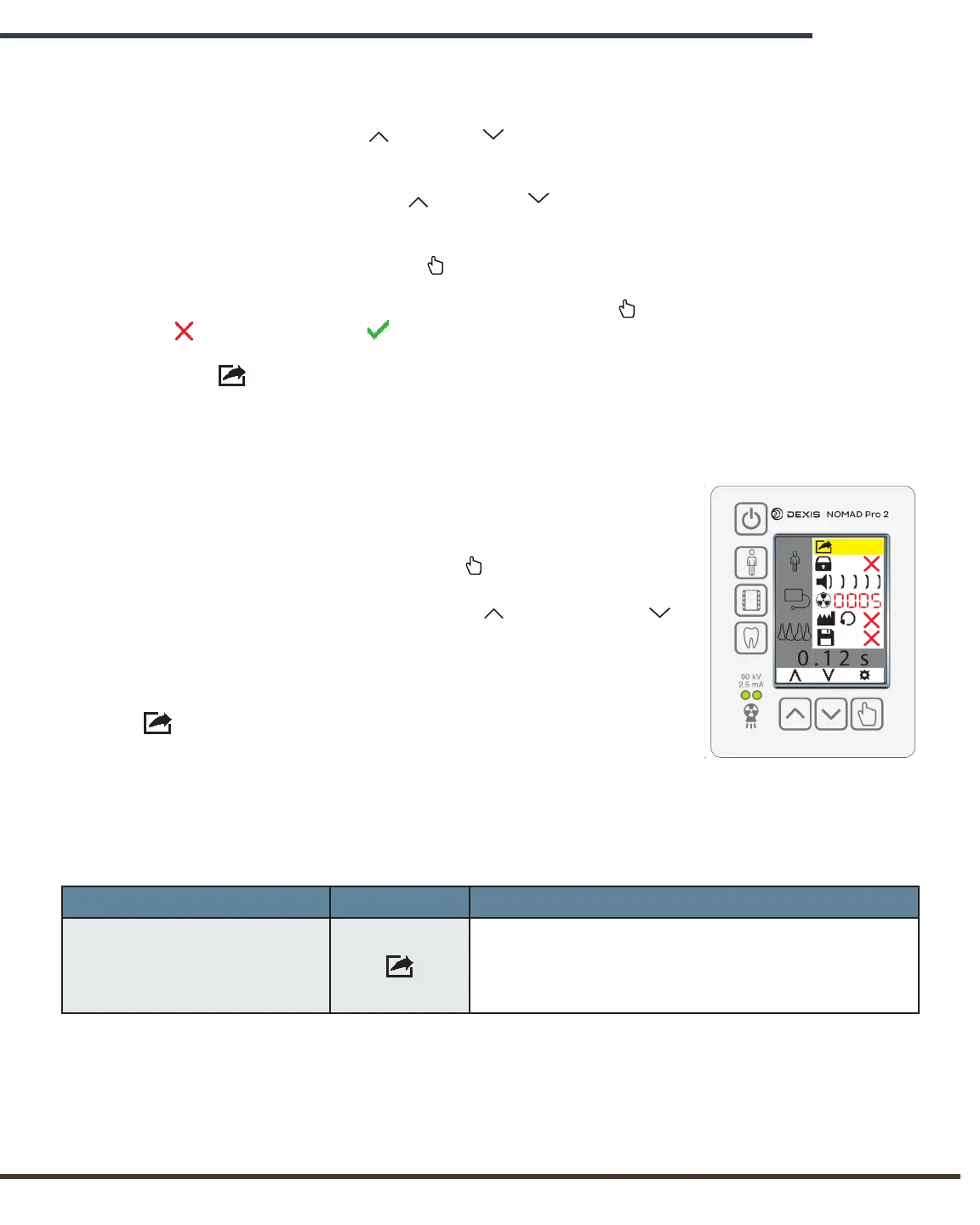
The Settings Menu:
with Exit selected
Technique Factor time setting can be adjusted by the operator. This is done from the
main display screen by following these steps:
Press the Increase or Decrease buttons until the desired time setting is
selected.
NOTE: When the Increase or Decrease buttons are pressed AND held, the rate at
which the displayed time setting changes on screen accelerates.
Press and release the Select button to activate the Settings Menu.
The Save icon will be highlighted. Press the Select button to replace the red
“x” with a green check .
Exit the Settings Menu to save the new settings.
Once saved, this change will be maintained in memory until overwritten or until the
factory defaults are restored through the Reset Defaults menu item.
4.10 Settings Menu
The NOMAD Pro 2 Settings Menu allows the operator to
customise settings according to individual preferences. To access
the Settings Menu, press the Select button. When the
Settings Menu appears, the operator can access the desired
menu item(s) by pressing the Increase and Decrease
buttons to scroll up or down. A menu item is selected when it is
highlighted in yellow.
When the operator exits the Settings Menu by using the Exit
menu item, any settings that have been modified will be
saved.
Following is a table discussing the various menu items and the
options and functionality associated with each.
Menu Item Icon Options
Exit
Allows the operator to leave the Settings Menu
and return to normal operation. (Powering off and
then on also exits the menu but may not allow
settings to be saved.)


 To Next Page