3130
NOMAD
5.0 Handset Replacement and Care
• Handsets must be charged before initial use. Alternate handsets each week to
maximise service life. Handset should be at least 2/3 charged for long term storage.
• After daily use, it is recommended to disconnect the Handset from the device housing
for overnight storage.
• Do not spray disinfectant or cleansers directly on to the handsets.
A Recharge Handset alarm on the display panel indicates
the need for a recharged handset. The NOMAD Pro 2
cannot emit X-rays with a low, depleted battery (insufficient
voltage). Follow these steps to clear the Recharge Handset
alarm.
Press and release the Power button on the control
panel to turn off the NOMAD Pro 2.
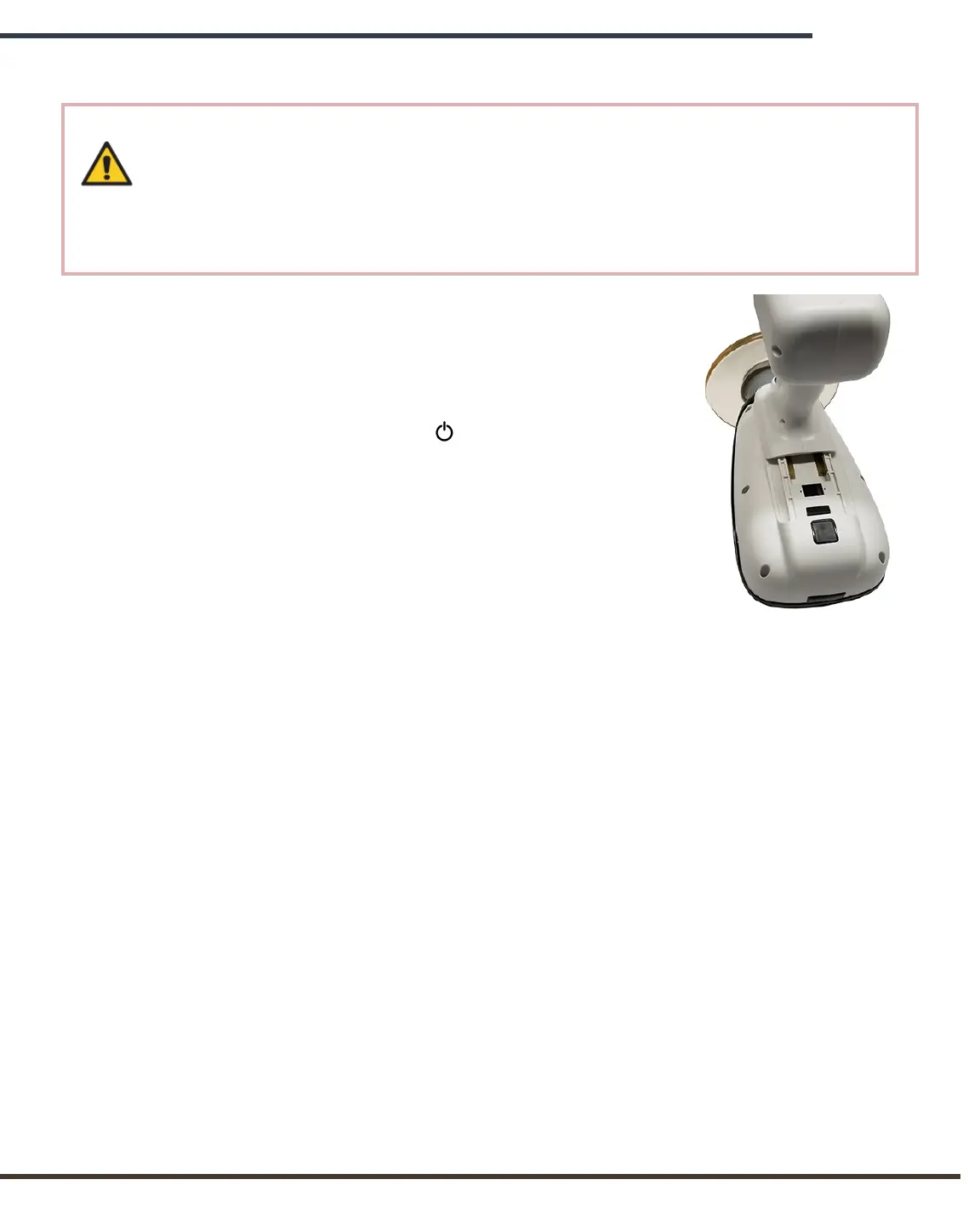
Place the NOMAD Pro 2 bottom up on a stable surface
and depress the release button on the housing, just behind
the handset, to release it from the housing.
Slide the handset forward toward the backscatter shield
and the collimator cone.
Carefully align a newly charged handset and, while avoiding possible pinch points
between the housing and the handset, slide it into place. A properly oriented handset
should snap into place without force. A clicking sound ensures that the handset is
fastened. Make sure the handset is secure by pushing it toward the cone.
IMPORTANT HANDSET CARE NOTES:
• Alternate handsets each week to maximize service life.
• Routinely change discharged handset with fully charged one as needed.
• Remove the handsets from the charging cradle once they are fully charged.
• Battery life is expected to be at least 2 years with proper care and maintenance.
• Batteries and Handsets may only be replaced with NOMAD Pro 2 Handsets.
• Battery charge will diminish during extended inactivity. Fully recharge handsets every
three months during inactivity. Never place a low charged battery into long-term
storage.
• To quickly check the charge level of a handset when it is not attached to the tube
head or charger, pull the trigger and watch the dark red window. A blinking light will
indicate the charge level from 1 (low) to 5 (high).


 To Next Page