2120
NOMAD
4.0 Operation
4.1 Powering Up
NOTE: Manufacturer’s recommendation is for the operator to wear nitrile or other gloves
during basic operation of the NOMAD Pro 2.
Press and release the Power button to turn on the NOMAD Pro 2. An audible
double tone and an active display panel indicate the device has power.
Technique factors are redisplayed according to what was
displayed when the device was
turned off, along with the last saved
time setting.
4.2 Lock/Unlock the X-ray
The X-ray lock and unlock
functionality can be activated to
prevent unauthorised use when the
NOMAD Pro 2 is idle or stored. This
functionality may also be used for
training purposes.
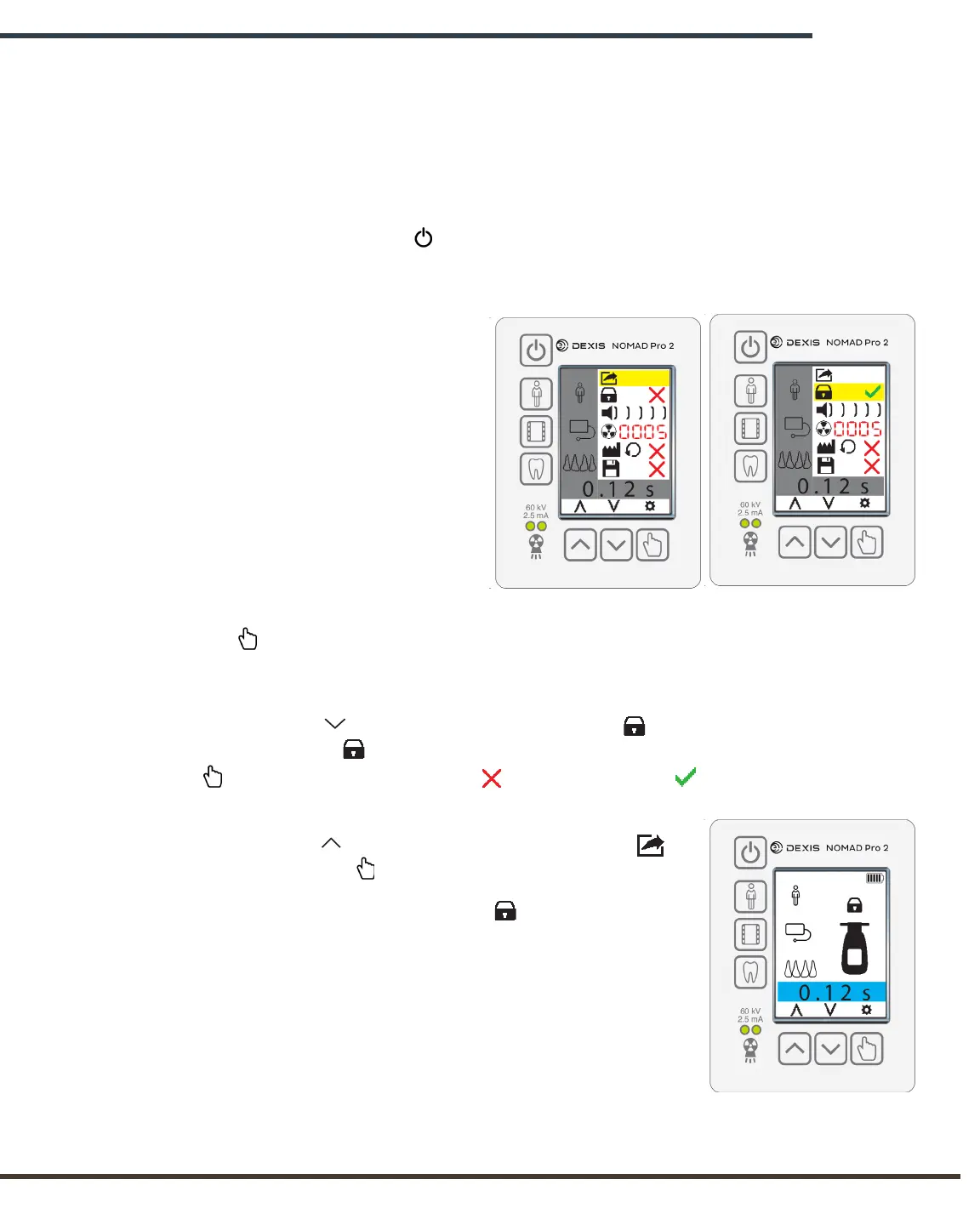
To lock the X-ray, first press and hold
the Select button. The screen will
change from at-rest state to the Settings
Menu.
Using the Decrease button, scroll down to the Lock symbol. The yellow highlight
indicates that the Lock symbol is selected. Once the icon is selected, then press the
Select button to change the red “x” with a green check . The device is now in
lock mode.
Using the Increase button, scroll back up to the Exit
symbol. Press the Select button to return to the at-rest state.
Upon returning to at-rest state, the Lock icon will appear
above the X-ray tubehead, indicating that, while routine
functions of the device may be performed, no X-rays will be
fired.
4.3 Ensuring the Right Exposure Time is Set
Technique factors are redisplayed according to what was
displayed when the device was turned off, along with the last
saved time setting.
Settings Menu:
X-ray Unlocked
Settings Menu:
X-ray Locked
X-ray Locked


 To Next Page