80
Chapter 7 Intel AMT Settings
Chapter 7
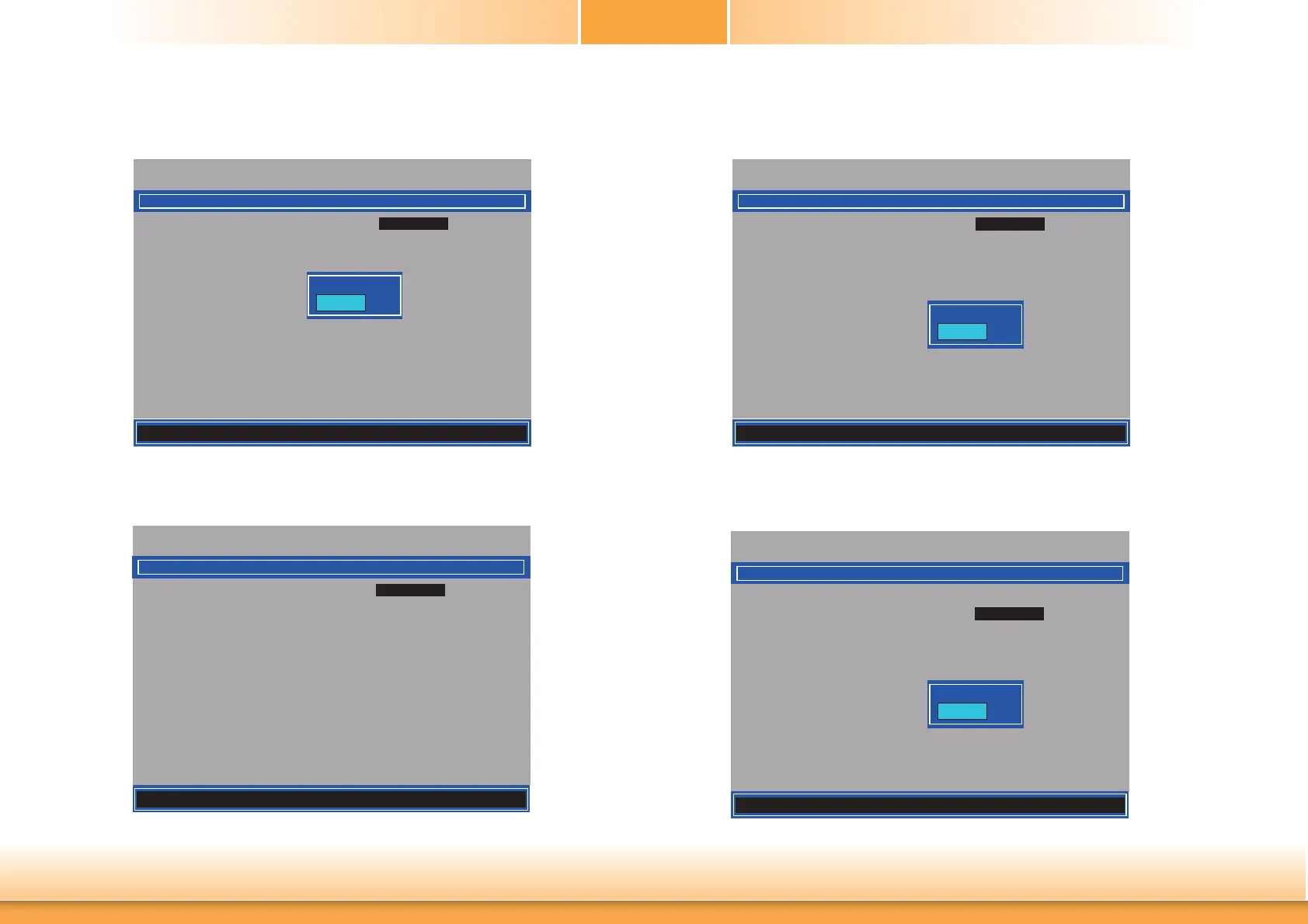
9. In the Intel(R) AMT Configuration menu, select Manageability Feature Selection
then press Enter. Select Disabled then press Enter.
Intel(R) Management Engine BIOS Extension v9.0.0.0029/Intel(R) ME v9.5.30.1808
Copyright(C) 2003-13 Intel Corporation. All Rights Reserved.
Manageability Feature Selection < Enabled>
> SOL/ IDER/ KVM
> User Consent
Password Policy <Anytime>
> Network Setup
Unconfi gure Network Access <Full Unprovision>
> Remote Setup And Confi guration
> Power Control
Disabled
Enabled
10. In the Intel(R) AMT Configuration menu, select SOL/IDER/KVM then press Enter.
Intel(R) Management Engine BIOS Extension v9.0.0.0029/Intel(R) ME v9.5.30.1808
Copyright(C) 2003-13 Intel Corporation. All Rights Reserved.
SOL/ IDER/ KVM
Username and Password < Enabled>
SOL <Enabled>
IDER <Enabled>
KVM Feature Selection <Enabled>
Legacy Redirection Mode
<Disabled>
Menu for FW Redirection Confi guration
INTEL (R) AMT CONFIGURATION
11. In the SOL/IDER/KVM menu, select Username and Password then press Enter.
Select Disabled then press Enter.
Intel(R) Management Engine BIOS Extension v9.0.0.0029/Intel(R) ME v9.5.30.1808
Copyright(C) 2003-13 Intel Corporation. All Rights Reserved.
SOL/ IDER/ KVM
Username and Password < Enabled>
SOL <Enabled>
IDER <Enabled>
KVM Feature Selection <Enabled>
Legacy Redirection Mode
<Disabled>
Disabled
Enabled
12. In the SOL/IDER/KVM menu, select SOL then press Enter. Select Disabled then press
Enter.
Intel(R) Management Engine BIOS Extension v9.0.0.0029/Intel(R) ME v9.5.30.1808
Copyright(C) 2003-13 Intel Corporation. All Rights Reserved.
SOL/ IDER/ KVM
Username and password < Enabled>
SOL <Enabled>
IDER <Enabled>
KVM Feature Selection <Enabled>
Legacy Redirection Mode
<Disabled>
Disabled
Enabled
[] = Move Highlight [Enter] = Select Entry [Esc]= Exit
[] = Move Highlight [Enter] = Complete Entry [Esc]= Discard Changes
[] = Move Highlight [Enter] = Complete Entry [Esc]= Discard Changes
[] = Move Highlight [Enter] = Complete Entry [Esc]= Discard Changes



 To Next Page