NOTE
The screws need not be removed simply by loosening them to make the work more efficient and to prevent
the screws from being lost.
6.
Open the tool area cover.
7.
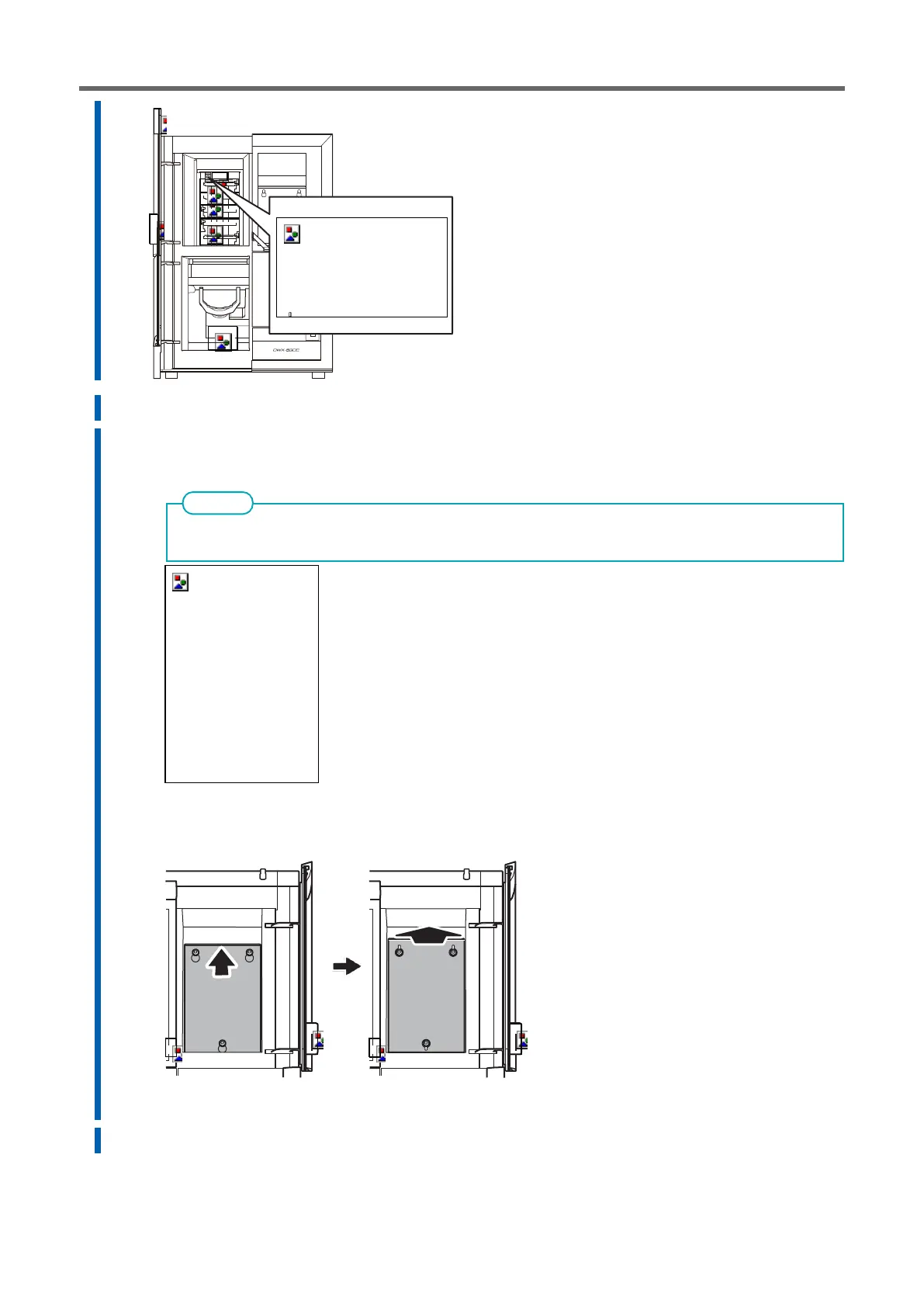
Remove the maintenance cover.
a.
Loosen the screws securing the maintenance cover by hand about two turns.
b.
Remove the maintenance cover.
Lift the maintenance cover upward and when the hole in the maintenance cover comes to the position
where it passes through the screw, pull the maintenance cover toward you to remove it.
8.
Remove the two screws with a torque screwdriver to remove fixture C.
9.
Remove the three screws with a torque screwdriver to remove fixture D.



 To Next Page